
Vandaag of morgen in huis

Kwaliteit gegarandeerd

Welkomstaanbiedingen ontgrendelen: GRATIS bezorging | Tot 80% korting | Gratis 30 dagen JoyPlus-proefperiode
Download de app
A wireless mouse keeps your desk tidy and is handy alongside a laptop, desktop computer or second screen. But the choice can be more complicated than it first appears. A low price tells you little about click noise, connectivity or comfort. Likewise, a high DPI rating and gaming features aren’t automatically useful for office work.
As a Joybuy Product Recommendation Officer, I filter the key product specifications and match them to familiar use cases. That way, you won’t pay for features you don’t use.
DPI indicates how sensitively the cursor responds to movement. A higher setting can be useful with large screens or for gaming, but an adjustable setting of around 1000 to 1600 DPI is often practical for word processing and browsing. DPI isn’t a complete measure of accuracy: the sensor, surface and software settings all play a part.
A Bluetooth mouse connects directly to a device that supports Bluetooth. This is handy for laptops with few USB ports. A mouse with a USB receiver usually connects through a free USB-A port and can offer a simple plug-and-play solution.
Before you buy, check:
A multi-device mouse can also pair with several computers or tablets. Be sure to check the difference between the number of paired devices and the number of devices you can actually switch between.
There’s no single shape that makes an ergonomic mouse right for everyone. Check its length, width, height and weight. A compact mouse for laptop use can be handy in a bag, but may feel less comfortable during long working days. Left-handed users should look for an ambidextrous mouse – a model designed for both left- and right-handed use.
A 2.4 GHz connection via a nano receiver is practical for a desktop or work computer. Bluetooth avoids the need for a separate receiver and works well with a modern laptop. Models offering both options give you more flexibility, but check whether you can use both connection types at the same time or need to switch between them.
A basic mouse usually has two main buttons and a scroll wheel. Programmable buttons are handy for shortcuts, browser functions or software commands. A mouse for the office, library or shared workspace may be more comfortable to use if it’s a quiet mouse. Check whether only the main buttons are quieter, or the scroll wheel too.
A model with replaceable batteries will keep working as long as you have a spare to hand. A rechargeable mouse means no loose batteries, but you’ll need to connect it to a USB cable periodically. Don’t just check the stated battery life; also look at:
Stated battery life generally depends on use and settings. Treat it as a manufacturer’s estimate, not a guaranteed duration.
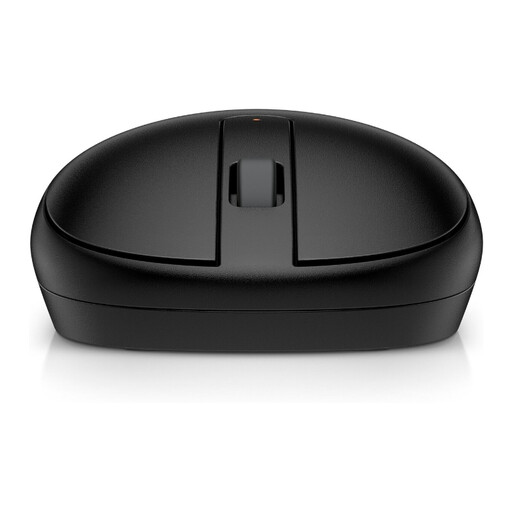
Why it suits this user: This compact Bluetooth mouse is designed for everyday use with a laptop or home computer. According to the product information, it works without a dongle and has a 1600 DPI optical sensor.
The product description specifies Bluetooth 5.1, with no separate dongle. This leaves a USB port free, but check beforehand that your device supports Bluetooth.
Ambidextrous design, 1600 DPI and three buttons plus a scroll wheel. Compatible with Windows, macOS and ChromeOS according to the product specifications.
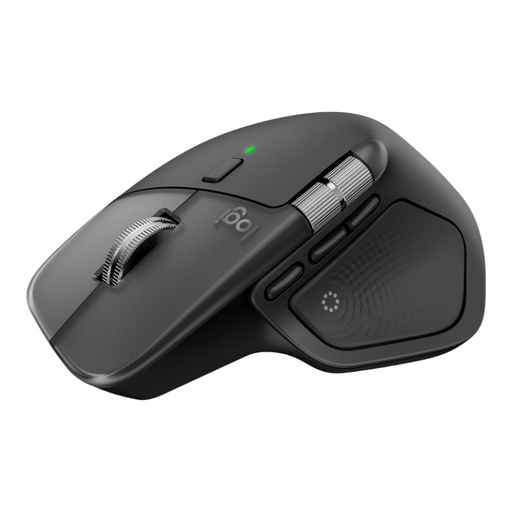
Why it suits this user: According to the product information, this model is designed for extended office work, fast scrolling and use with multiple devices.
The specifications list Bluetooth and a Logi Bolt receiver, support for up to three paired devices and eight programmable buttons.
Built-in rechargeable battery, horizontal scroll wheel and a stated battery life of up to 70 days per charge, according to Logitech.
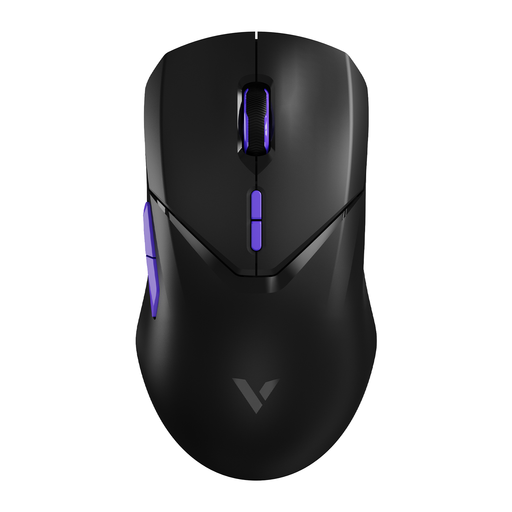
Why it suits this user: This wireless gaming mouse is designed for users who value configurable buttons, a high polling rate and a low weight.
The product information lists ten programmable buttons, a PAW 3398 optical sensor and a polling rate of up to 4000 Hz. Higher polling rates can increase CPU usage.
According to the manufacturer, the built-in battery lasts up to 180 hours. The model weighs 68 grams according to the specifications and supports USB-C charging.
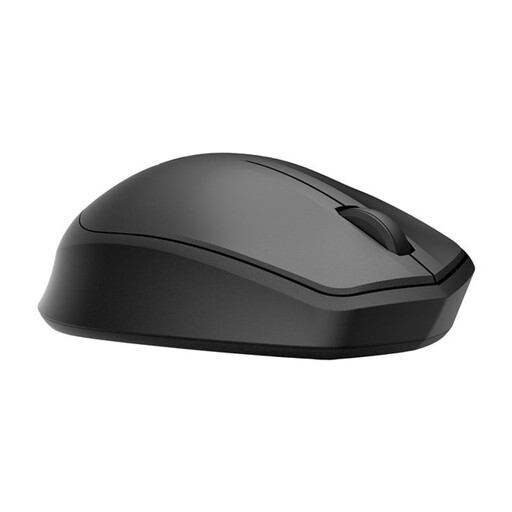
Why it suits this user: A sensible choice for an office, home workspace or shared space where click noise is unwelcome.
According to HP, the design reduces noise from the main buttons by up to 90%. When it arrives, check that the noise level suits your working environment.
2.4 GHz connection via USB receiver, ambidextrous design and battery life of up to 18 months according to the product specifications.
We’ve put together a complete, up-to-date list of products that meet these strict selection criteria and the applicable European safety regulations.
Not every mouse works in the same way. A Bluetooth mouse requires Bluetooth support on your laptop. A model with a USB receiver needs a suitable USB port. Also check the supported operating system in the product specifications.
It depends on the type of power supply, sleep mode, connection method and how you use it. Manufacturers sometimes state a maximum battery life, such as 12, 18 or 24 months with replaceable batteries. For a rechargeable mouse, battery life is given per charge. Treat these figures as a guide, not a guarantee.
It can be, but not every gaming mouse is practical for the job. High polling rates, extra buttons and advanced software are mainly useful for gaming. For office work, weight, hand shape, quiet buttons and Bluetooth may matter more. Choose a mouse to suit how you use it every day, rather than focusing only on DPI or gaming labels.
