
Vandaag of morgen in huis

Kwaliteit gegarandeerd

Welkomstaanbiedingen ontgrendelen: GRATIS bezorging | Tot 80% korting | Gratis 30 dagen JoyPlus-proefperiode
Download de app
A wireless mouse gives you a tidier desk and greater freedom of movement. However, not every model is automatically suitable for your laptop, PC, workspace or gaming setup. A low price may seem appealing, for example, until you discover that the USB receiver is missing, the battery runs flat quickly or the shape is awkward to use.
Pay particular attention to these three common pitfalls:
A Bluetooth mouse pairs directly with a compatible device. You do not need a separate dongle. Do check that Bluetooth is available and that the operating system is supported. This type is useful for laptops, tablets and flexible workspaces.
A wireless mouse with a USB receiver usually uses 2.4GHz radio. The receiver is often plug-and-play and works without additional software. This is practical for a dedicated mouse for your PC or laptop, although it does use up a USB port. Some models offer both options, such as the Logitech MX Master 4 for Business and various gaming mice.
An optical mouse uses a light sensor to register movement. The surface affects tracking; glass and highly reflective surfaces can cause problems. DPI stands for dots per inch and indicates how far the cursor moves in response to a particular hand movement.
A mouse with adjustable DPI is useful when you switch between word processing, image editing and gaming. Also check the increments in which you can adjust the DPI. The Trust Bayo II, for example, switches between 800 and 2,400 DPI, while gaming models quote much higher figures.
An extremely high DPI is not automatically more useful. For everyday office work, a predictable cursor is often more important than an extreme maximum.
Look at the length, width, height and weight. A compact wireless mouse fits easily into a laptop bag, but may provide less support for larger hands. A vertical mouse has a different grip from a standard model and may take some getting used to.
Also check the power supply:
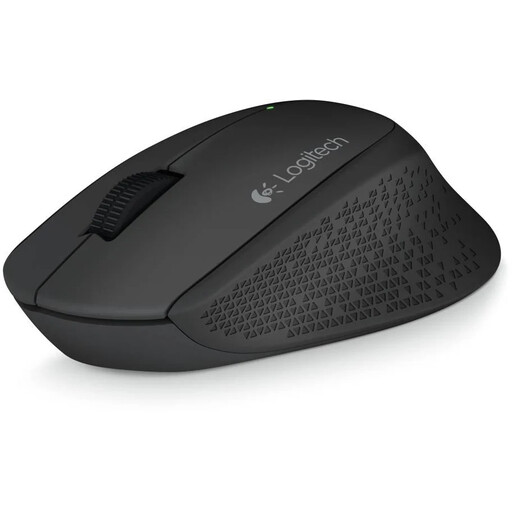
Why it suits this profile: This right-handed mouse uses a 2.4GHz connection with a nano USB receiver and has a 1,000 DPI optical sensor. That makes it suitable for straightforward navigation at home or in the office.
The connection, range of up to 10 metres and included AA battery are clearly specified. So you do not need to look for separate Bluetooth support.
Rubberised grips, three buttons, optical tracking and a battery included.
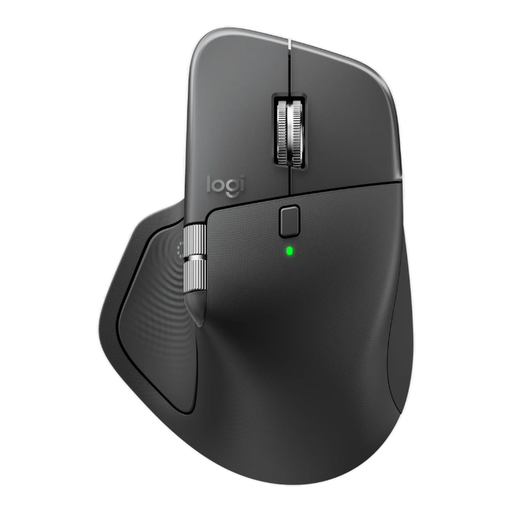
Why it suits this profile: This right-handed model combines Bluetooth with a Logi Bolt receiver, supports up to three devices and has eight buttons, horizontal scrolling and USB-C charging.
You are not dependent on a single connection type. Logitech says that Quiet Click reduces click noise by 90%; this is a brand claim, not a universal guarantee for every working environment.
Adjustable 8,000 DPI, rechargeable battery, quiet clicks and support for up to three devices.
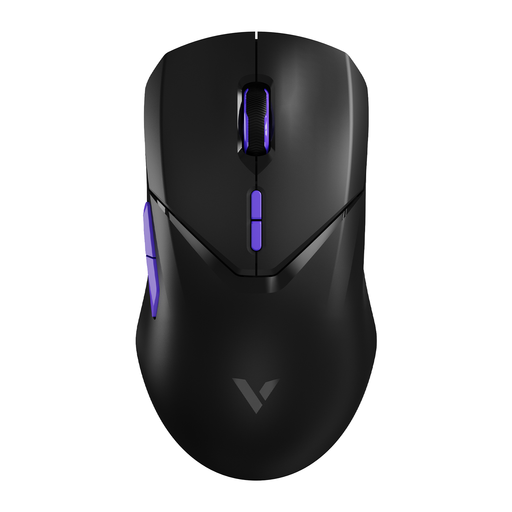
Why it suits this profile: This wireless gaming mouse is aimed at users looking for adjustable performance and plenty of programmable functions. The stated specifications include 26,000 DPI, ten buttons and battery life of up to 180 hours.
The 4,000Hz polling rate is clearly stated, along with a warning that it may require more CPU usage. You can therefore adjust the polling rate to suit your PC.
PAW 3398 optical sensor, 68 grams, programmable buttons and USB-C charging.
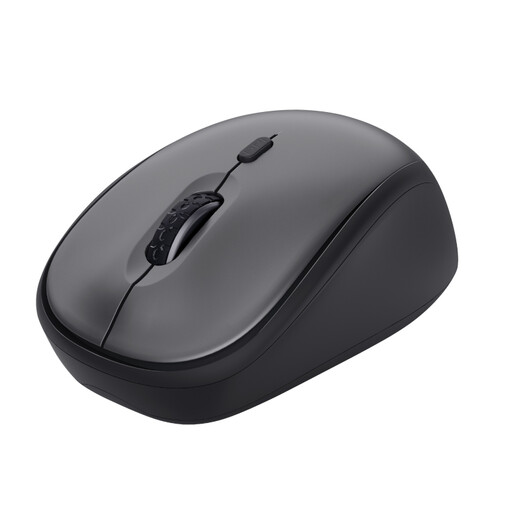
Why it suits this profile: This compact wireless mouse is suitable for a shared workspace or use on the go. It works via a USB micro receiver, is suitable for left- and right-handed use, and uses one AA battery.
The silent buttons, receiver storage and automatic, straightforward installation are explicitly included in the product description. Bluetooth is not available.
800–1,600 DPI, range of up to 8 metres, quiet clicks and a compact design.
We have compiled a complete, up-to-date list of products that fully meet these strict selection criteria and the applicable European safety regulations.
Not always. Check whether your laptop supports Bluetooth or has a free USB-A port for the receiver. USB-C laptops may require an adapter. Also check the operating system listed, such as Windows, macOS or ChromeOS.
That depends on the model and how you use it. A mouse powered by AA or AAA batteries may last for months; rechargeable models often state the battery life per charge. Sleep mode, lighting and high polling rates can affect power consumption. So treat any stated duration as a product specification under particular usage conditions.
Yes, provided the connection, sensor and shape suit your games. A wireless gaming mouse with low latency, adjustable DPI and programmable buttons offers more customisation options. For competitive use, it is also wise to check the polling rate, weight, grip and software support.
