
Vandaag of morgen in huis

Kwaliteit gegarandeerd

Welkomstaanbiedingen ontgrendelen: GRATIS bezorging | Tot 80% korting | Gratis 30 dagen JoyPlus-proefperiode
Download de app
A desk free of tangled cables promotes a clean and organised workspace. A wireless mouse is a simple step towards a clutter-free setup. But the options are vast, ranging from compact mice for your laptop to advanced gaming mice. Which model is right for your needs?
As a Joybuy Product Recommendation Officer, I'm here to help you navigate the specs and marketing jargon. This article provides practical tips and a curated selection of popular wireless mice to help you make an informed decision.
Before we dive into the products, here are a few key factors to consider that will guide your choice.
A wireless mouse connects in one of two ways:
You often use a mouse for hours on end, making a comfortable grip essential. An ergonomic mouse is designed to support the natural position of your hand and wrist, which can help prevent strain and discomfort. Pay attention to the shape (for left- or right-handed use), size, and weight. For those who are frequently on the go, a compact laptop mouse or even a foldable mouse is a practical solution.
DPI stands for Dots Per Inch and determines how sensitive the mouse is. A higher DPI value means the cursor travels a greater distance on the screen with only a small movement of the mouse.
Below is a selection of wireless mice for different types of users, based on their specifications and features.
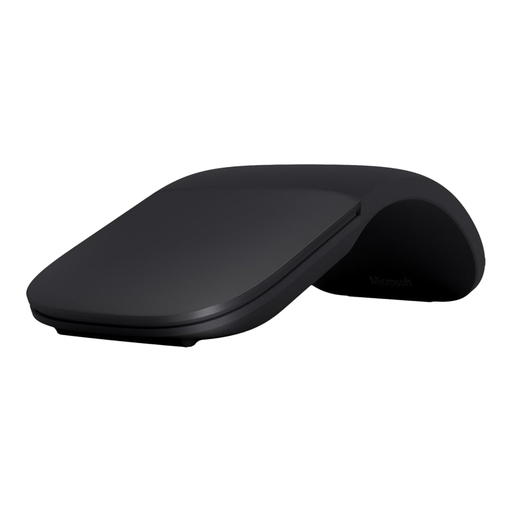
Why It Stands Out The Microsoft Surface Arc immediately catches the eye with its unique design. You snap it into an arc to power it on and flatten it to power it off and store it. This makes it exceptionally portable.
Key Features
Who Is It For? This is an ideal laptop mouse for mobile professionals, students, and anyone looking for a stylish, ultra-portable mouse. Its flat design allows it to slip easily into any bag.
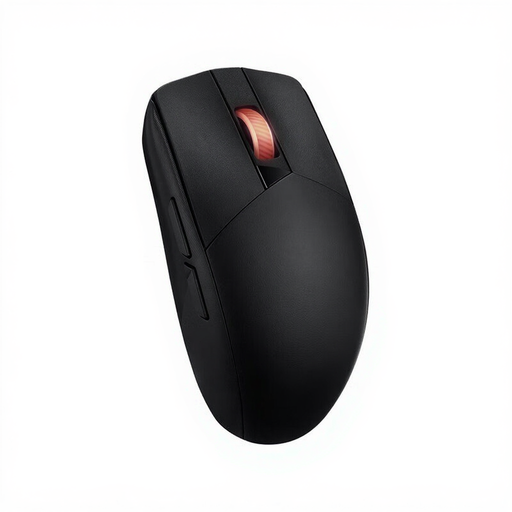
Why It Stands Out This ASUS mouse is engineered for serious gamers. Its specifications are geared for performance, featuring an extremely high sensor resolution and dual wireless connectivity for minimal lag.
Key Features
Who Is It For? The ROG Strix Impact III is a wireless gaming mouse for competitive gamers who demand precision, speed, and customization. The low latency of its RF connection makes it ideal for fast-paced games.
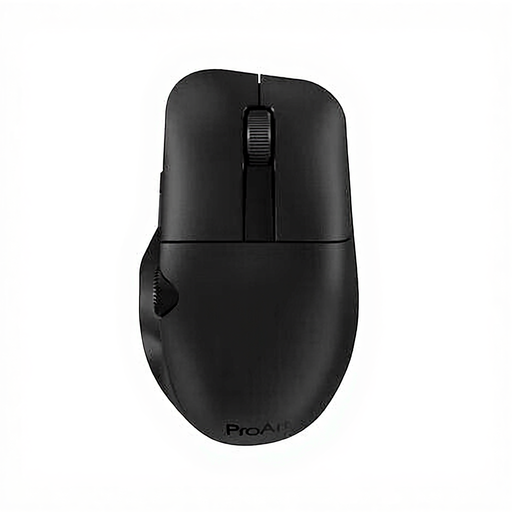
Why It Stands Out The ASUS ProArt MD300 is an ergonomic mouse aimed at creative professionals. It focuses on precision, comfort, and functionality, featuring a built-in rechargeable battery and programmable buttons.
Key Features
Who Is It For? This ASUS mouse is an excellent choice for designers, video editors, and other creative professionals who need a precise and comfortable mouse for their daily workflow. The programmable buttons can be configured for frequently used shortcuts.
If the perfect mouse for you isn't listed here—perhaps because you need more programmable buttons for complex tasks or games—many other options are available.
? Explore our selection of computer mice with maximum side buttons
1. What is the difference between a Bluetooth mouse and an RF wireless mouse? A Bluetooth mouse connects directly to your device without a dongle, freeing up a USB port. An RF mouse uses a USB dongle and often provides a slightly faster and more stable connection, which is preferred by some gamers.
2. How long does the battery of a wireless mouse last? This varies greatly by model and usage. Some mice, like the Microsoft Arc, run on replaceable AAA batteries. Others, such as the ASUS ROG Strix, have a very long battery life (up to 450 hours, according to the manufacturer). Models like the ASUS ProArt feature a built-in rechargeable battery.
