
Vandaag of morgen in huis

Kwaliteit gegarandeerd

Welkomstaanbiedingen ontgrendelen: GRATIS bezorging | Tot 80% korting | Gratis 30 dagen JoyPlus-proefperiode
Download de app
For many, a desk cluttered with cables is a thing of the past. A wireless mouse offers freedom of movement and a clean workspace. But with so many choices—from a compact laptop mouse to an advanced ergonomic mouse—finding the right one can be challenging. Long days at the computer call for comfort and efficiency, and the wrong mouse can lead to discomfort or even injury.
As a Joybuy Product Recommendation Officer, I'm here to help you navigate the options. In this article, you'll find practical tips and a selection of popular models based on their specifications and features. This will help you make an informed decision that suits your workflow and needs.
Before you make a choice, it's wise to consider a few key features. These will determine how the mouse performs in day-to-day use.
A wireless mouse connects in two main ways:
Comfort is personal. The shape of the mouse has a major impact on how your hand and arm feel after a long workday.
The sensor and buttons determine how accurately and efficiently you can work. A mouse's sensitivity is expressed in DPI (Dots Per Inch). A higher DPI means the cursor moves faster across the screen. For graphic design, a high, adjustable DPI is useful, while for office work, a standard DPI (around 1000-1600) is usually sufficient. Programmable buttons can speed up your workflow by allowing you to assign frequently used functions to them.
Below is a selection of wireless mice that stand out for their specific features and design.
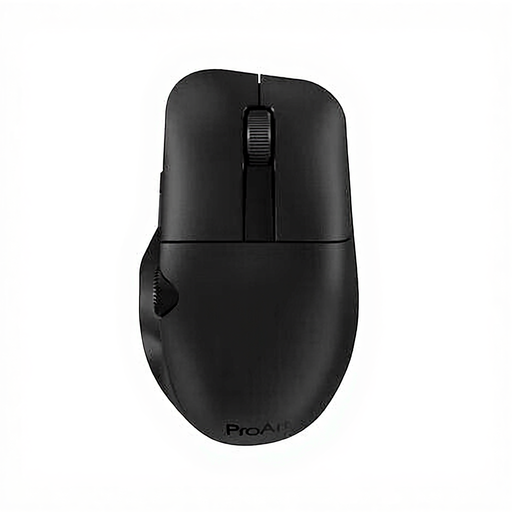
Why it stands out: The ASUS ProArt MD300 is built for precision and customisation. With a high optical resolution of 4200 DPI and a 1000 Hz polling rate, this mouse delivers the accuracy needed for creative tasks like photo editing and graphic design.
Pros:
Who is it for? Creative professionals and demanding users who need an accurate, customisable, and reliable mouse for their office tasks.
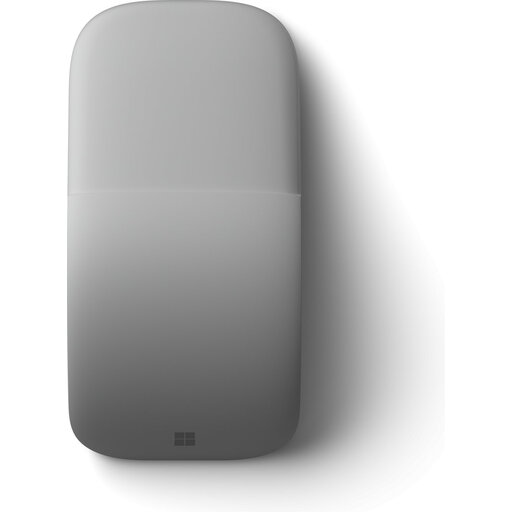
Why it stands out: Its unique design makes this mouse exceptionally portable. You snap it into a curved position to power it on and flatten it to power off and store. It's ultra-slim and lightweight, perfect for any laptop bag.
Pros:
Who is it for? Users who travel frequently or often work on the go with a laptop or tablet and need a stylish, ultra-portable laptop mouse. Note: Your device must support Bluetooth 4.0 or higher.
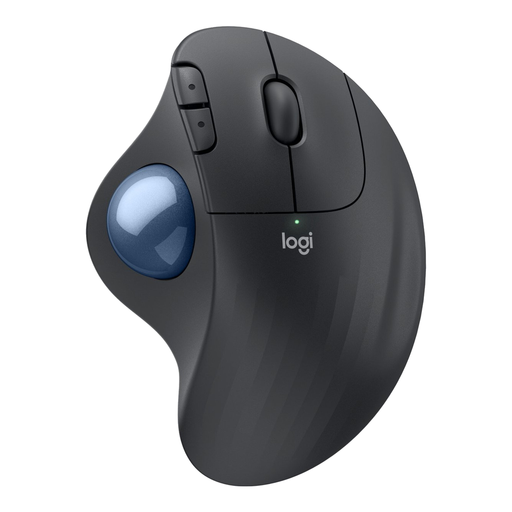
Why it stands out: This is a trackball mouse designed for comfort. Because you don't move the mouse itself, your arm and wrist remain relaxed. You control the cursor smoothly with your thumb, which is ideal for cluttered desks or limited space.
Pros:
Who is it for? Users looking for a solution to minimise arm and shoulder movement, or those with a small workspace. A great choice if you're considering an ergonomic mouse.
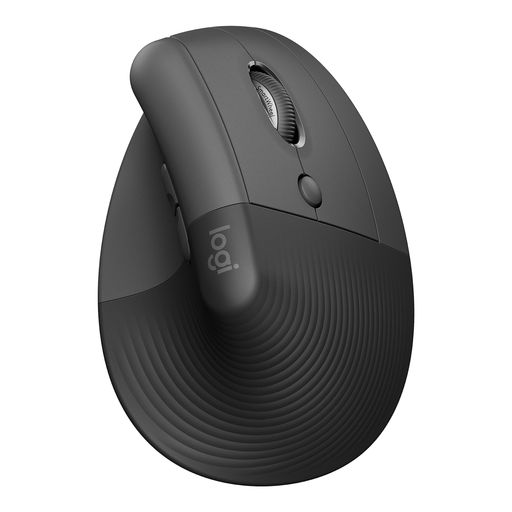
Why it stands out: The Logitech Lift is a vertical mouse with a unique 57-degree angle. According to Logitech, this places your wrist in a natural handshake position, which can relieve pressure on the wrist and promote a more relaxed upper body posture.
Pros:
Who is it for? Office workers and home users who spend long hours at the computer and are proactively looking for a comfortable, ergonomic solution to prevent or reduce wrist strain.
This selection covers a wide range of needs, but our collection is even larger. Are you looking for a different model, a specific colour, or perhaps a keyboard and mouse combo? Explore our full range.
Shop More Bluetooth Keyboards and Mice
A Bluetooth mouse pairs directly with your device's built-in Bluetooth, freeing up a USB port. A wireless mouse with a USB receiver (RF) uses an included dongle for the connection, which is sometimes considered more stable and works instantly without pairing.
An ergonomic mouse, such as a vertical mouse or trackball mouse, is designed to position the hand, wrist, and arm in a more natural posture. Manufacturers claim this can reduce muscle strain. Many users find this more comfortable during long work sessions. However, it is not a medical device, and results are personal.
Battery life varies greatly depending on the model, battery type (disposable or rechargeable), and usage. Some mice with AA batteries, like the Logitech Lift, have a manufacturer-claimed battery life of up to two years. Models with a built-in rechargeable battery, like the ASUS ProArt, last from several weeks to months and can be charged via a cable.
