
Vandaag of morgen in huis

Kwaliteit gegarandeerd

Welkomstaanbiedingen ontgrendelen: GRATIS bezorging | Tot 80% korting | Gratis 30 dagen JoyPlus-proefperiode
Download de app
A desk cluttered with cables is a thing of the past. Whether you work from home, study, or want to declutter your office space, a good wireless mouse can significantly improve your productivity and comfort. But with so many options on the market, the choice can be overwhelming. What kind of connection do you need? And what's the difference between all those shapes and sizes?
As a Joybuy Product Recommendation Officer, I'm here to help you navigate the specs and marketing jargon. In this article, I'll provide practical guidance to help you make an informed decision and present several popular models for different types of users.
Before we dive into the products, here are a few key points to consider. These will help you determine which type of mouse is the best fit for your needs.
A wireless mouse connects to your computer via Bluetooth or a 2.4GHz RF (radio frequency) receiver.
Many modern mice offer both options, giving you maximum flexibility.
If you spend many hours a day at a computer, an ergonomic mouse is no mere luxury. These mice are designed to place your hand, wrist, and arm in a more natural position, which can reduce strain. There are several different forms:
Some features may seem minor, but they can greatly enhance your user experience.
Based on specifications and functionality, we've compiled a list of compelling options for you.
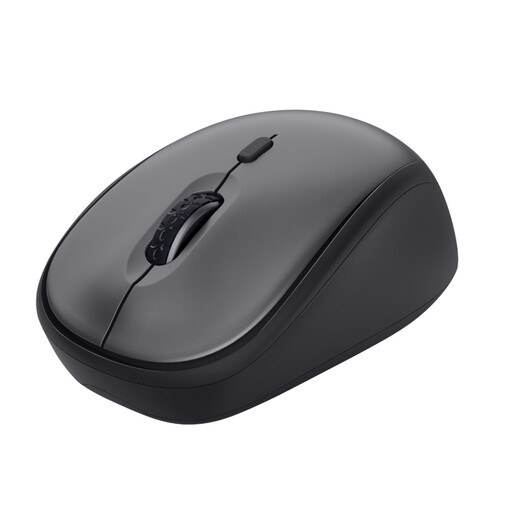
Why it stands out: The Trust Yvi+ is a no-nonsense silent mouse that does what it promises: work without distracting click sounds. It's a compact and straightforward solution for anyone who values a quiet workspace.
Pros:
Who is it for? Ideal for students, remote workers, and office users looking for a budget-friendly, quiet, and reliable mouse for daily tasks.
View the Trust Yvi+ Silent Wireless Mouse
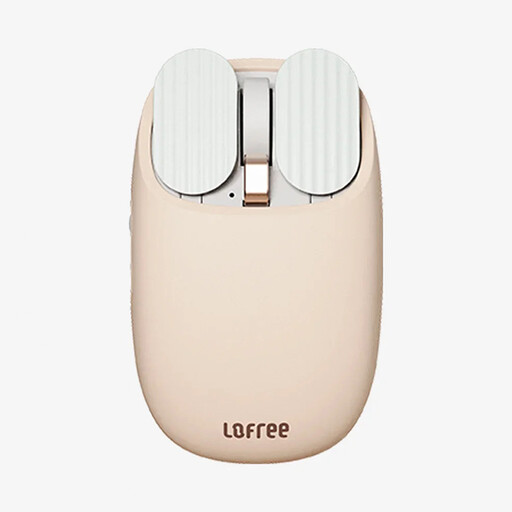
Why it stands out: The Lofree Wavy Chips mouse combines a striking retro design with modern functionality. With its dual-mode connectivity and rechargeable battery, it's a stylish and practical choice.
Pros:
Who is it for? For creative professionals and users who value both aesthetics and functionality. A great choice if you're looking for a rechargeable wireless mouse that stands out.
View the Lofree Wavy Chips Bluetooth Mouse
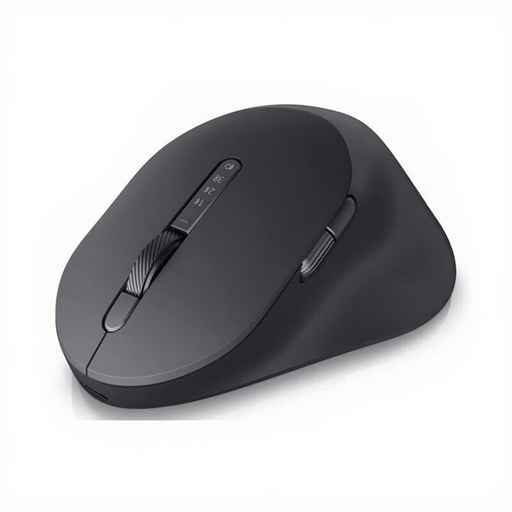
Why it stands out: The DELL MS900 is a powerhouse for the demanding user. This ergonomic mouse is packed with features aimed at productivity, such as a track-on-glass sensor and a thumb wheel for horizontal scrolling.
Pros:
Who is it for? An excellent mouse for the office or home for professionals who multitask extensively, work with spreadsheets, or use software that benefits from extra buttons and precise tracking.
View the DELL Pro Premium Mouse - MS900
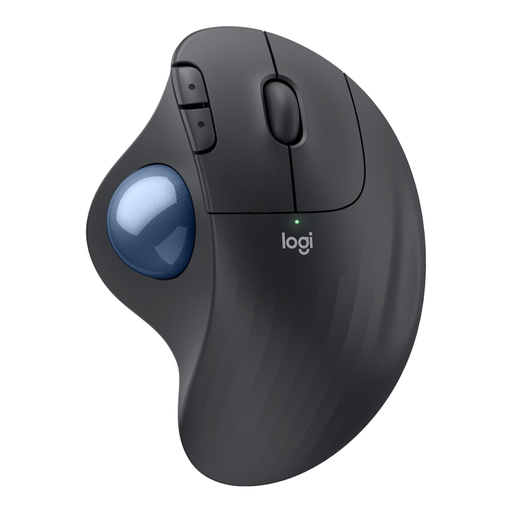
Why it stands out: The Logitech Ergo M575 is a trackball mouse that offers a different approach to ergonomics. Because you don't move the mouse, your arm and wrist remain relaxed. This is a popular choice for users seeking long-term comfort.
Pros:
Who is it for? For users with limited desk space or those looking for an alternative to a traditional mouse to reduce arm strain.
A good mouse is a major step toward a more comfortable workspace. Want to complete your setup? An adjustable keyboard, much like an ergonomic mouse, can contribute to a better posture.
Check out our range of adjustable computer keyboards for a complete and comfortable setup.
A Bluetooth mouse connects directly to the computer without extra hardware, which saves a USB port. A 2.4GHz RF mouse uses a dedicated USB dongle for what is often a very stable and direct connection. The choice depends on your preference and the number of available USB ports.
The battery life of a rechargeable wireless mouse varies greatly by model and usage. Some mice last for several weeks, while premium models can last up to three months or more on a single charge, according to manufacturer specifications.
