
Vandaag of morgen in huis

Kwaliteit gegarandeerd

Welkomstaanbiedingen ontgrendelen: GRATIS bezorging | Tot 80% korting | Gratis 30 dagen JoyPlus-proefperiode
Download de app
A desk cluttered with cables is a thing of the past. A wireless mouse gives you the freedom to work wherever and however you want, without a cord getting in the way. But not all mice are created equal. Are you looking for a simple laptop mouse, an ergonomic mouse for long workdays, or a silent mouse for the office? The choice can be overwhelming.
As a Joybuy Product Recommendation Officer, I'm here to guide you. In this article, you'll find practical tips and a selection of popular models based on their specifications and features. This will help you make an informed choice that suits your needs.
Before we dive into the products, here are a few key considerations to help you choose the right wireless PC mouse.
A wireless mouse connects in two main ways:
office mouse.bluetooth mouse connects directly to your laptop's or computer's built-in Bluetooth receiver. The advantage is that you don't sacrifice a USB port, which is useful for modern laptops with limited ports.Some mice offer both options, allowing you to easily switch between devices.
If you spend hours at the computer every day, an ergonomic mouse is a worthwhile investment. These mice are shaped to support your hand and wrist in a natural posture, which can help reduce the risk of strain. Pay attention to the shape and whether it's designed for left- or right-handed use.
Are you often on the go? A compact mouse is more practical. It's smaller, lighter, and fits easily into your laptop bag.
The power source varies by model:
rechargeable mouse is more sustainable, and you won't have to buy batteries. Some models can even be used while charging.Also, consider extra features. A silent mouse with muted clicks is ideal for a quiet environment. Programmable buttons or a horizontal scroll wheel can significantly boost your productivity.
Below is a selection of three wireless mice, each with its own unique strengths.
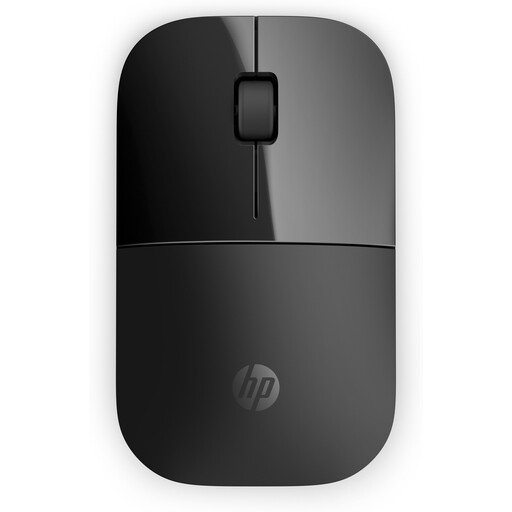
Why It Stands Out: The HP Z3700 is a compact and stylish mouse that focuses on simplicity and reliability. Its slim design makes it highly portable, and setup is as simple as plugging in the USB receiver and getting started.
Key Features:
Who Is It For? Ideal for students and professionals looking for a simple, affordable, and reliable laptop mouse. Perfect for those who are frequently on the move and want a no-nonsense solution.
View the HP Z3700 Black Wireless Mouse
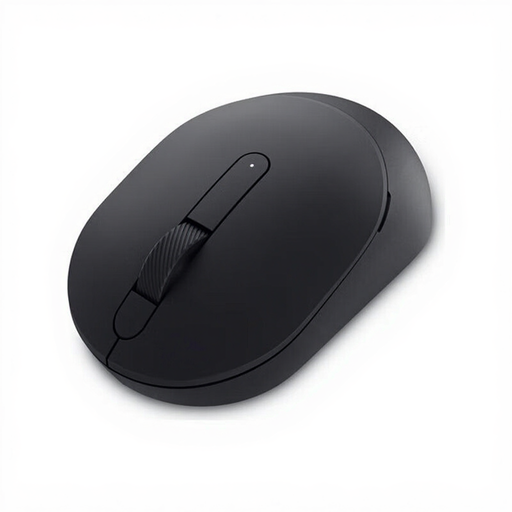
Why It Stands Out: This Dell mouse is designed for productivity in quiet environments. As a silent mouse, it minimises click noise, while its dual connectivity provides flexibility across different devices.
Key Features:
Who Is It For? An excellent office mouse for professionals in open-plan offices or for home users who value quiet. The ability to switch between RF and Bluetooth also makes it convenient for users with multiple devices.
View the DELL Pro Compact Silent Mouse - MS355
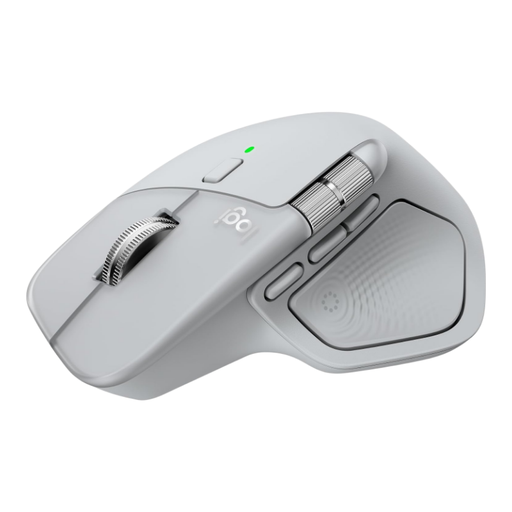
Why It Stands Out: The Logitech MX Master 4 is a powerhouse for the demanding user. This ergonomic mouse is packed with features aimed at maximum productivity, such as the MagSpeed scroll wheel and extensive customisation options.
Key Features:
rechargeable mouse via USB-C, with up to 70 days of use on a full charge.Who Is It For? The perfect wireless PC mouse for power users, programmers, designers, and anyone who spends long days at the computer and needs comfort, precision, and advanced features.
View the Logitech MX Master 4 Light Grey
These three models cover common needs, but the selection is, of course, much larger. A good mouse is half the battle, but a complete workstation makes all the difference.
Looking for a different model or want to complete your setup? Be sure to check out our range of desktop keyboards and other computer accessories.
Neither is inherently "better"; it depends on your use case. An RF mouse with a dongle often provides a slightly more stable and faster connection, which is ideal for a fixed workstation. A bluetooth mouse is more convenient for travel because you don't need a USB port and can't lose the dongle.
The battery life of a rechargeable mouse varies greatly by model and usage. Models like the Logitech MX Master 4 can last up to 70 days on a full charge. A major advantage is that you can continue to use most rechargeable mice while they are charging via the cable.
A silent mouse is designed to drastically reduce the clicking sound. You'll still hear a soft, muted click instead of the sharp sound of a standard mouse. This makes a huge difference in quiet environments like a library or an open-plan office. They are not usually completely silent, but they are significantly quieter.
