
Vandaag of morgen in huis

Kwaliteit gegarandeerd

Welkomstaanbiedingen ontgrendelen: GRATIS bezorging | Tot 80% korting | Gratis 30 dagen JoyPlus-proefperiode
Download de app
A desk free of tangled cables promotes a clean, organized space. A wireless mouse is a simple step towards a clutter-free workspace or a sleeker gaming setup. But the market is vast. From a basic mouse for your laptop to an advanced gaming mouse with adjustable precision, the specifications can be overwhelming.
This article serves as your practical guide. We'll break down the key features and present a curated selection of popular wireless mice for different users, helping you make an informed choice that fits your needs and budget.
Before we dive into the products, here are a few key factors to help you filter the options.
A wireless mouse connects via Radio Frequency (RF) or Bluetooth.
DPI stands for Dots Per Inch and indicates the sensitivity of the mouse sensor. A higher DPI value means the cursor on your screen travels a greater distance with a small movement of the mouse.
For standard office work and browsing, a DPI between 800 and 1600 is more than sufficient. Gamers who require fast reflexes, or users with large, high-resolution displays, often benefit from a higher, adjustable DPI. A gaming mouse can have DPI values of 10,000 or even higher.
Comfort is subjective. Pay attention to the shape and size of the mouse. There are models for right-handed users, as well as symmetrical (ambidextrous) designs suitable for a left-handed mouse user.
Other features to consider include:
Based on the criteria above, we've rounded up some compelling options for you.
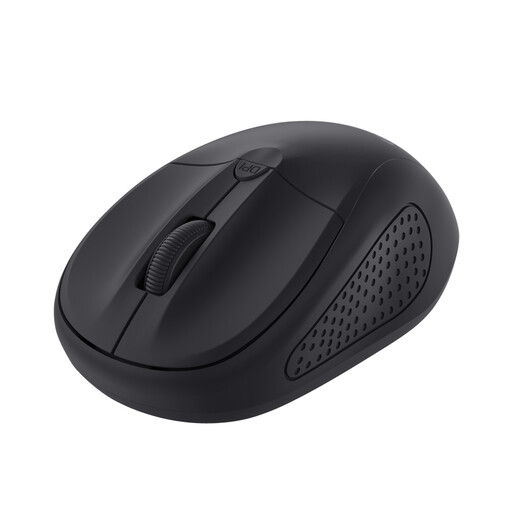
Why it stands out: The Trust Primo is a no-frills mouse that gets the job done. Its compact size and simple setup make it a practical travel companion.
Pros:
Who is it for? This mouse is an excellent choice for students, travellers, and anyone looking for a reliable, compact mouse for a laptop without unnecessary bells and whistles.
View the Trust Primo Mouse Travel
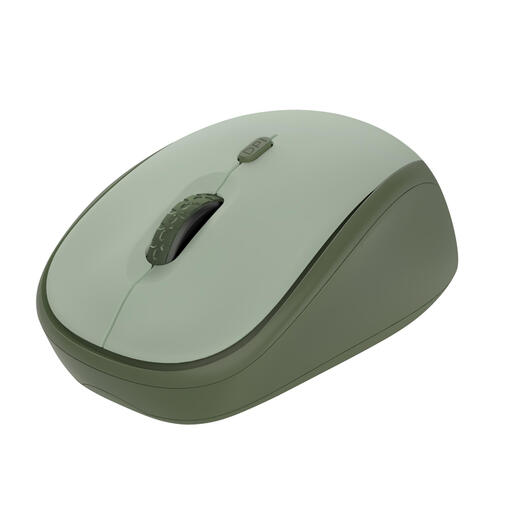
Why it stands out: This mouse is designed for a quiet work environment. Its silent buttons significantly reduce clicking sounds. Furthermore, according to the manufacturer, it is made from 83% recycled materials.
Pros:
Who is it for? The Yvi+ is ideal for office workers, remote workers in shared spaces, and eco-conscious consumers looking for a functional and silent mouse.
View the Trust Yvi+ Mouse Office
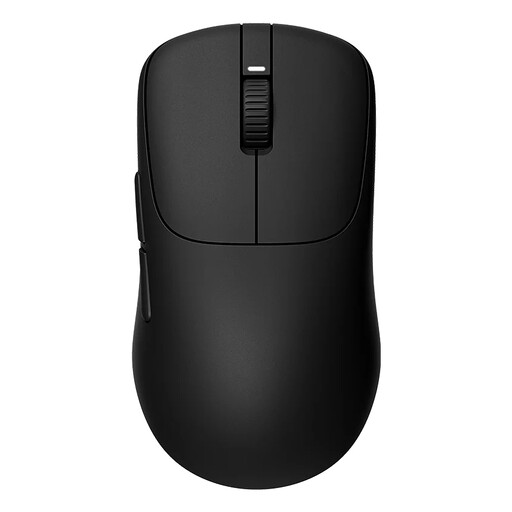
Why it stands out: This mouse is purely focused on performance. With an extremely low weight and a very high polling rate, it's built for competitive gamers who want to leverage every millisecond.
Pros:
Who is it for? This is a serious gaming mouse for esports athletes and avid gamers seeking maximum speed, precision, and responsiveness.
View the Sony INZONE Mouse Gaming
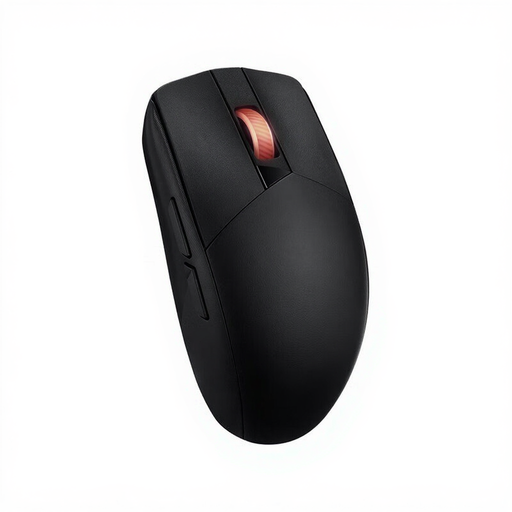
Why it stands out: The ROG Strix Impact III Wireless combines flexibility with performance. Its dual connectivity (RF and Bluetooth) and symmetrical design make it suitable for a wide range of gamers.
Pros:
Who is it for? Gamers who want a versatile, high-performance mouse that can be used by both left- and right-handed players and offers the choice between RF and Bluetooth connectivity.
View the ASUS ROG Strix Impact III Wireless
Don't see the perfect wireless mouse for you? This is just a curated selection to get you started. For other wireless solutions in and around your home, you can also browse our range of wireless radios.
An RF mouse uses a dedicated USB dongle for a fast, stable connection, which is often preferred for gaming. A Bluetooth mouse connects directly to your device without a dongle, which is convenient for laptops with limited USB ports and for general use.
DPI determines sensitivity. For daily use (browsing, office work), a standard DPI (around 1600) is fine. For gaming or working on very high-resolution screens, a higher, adjustable DPI can provide greater precision and speed.
Absolutely. A gaming mouse is often very comfortable and precise, which can also be beneficial for office work. Just keep in mind that they sometimes have a more striking design, lighting, and extra buttons that you may not need for your job.
