
Vandaag of morgen in huis

Kwaliteit gegarandeerd

Welkomstaanbiedingen ontgrendelen: GRATIS bezorging | Tot 80% korting | Gratis 30 dagen JoyPlus-proefperiode
Download de app
A desk cluttered with cables is a source of distraction. They get tangled, restrict your movement, and make it a hassle to switch between your laptop and tablet. A good wireless mouse solves this problem, creating a clean, flexible workspace.
But with so many options on the market, how do you find the model that fits your work style? In this article, we'll guide you through the process. We'll look at the most important specifications and highlight several popular choices to help you make an informed decision.
Before we dive into specific products, here are a few key points to help you narrow down the options.
A wireless mouse connects via a radio frequency (RF) signal with a USB dongle or via Bluetooth.
multi-device mouse. You can easily switch between devices without moving a dongle.When you work at a computer for hours, comfort is not a luxury. An ergonomic mouse is designed to support the natural posture of your hand and wrist, which can reduce strain. Pay attention to its shape and size. Additionally, a silent mouse is worth considering if you work in an open-plan office, a library, or at home and don't want to disturb colleagues or family with constant clicking.
The power source determines its convenience.
Based on the criteria above, we have selected a range of wireless mice with distinct, functional features for different users.
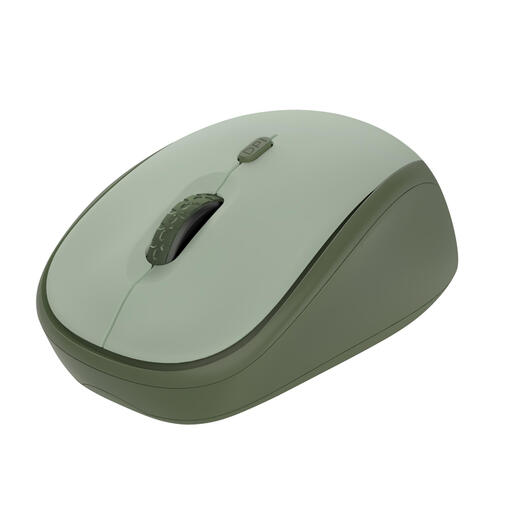
Why It Stands Out The Trust Yvi+ is a compact and functional office mouse with a strong focus on sustainability. According to the manufacturer, the mouse is made from 83% recycled material. Its silent buttons make it ideal for a quiet work environment.
Pros
Who Is It For? For the eco-conscious user seeking a simple, reliable, and silent mouse for daily office tasks and flexible work. Its compact, ambidextrous shape makes it suitable for both left- and right-handed users.
View the Trust Yvi+ Mouse Office
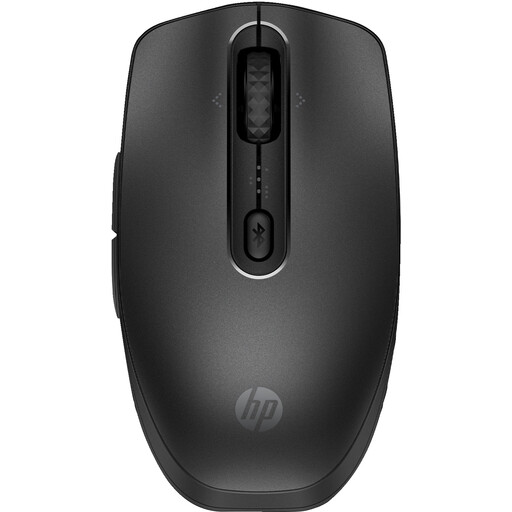
Why It Stands Out This rechargeable mouse from HP is designed for multi-device productivity. It can connect to up to three devices simultaneously via Bluetooth. Its high sensor resolution and programmable buttons make it a versatile tool.
Pros
Who Is It For? For the professional or student who constantly switches between a laptop, tablet, and desktop. If you value customisation, high precision, and the convenience of a rechargeable battery, this is a strong contender.
View the HP 695 Rechargeable Wireless Mouse
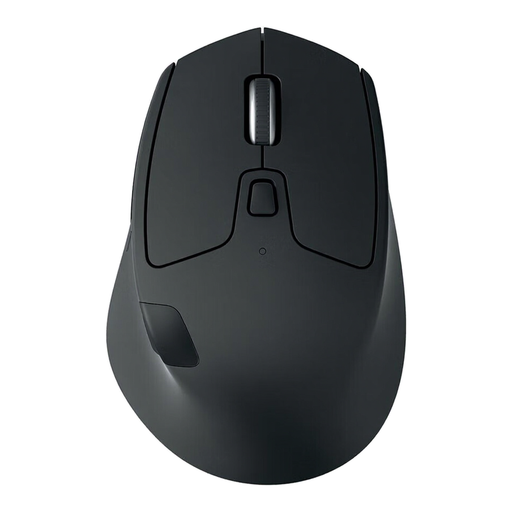
Why It Stands Out The "Triathlon" name says it all: this mouse is built for endurance and switching between disciplines (in this case, computers). The M720 is a classic when it comes to a multi-device mouse, thanks to its reliable Easy-Switch technology and robust build quality.
Pros
Who Is It For? For the power user who works with multiple systems daily and needs a reliable, durable, and versatile ergonomic mouse. The combination of long battery life and seamless switching functionality makes it a workhorse for demanding tasks.
View the Logitech M720 Triathlon Mouse
A wireless mouse is a great first step toward a clutter-free desk. Want to optimise your workspace further and neatly manage the remaining cables from your monitor, chargers, and other peripherals? Check out our range of cable management solutions for a fully organised and productive environment.
What is the difference between a Bluetooth mouse and an RF wireless mouse? An RF mouse uses a dedicated USB dongle for a direct, stable connection to a single device. A Bluetooth mouse connects wirelessly to your devices' built-in Bluetooth, freeing up a USB port and often allowing you to easily switch between your laptop and tablet, for example.
How long does a wireless mouse battery last? This varies greatly by model. Mice with replaceable batteries, like the Logitech M720, can last up to 24 months. A rechargeable mouse like the HP 695 has a battery life of several months and can then be easily recharged via a cable.
ergonomic mouse is designed to hold the hand in a more natural, neutral position. For people who use a mouse for many hours a day, this can help reduce strain on the muscles and tendons in the wrist and forearm. However, comfort is personal, so the shape must be a good fit for your hand.