
Vandaag of morgen in huis

Kwaliteit gegarandeerd

Welkomstaanbiedingen ontgrendelen: GRATIS bezorging | Tot 80% korting | Gratis 30 dagen JoyPlus-proefperiode
Download de app
A cable-free desk is a tidy desk. A wireless mouse seems like a simple purchase, until you get tangled in a web of marketing jargon, vague promises, and features you might never use. Many people buy a mouse that feels uncomfortable after a few months, is constantly dead, or doesn't work well with their devices.
As a Joybuy Product Recommendation Officer, I'm here to help you make the right choices based on facts. Let's look at the three most common pitfalls and how to avoid them.
To avoid buyer's remorse, focus on the specifications that truly matter for your use case. These are the three most important factors.
The way your mouse connects is crucial for the user experience.
The solution for many? A multi-device mouse that offers both options. This allows you to seamlessly switch between your work laptop (via the dongle) and your personal tablet (via Bluetooth), for example.
The days of constantly replacing AA batteries are over. A rechargeable mouse is a more sustainable and practical choice. Pay attention to the following:
Comfort is personal, but a good ergonomic mouse can make a real difference during long workdays.
Below is a selection of wireless mice that suit different user profiles, based on their objective specifications.
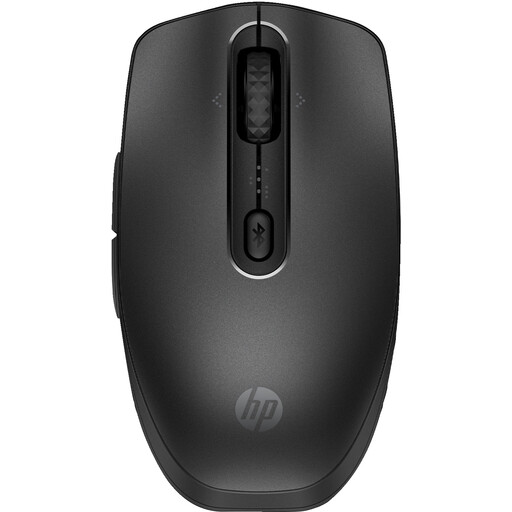
Why This Fits Their Persona: This mouse is designed for productivity. You can easily switch between three devices via Bluetooth, which is ideal for those who alternate between a laptop, tablet, and PC. The silent clicks and rechargeability via USB-C or wireless (Qi) make it a practical choice for any home office.
The mouse is rechargeable, helping you avoid the disposable battery trap. Its comfortable shape with rubber grips provides genuinely more support than a standard mouse that just calls itself 'ergonomic'.
Multi-device connectivity (3 devices) and 6 programmable buttons via the HP Accessory Center app. Made from 65% recycled materials.
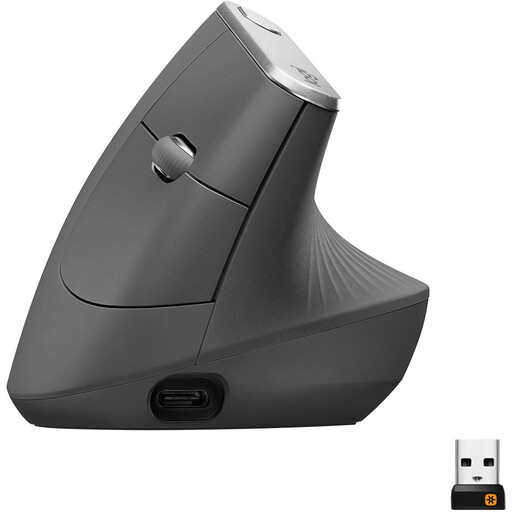
Why This Fits Their Persona: For those who spend long days at the computer and want to prevent or reduce wrist strain, a vertical mouse is a serious consideration. This model is specifically designed to keep the wrist and forearm in a natural position.
This is the opposite of a vague 'ergonomic' claim. The unique 57-degree vertical angle is a concrete, functional design feature. According to Logitech, this posture reduces muscle activity.
The 4000 DPI sensor ensures precision with less hand movement. The mouse is rechargeable via USB-C and connects via Bluetooth or the included Unifying USB receiver.
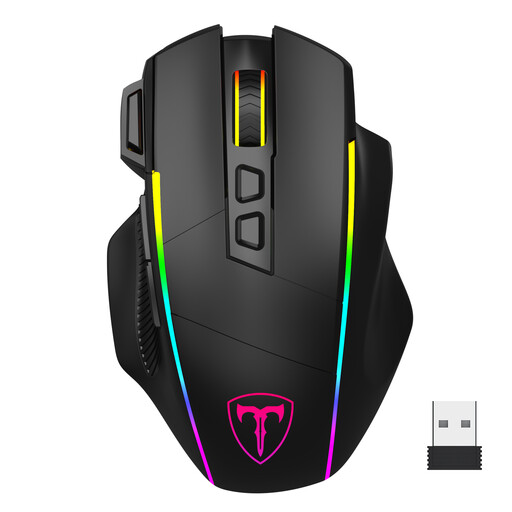
Why This Fits Their Persona: This mouse offers the flexibility a gamer needs: a fast 2.4G connection for intense games, Bluetooth for productivity on other devices, and a wired mode for when the battery runs out. The high, adjustable DPI and programmable buttons provide complete control.
Instead of paying for a fixed high DPI, this mouse offers 6 adjustable DPI levels (up to 10,000). This gives you the right sensitivity for any task, from fast-paced FPS games to precise office work, without overpaying for an unused feature.
Tri-mode connectivity (2.4G, Bluetooth, USB-C) and 8 programmable buttons, including a dedicated 'fire button'. The RGB lighting is customisable and can also be turned off.
Sometimes you need more than just a mouse. A wireless mouse and keyboard set like the Trust Lyra or the Kensington KM270 EQ offers a coordinated solution, often with shared connectivity and a similar design.
We have compiled a complete, up-to-date list of products that fully meet these strict selection criteria and local regulations.
This varies greatly by model and usage. Battery life can range from a few weeks to several months. Manufacturers often provide an estimate based on an average number of usage hours per day. Look at the battery capacity (mAh) in the specifications for an indication, but remember that features like RGB lighting will drain the battery faster.
For most casual games, a modern Bluetooth mouse is sufficient. However, for competitive online games where every millisecond counts (like shooters), most gamers prefer a 2.4 GHz RF connection or a wired mouse. These connections generally have lower and more stable latency. That's why many gaming mice offer multiple connection options.
No, for this you need a specific multi-device mouse. These mice have a button that allows you to switch between different paired devices (usually up to three). Always check the product description to see if the mouse supports this functionality and how many devices it can be connected to at once.
