
Vandaag of morgen in huis

Kwaliteit gegarandeerd

Welkomstaanbiedingen ontgrendelen: GRATIS bezorging | Tot 80% korting | Gratis 30 dagen JoyPlus-proefperiode
Download de app
A wireless mouse keeps your desk tidier and is useful with both a laptop and a PC. However, a high DPI rating or eye-catching design does not automatically mean the mouse is right for the way you use it. A compact mouse, for example, may be less comfortable during long working days, while a gaming mouse can add unnecessary features and cost for straightforward office work.
As a Joybuy Product Recommendation Officer, I filter the most important product information down to practical considerations. This helps you compare marketing claims more effectively and choose a wireless mouse that suits your hand, workspace and intended use.
DPI indicates how far the cursor moves in response to a particular mouse movement. A mouse with adjustable DPI can be useful if you want to switch between relaxed office work and fast movements in games. However, a higher maximum DPI is not necessary for everyone. For word processing and browsing, a range of around 800 to 1600 DPI is often sufficient; gamers may appreciate having more adjustment options.
Also pay attention to the difference between maximum DPI and adjustable DPI. A product may have a high maximum value but offer only a few fixed settings.
A wireless mouse may work via a 2.4GHz USB receiver, Bluetooth or both. A USB receiver is practical for a PC with a spare USB-A port. Bluetooth is more convenient for a laptop or tablet without an additional receiver, but your device must support the correct Bluetooth version.
Before buying, check:
A mouse powered by AA or AAA batteries can last for months, but you need to keep spare batteries available. An rechargeable mouse avoids recurring battery purchases, but it does need to be connected to a USB cable regularly. With some models, you can continue using the mouse while it is charging; with others, this is not necessarily possible.
Also check how battery life has been measured. “Up to” a certain number of hours or months is a product specification based on particular usage conditions, not a fixed guarantee for every user.
For everyday office work, a 2.4GHz connection and a range of around 10 metres are generally practical. A Bluetooth mouse is worth considering if you want to keep your USB ports free. A model with 2.4GHz, Bluetooth and a USB cable offers greater flexibility, especially if you switch between a laptop, desktop PC and tablet.
A tri-mode mouse is usually more versatile, but may also require more settings and software. Check whether the programmable buttons or lighting can only be adjusted using Windows software.
An optical mouse uses an optical sensor to register movement across a surface. Tracking can vary depending on the surface; an even mouse mat often helps keep movements predictable.
For everyday use, these points are relevant:
A gaming mouse often has extra buttons, a higher polling rate and a lower response time, according to the product description. This is particularly relevant for fast-paced games, not necessarily for emails or spreadsheets.
A lightweight mouse can be comfortable for fast movements, but a low weight is not comfortable for everyone. A larger hand may need more support, while a compact mouse can be ideal for use on the go.
An ergonomic mouse may have a curved or vertical design. Always check whether the model is designed for left- or right-handed use. A vertical mouse with a 57-degree angle may encourage a different wrist position, but its shape takes some getting used to. So do not choose based solely on the word “ergonomic”; consider the dimensions, weight and grip.
If you work in a quiet environment, you may want to look for a silent mouse. The level of noise reduction varies by model and is specified by the brand itself. According to HP’s product information, the HP 285 Silent Wireless Mouse offers up to 90% noise reduction for the left and right buttons. Treat this as a product specification under the manufacturer’s stated conditions, not as a universal noise measurement.
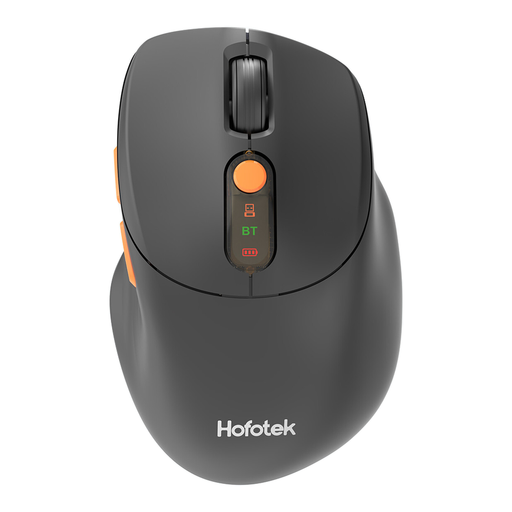
Why it suits this profile: This compact mouse combines 2.4GHz and Bluetooth 5.1, so you can use it with multiple devices. The quiet clicks are practical for working from home and shared office spaces.
You are not dependent on just one type of connection. The DPI settings of 800, 1600, 2400, 3200 and 4000 make the sensitivity easy to control.
62 grams, quiet buttons, optical tracking and connection to up to three devices according to the product description.

Why it suits this profile: This right-handed vertical mouse is designed for users who spend a lot of time at a desk and consciously want to try a different hand position.
The product information clearly states the vertical shape, right-handed design and 57-degree angle. This means you know in advance that it is not a standard model.
Bluetooth and 2.4GHz via a Unifying receiver, adjustable DPI up to 4000 and a rechargeable battery.

Why it suits this profile: This wireless gaming mouse is aimed at PC and laptop gamers who value a low weight, programmable buttons and a rechargeable battery.
The specifications list 2.4GHz, a USB-A micro receiver, six programmable buttons and a USB-C cable. You therefore know in advance how the connection and controls work.
73 grams, optical sensor up to 4800 DPI, polling rate up to 1000 Hz and a stated battery life of up to 80 hours.
We have put together a complete, up-to-date list of products that fully meet these strict selection criteria and the applicable European safety regulations.
Not every mouse works in the same way with every laptop. A model with a USB receiver needs a spare USB-A port. For Bluetooth, your laptop must support Bluetooth and the operating system must be compatible. Also check whether the manufacturer states support for your version of Windows, macOS, ChromeOS or Android.
This depends on the type of battery, how long you use it and features such as lighting. Product information may state, for example, up to 80 hours for a rechargeable gaming model or up to 18 months for a model powered by a single AA battery. These figures are indicative. A rechargeable mouse may remain usable while charging if the manufacturer explicitly states this.
Yes, but pay attention to the connection, polling rate, sensor and buttons. A gaming mouse with 2.4GHz, adjustable DPI and programmable buttons is better suited to fast-paced games than a basic computer mouse for office work. For casual gaming, however, a standard wireless mouse may be sufficient.
