
Vandaag of morgen in huis

Kwaliteit gegarandeerd

Welkomstaanbiedingen ontgrendelen: GRATIS bezorging | Tot 80% korting | Gratis 30 dagen JoyPlus-proefperiode
Download de app
A wireless mouse keeps your desk tidy and is useful alongside a laptop, desktop computer or tablet. However, many models look alike. A low price may seem appealing, but the wrong connection, an awkward shape or expensive battery replacements can soon lead to frustration.
So pay particular attention to these three common pitfalls:
A Bluetooth mouse connects directly to a compatible device. This is convenient with modern laptops and tablets because you do not need a dongle. However, check the compatibility of your operating system and Bluetooth version.
A wireless mouse with a 2.4GHz USB receiver usually works on a plug-and-play basis. This is practical at home or in the office, but a laptop with USB-C ports only may require an adapter.
A dual-mode wireless Bluetooth mouse combines both options. For example, the Lofree EP115 supports Bluetooth 4.0 and 2.4GHz. According to the product description, this gives you greater flexibility when switching between devices. With Apple computers, also check for exceptions: according to the specifications, this model is not compatible with Boot Camp dual-system mode.
DPI indicates how quickly the cursor moves in response to a particular hand movement. For word processing, emails and spreadsheets, a range of around 800 to 1600 DPI is often sufficient. A higher setting can be useful with large screens or for precise editing, but more DPI does not automatically mean a better user experience.
A mouse with adjustable DPI is useful if you switch between fast navigation and precise selection. Always check how many settings are available. The Lofree EP115 offers five settings: 800, 1200, 1600, 2400 and 3600 DPI. According to the product information, the Trust Yvi+ has two settings: 800 and 1600 DPI.
Also consider the type of sensor and the surface on which you use the mouse. Highly reflective desks or strong direct light can affect tracking, according to the user instructions for some models.
A compact mouse for laptops is easy to carry, but often provides less support for your hand. A larger model may be more comfortable for extended office work, while a vertical ergonomic mouse requires a different hand position. Therefore, check the following:
A built-in rechargeable battery means you do not need to keep spare batteries to hand. However, check the stated charging time and whether the mouse can be used while charging. With battery-powered models, costs depend on the type of battery and how long it lasts. Claims such as “up to twelve months” depend on usage, so treat them as an indication based on the brand’s product description.
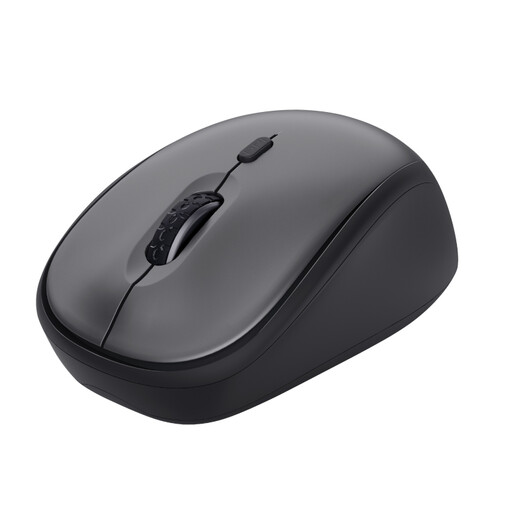
Why it suits this profile: A compact mouse for everyday use at school, at home or in the office, with no complicated installation required.
The product description mentions quiet buttons, a stowable USB receiver and two DPI settings. This makes the key basic features clear in advance.
Compact design, quiet click and 800/1600 DPI. According to the specifications, it works via a 2.4GHz receiver with a range of up to 8 metres.

Why it suits this profile: Designed for users who value a vertical shape, multiple connection options and a rechargeable battery.
The vertical shape and right-handed design are clearly stated. This allows you to decide in advance whether this position suits your hand and working style.
Bluetooth and 2.4GHz via a Unifying receiver, adjustable up to 4000 DPI and a rechargeable battery. According to the product description, the battery lasts for up to four months.

Why it suits this profile: Suitable for anyone who regularly switches between a laptop, desktop computer and tablet, and works with large spreadsheets.
The specifications mention both Bluetooth and a 2.4GHz receiver. It is also clear that the model is right-handed and relatively large.
Connects to up to three devices, with quiet buttons, a rechargeable battery and an additional side wheel for horizontal scrolling.
We have put together a complete, up-to-date list of products that fully meet these strict selection criteria and the applicable European safety regulations.
No. A model with a USB receiver requires a suitable USB port. A Bluetooth mouse requires Bluetooth support and sometimes manual pairing. Also check whether the mouse is compatible with Windows, macOS, ChromeOS, iPadOS or Android, depending on your devices.
This varies depending on the model, battery type, frequency of use and power-saving features. Manufacturers often state a maximum usage time under specific conditions. A rechargeable wireless mouse needs to be charged regularly, while a model with an AA battery may work for longer before it needs replacing.
A quiet mouse is practical in a shared workspace, library or home office. However, check whether only the main buttons are quiet, or whether the scroll function and side buttons are quiet too. According to their product descriptions, the Trust Yvi+ and Trust Ozaa+ are supplied with quiet buttons. This does not indicate the noise level of every component during use.
