
Vandaag of morgen in huis

Kwaliteit gegarandeerd

Welkomstaanbiedingen ontgrendelen: GRATIS bezorging | Tot 80% korting | Gratis 30 dagen JoyPlus-proefperiode
Download de app
A wireless mouse keeps your desk tidy and works brilliantly with a laptop, PC, Mac or tablet. Yet the range isn’t always easy to compare. A high DPI value, for example, doesn’t tell you much about comfort, and a quiet mouse isn’t automatically suitable for long hours at the office. Similarly, a Bluetooth mouse might seem convenient, but sometimes lacks a USB receiver for older computers.
So pay attention to the connection, the shape, the power source and the features you’ll actually use. Below you’ll find practical points to consider, along with a selection of wireless computer mice for different situations.
DPI determines how fast the cursor moves across the screen. An adjustable DPI mouse gives you more control over cursor speed, but a higher value isn’t necessary for everyone. For word processing and browsing, a range of around 800 to 1600 DPI is often sufficient. For large screens, image editing or gaming, a higher setting can be more practical.
Also check whether the manufacturer lists multiple DPI levels and how you switch between them. A dedicated DPI button is handier than having to open software every time.
A Bluetooth mouse saves a USB port, but not every device supports Bluetooth equally easily. A wireless mouse with a USB receiver usually works straight away once you plug in the nano receiver. Do check whether your laptop or PC has a USB-A port. For a tablet or modern laptop with only USB-C, you may need an adapter.
A mouse with multiple connection options, such as 2.4 GHz and Bluetooth, is more flexible when you switch between devices.
A small mouse is handy for travelling, but may be less suitable for large hands or prolonged use. Pay attention to the dimensions, weight and whether the model is suitable for left- and right-handed use. A vertical or distinctly shaped ergonomic mouse also has a different grip from a standard model. That shape needs to suit your hand and working posture; ergonomics is no guarantee of a trouble-free experience.
Finally, look at the type of power supply. A rechargeable mouse means you don’t need separate batteries, while a model running on AA or AAA batteries can last a long time without a charging cable.
For a mouse for laptop and PC, these are the main options:
Always check the supported operating system. Windows, macOS, ChromeOS, Android and iPadOS may support different features. Programmable buttons sometimes only work with software for Windows.
An optical sensor is common for office and gaming mice. The DPI value indicates sensitivity. For daily work, adjustable values between 800 and 3200 DPI are usually practical. Gaming models go much higher, but that doesn’t mean you need that maximum setting.
The polling rate indicates how often the mouse sends data to the computer. 1000 Hz is more than enough for most applications. Higher values can be relevant for gaming, but according to the product information for some models, they may cause extra processor load.
A simple mouse with three buttons is straightforward. Programmable buttons are useful for shortcuts, browser navigation or games. Check how many buttons are physically present and whether they are genuinely programmable.
A quiet mouse is especially practical in a shared workspace, library or home office. Make sure the description distinguishes between quiet main buttons and the sound of the scroll wheel. Battery life is usually given as an estimated usage time; this can vary depending on the connection mode and intensity of use.
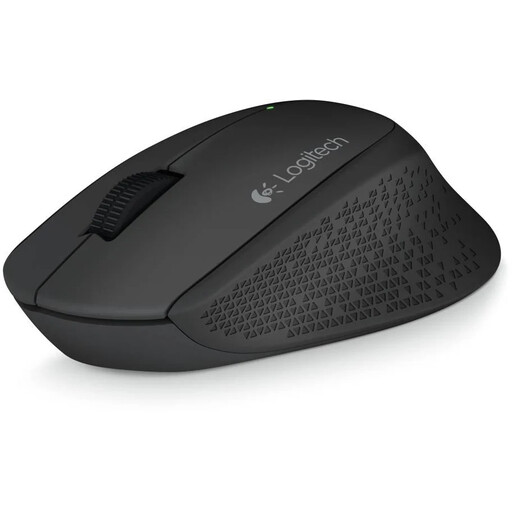
Why this fits the profile: This simple wireless computer mouse uses a 2.4GHz connection with a nano USB receiver and requires no extra software.
The specifications are straightforward: three buttons, 1000 DPI and a range of up to 10 metres. There are no unnecessary features to pay for.
Right-handed design, optical sensor, rubber grip and one AA battery included.

Why this fits the profile: The vertical shape, Bluetooth, USB receiver and rechargeable battery suit fixed workstations and multiple compatible devices.
The shape and 57-degree angle are clearly stated, so you don’t have to rely solely on a general label like ergonomic.
4000 DPI, adjustable speed, Bluetooth, Unifying receiver and an estimated battery life of four months.

Why this fits the profile: This multi-device mouse connects to up to three devices and has an extra wheel for horizontal scrolling in wide spreadsheets.
The connection is clearly described: one USB receiver and two Bluetooth channels. So you can see in advance whether the setup suits your devices.
Rechargeable battery, quiet buttons, six buttons, up to 3200 DPI and horizontal scrolling.

Why this fits the profile: This wireless gaming mouse is aimed at users who need plenty of buttons, multiple connections and a wide DPI range.
The product information separately lists the three modes, six DPI levels and eight programmable buttons. According to that information, the software only works via Windows and in wired mode.
2.4GHz, Bluetooth and USB-C, up to 10,000 DPI, 125–1000 Hz polling rate and rechargeable power supply.
We’ve put together a full, up-to-date list of products that fully meet these strict selection criteria and comply with current European safety regulations.
For a model with a USB receiver, plug the receiver into a free USB port and turn the mouse on. For Bluetooth, activate Bluetooth on your computer or tablet and select the mouse from the list of devices. Where possible, follow the instructions for your specific model.
This varies by model and usage. Mice running on AA or AAA batteries can last several months according to the product specifications. A rechargeable mouse needs to be charged periodically; some models can be used via the cable while charging. When comparing, note the difference between the stated maximum battery life and your own usage pattern.
Yes, but choose a wireless gaming mouse with a stable 2.4GHz connection, a suitable polling rate, enough buttons and a sensor with adjustable DPI. Bluetooth can be fine for everyday use, but gamers usually pay extra attention to connection latency and software support. Also check whether the features you want are available on your operating system.
