
Vandaag of morgen in huis

Kwaliteit gegarandeerd

Welkomstaanbiedingen ontgrendelen: GRATIS bezorging | Tot 80% korting | Gratis 30 dagen JoyPlus-proefperiode
Download de app
A wireless mouse keeps your desk more organised and is a practical companion for a laptop, home office or desktop computer. However, it is unwise to focus solely on price, DPI or an eye-catching design. A budget wireless mouse may occupy a USB port your laptop needs, while an ergonomic mouse will not automatically suit every hand.
The most common purchasing pitfalls are:
An RF mouse typically uses 2.4 GHz and a small USB receiver. This is usually plug-and-play: connect the receiver, switch on the mouse and start using it. Do check whether your laptop has enough USB ports. Some models let you store the receiver inside the mouse, which is convenient for commuting.
A Bluetooth mouse leaves a USB port free. That is especially useful with slim laptops or tablets. Before buying, check the supported Bluetooth version and operating systems. A mouse with dual-mode connectivity, such as RF plus Bluetooth, can be a good choice if you switch between several devices.
An optical mouse uses a light sensor to register movement. Most models in this selection feature an optical sensor. A higher resolution, such as 2400 or 4000 DPI, can be useful with large screens or when you need fast cursor movement, but it is not a guarantee of a better experience.
Pay particular attention to:
A rechargeable mouse eliminates the need to replace AA or AAA batteries regularly, but you do need to charge it in good time. A model with a replaceable battery may be more practical if you do not want to plan charging sessions. Compare the stated battery life, charging-port type and whether the mouse can be used while charging.
Also consider the shape:
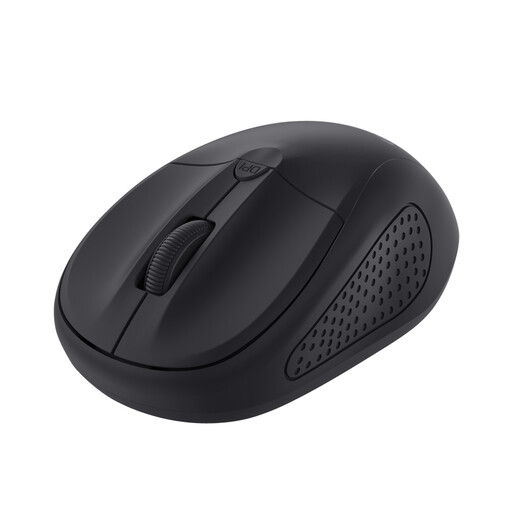
Why This Fits Their Persona: A compact choice for students, home users and anyone looking for a straightforward mouse for a laptop or office.
The mouse offers a 6-metre RF range, an on/off switch and adjustable DPI from 1000 to 1600. Its ambidextrous shape avoids choosing the wrong design for left- or right-handed use.
Optical sensor, compact design, four buttons and a USB receiver.

Why This Fits Their Persona: Designed for right-handed users who want a vertical shape and multiple connection options for a dedicated workstation.
The 57-degree shape is distinctly different from a standard mouse. Make sure this grip suits your hand before ordering. The mouse is not ambidextrous.
Bluetooth and 2.4 GHz connectivity, rechargeable battery, adjustable sensor up to 4000 DPI and five buttons.

Why This Fits Their Persona: Suitable for users who switch between a laptop, desktop and tablet and frequently work with wide spreadsheets.
The additional features are practical: two Bluetooth channels, one RF receiver and a side-scrolling wheel. Its larger size is less suitable for small hands or travel.
Up to three paired devices, quiet buttons, rechargeable battery and adjustable DPI up to 3200.

Why This Fits Their Persona: For gamers who value a lightweight mouse, programmable buttons and a high polling rate.
The product information specifies a weight of 53 grams, a native 8000 Hz polling rate and up to 30,000 DPI. Make sure your PC can handle the higher polling rate.
Up to 750 hours of battery life according to the product information, optical switches, X/Y DPI adjustment and A HUB software for Windows and Mac.
Browse a current selection of wireless RF mice in different shapes, with various DPI settings, battery types and intended uses.
No. An RF mouse generally requires an available USB-A port. A Bluetooth mouse requires Bluetooth support and, in some cases, a compatible operating system. Also check whether the laptop only has USB-C ports; an adapter may be required.
That depends on how you use it. A rechargeable mouse eliminates the need for loose batteries, but it needs to be charged and its built-in battery is not always user-replaceable. A mouse with AA or AAA batteries may be more practical if you want to continue working immediately after replacing the battery.
Its lifespan depends on the switches, battery usage, transport and maintenance. Keep the sensor and scroll wheel free of dust, avoid moisture and do not force the buttons. Store the USB receiver inside the mouse whenever possible. When buying, check the warranty and your statutory consumer rights in the Netherlands.
