
Vandaag of morgen in huis

Kwaliteit gegarandeerd

Welkomstaanbiedingen ontgrendelen: GRATIS bezorging | Tot 80% korting | Gratis 30 dagen JoyPlus-proefperiode
Download de app
A wireless mouse gives you more freedom to move and keeps your desk tidy. However, not every model will suit your needs. A compact wireless computer mouse can be handy when you’re out and about, but uncomfortable during long working days. A gaming mouse with a high DPI sounds impressive, but you probably won’t need that speed for office work.
The main pitfalls often have less to do with appearance and more to do with connectivity, shape and power.
DPI indicates how far the cursor moves for a given hand movement. A mouse with 30,000 or 42,000 DPI won’t necessarily be more precise in practice for every user. For documents, email and spreadsheets, an adjustable setting of around 800 to 3,200 DPI is often enough. Gamers may find more profiles or a higher maximum useful, depending on the game and screen resolution.
So don’t focus only on the highest figure. Check whether the mouse with adjustable DPI has several settings and whether the software is available for your operating system.
An RF wireless mouse usually works via a 2.4GHz USB receiver. It’s practical for a PC or laptop with a spare USB port and often requires very little setup. A Bluetooth mouse connects directly to devices that support Bluetooth, such as some laptops, tablets and Macs.
However, a USB receiver can take up a spare port. Bluetooth may be less convenient if your device doesn’t have Bluetooth or pairing doesn’t go smoothly. Models with both options, such as some mice for laptops and PCs, offer more flexibility.
Long battery life is useful, but check the type of power supply too. A mouse powered by AA or AAA batteries can work for months or even years, but you’ll eventually need to replace them. A rechargeable wireless mouse means no loose batteries, but you’ll need to charge it regularly using the USB cable.
Also check whether you can use the mouse while it’s charging. If you work from home every day, this may matter more than the stated maximum battery life.
Before you buy, check:
A model with several connection options is useful if you switch between a laptop, desktop and tablet. For example, the Trust Ozaa+ supports a 2.4GHz receiver and two Bluetooth channels, according to the product description. Make sure your devices support the connection method you choose.
An ergonomic wireless mouse should suit your hand and the way you hold it. Look for:
A vertical mouse encourages a different hand position from a standard model. According to the product description, the Trust Bayo II has a 57-degree angle and is designed for right-handed use. It may suit users who find a vertical shape comfortable, but it can take time to get used to. An ergonomic design doesn’t guarantee that aches and pains will go away; comfort is personal.
Quiet buttons can be useful for office work in a shared space. A quiet mouse won’t eliminate every sound, as the scroll wheel and movement across the surface can also be audible.
Gamers are more likely to look at:
A high polling rate or extra button is only worthwhile if you’ll actually use it. For word processing, a horizontal scroll wheel may be more practical than RGB lighting.
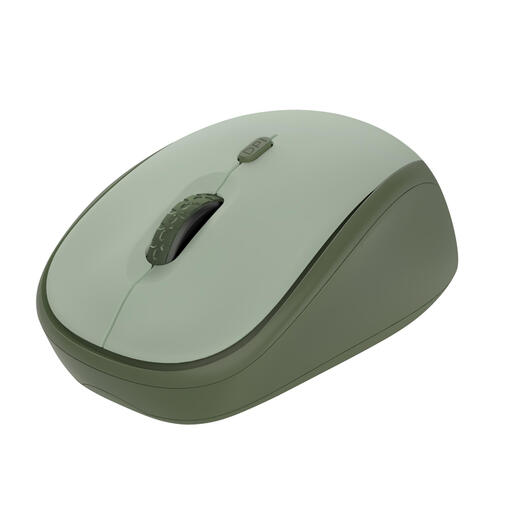
Why it suits this profile: This compact wireless mouse is designed for office and everyday use. The RF receiver connects via USB, and the DPI can be adjusted between 800 and 1600.
The specifications give a clear DPI range rather than focusing only on a high maximum. The product description says the buttons are quiet.
2.4GHz RF, a range of up to 8 metres according to the product information, a weight of 84 grams and made from 83% recycled materials according to the manufacturer.
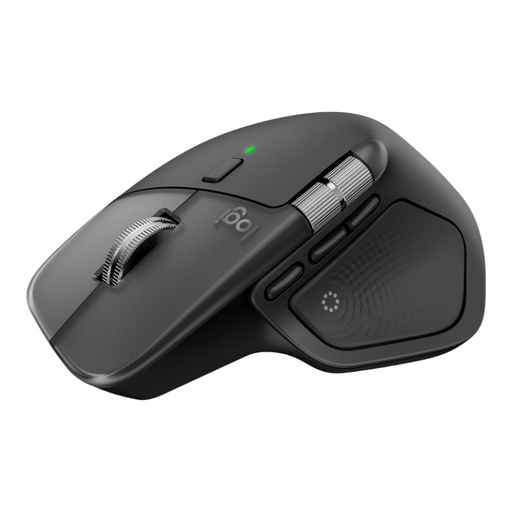
Why it suits this profile: This larger model is designed for users who do a lot of scrolling, use several devices and value programmable features.
DPI isn’t the only thing to consider: the product information lists eight programmable buttons, a thumb scroll wheel and the ability to connect up to three devices.
Bluetooth and Logi Bolt, USB-C charging, a horizontal scroll wheel and a stated range of 10 metres.
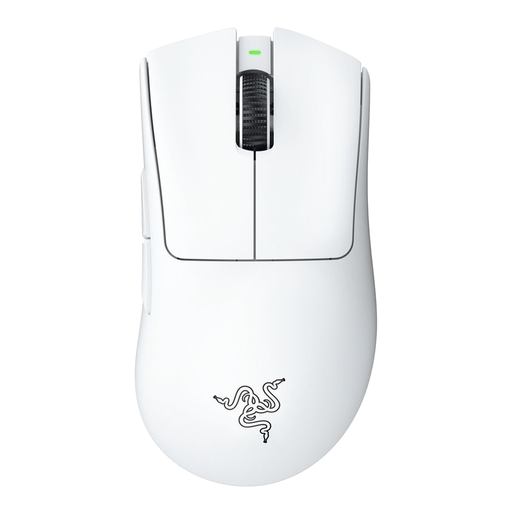
Why it suits this profile: This wireless gaming mouse is designed for right-handed users, weighs around 63 grams according to the specifications, and supports both wired and RF connections.
The choice isn’t based solely on maximum DPI: the specifications also list an optical sensor, a 1000Hz polling rate and programmable buttons.
Rechargeable battery, up to 30,000 DPI according to the product details, five buttons and a stated battery life of up to 90 hours.
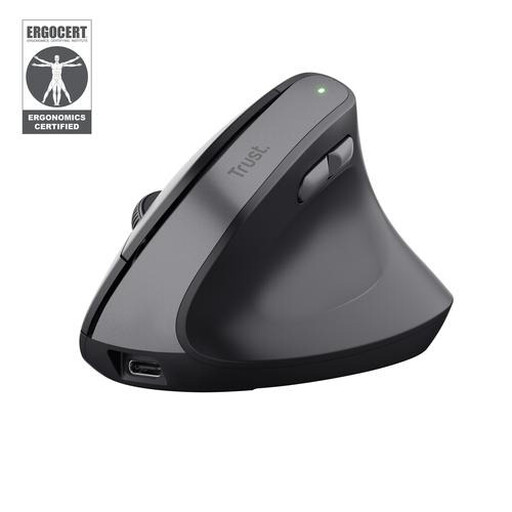
Why it suits this profile: The vertical shape, quiet buttons and rechargeable battery make it a good fit for long days in the office or working from home if you’re right-handed.
The shape and intended handedness are clearly stated. According to the product description, this mouse isn’t designed for left-handed gamers looking for Bluetooth or very low latency.
2.4GHz RF, DPI settings from 800 to 2400, two thumb buttons and a stated battery life of up to three months per charge.
We’ve put together a complete, up-to-date list of products that meet these strict selection criteria and comply with current European safety regulations.
Not every mouse works in the same way. An RF model needs a spare USB port for its receiver. A Bluetooth mouse requires Bluetooth support on your laptop. Also check the operating system and whether you’ll need any software for extra buttons or DPI profiles.
It varies by model, connection and usage. Manufacturers often give a maximum battery life based on specific conditions. According to the product information, a mouse powered by AA batteries may last for months or longer; a rechargeable model needs charging from time to time. Also check whether you can keep using the mouse while it charges.
Yes, provided it has the connection, polling rate, sensor and shape you need. Many users choose an RF connection or a wired backup for competitive gaming. Also check the weight, number of programmable buttons and whether the configuration software works with your PC. A wireless mouse designed for office use is generally less suitable for intensive gaming sessions.
