
Vandaag of morgen in huis

Kwaliteit gegarandeerd

Welkomstaanbiedingen ontgrendelen: GRATIS bezorging | Tot 80% korting | Gratis 30 dagen JoyPlus-proefperiode
Download de app
A wireless mouse keeps your desk tidy and is ideal for working from home, studying, travelling or gaming. Yet a low price or a high DPI number doesn't tell the whole story. A mouse that looks feature-packed on paper can be awkward in practice because of the wrong hand shape, a missing USB receiver or limited compatibility.
In this buying guide, I, as a Joybuy Product Recommendation Officer, explain what you can reliably look out for. That way, you'll choose a wireless mouse that suits your laptop, PC and the way you work.
A mouse can connect via Bluetooth, a 2.4GHz signal with a USB receiver, or both. A Bluetooth mouse is handy when your laptop has few USB ports. A wireless mouse with a USB receiver often works on a simple plug-and-play basis, but you will need a free USB-A port.
Also check whether the receiver is included and whether it can be stored inside the mouse. This stops a small part from getting lost during travel.
DPI indicates how sensitively the cursor responds to movement. For office work, 1,000 to 1,600 DPI is enough for most users. For large screens or specific creative applications, a higher setting can be useful. A wireless gaming mouse with 12,000 DPI is not automatically a good choice for word processing.
Pay particular attention to whether the DPI is adjustable and whether the sensor suits the surface you work on. Optical sensors do not perform equally well on every glass or highly reflective surface.
An ergonomic mouse must fit the size and preference of your hand. A compact model is easy to carry, but can be less comfortable for long-term use with a large hand. Also check whether the mouse is suitable for right-handed or left-handed use.
A vertical mouse requires a different posture than a traditional model. The switch may take some getting used to. Manufacturer claims about less strain or better posture should be seen as information from the brand, not as a guaranteed personal effect.
Choose Bluetooth when you want to work without a dongle or use multiple mobile devices. A USB receiver is practical for a fixed PC or laptop with a free port. Some models offer both options, such as the Logitech Signature M650 L, which according to the product description can connect via Bluetooth Low Energy or a Logi Bolt receiver.
Check the supported systems before you buy. The range includes models for Windows, macOS, ChromeOS and Linux. A mouse for laptop and PC can therefore be widely used, but always check the current system requirements of the specific product.
A mouse with AA or AAA batteries works straight away if the batteries are included. A model with a long battery life requires less frequent maintenance. The stated usage time is a manufacturer's estimate and can depend on usage, power saving and the quality of the battery.
A rechargeable mouse avoids disposable batteries, but needs to be plugged in regularly. So think about your routine: do you want to go months without thinking about the battery, or do you prefer to recharge periodically?
A silent wireless mouse is useful in a shared office, library or quiet workspace. According to Logitech, SilentTouch on the Signature M650 L reduces click noise by up to 90 per cent; this is a claim from Logitech's product information. The Logitech M330 is also described by the brand as more than 90 per cent quieter than traditional mice.
Look beyond the marketing name at the concrete details: dimensions, weight, number of buttons and hand preference. A left-handed mouse, such as the Logitech Signature M650 L Left, stops you from having to adapt a right-handed model to your hand.
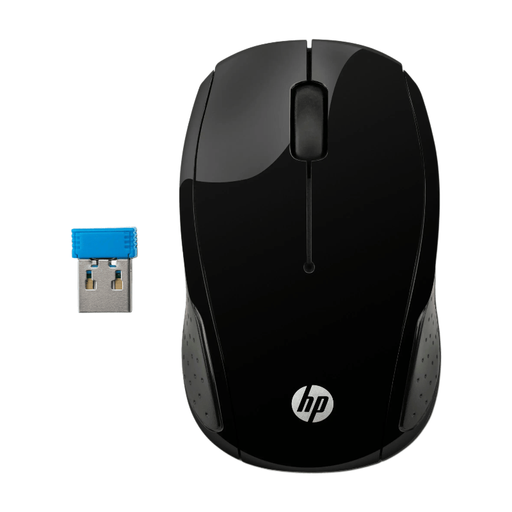
Why this fits: A straightforward choice for home use, study and daily office work with Windows, macOS or ChromeOS.
The specifications mention a USB receiver, 2.4GHz connection and no required software installation.
Optical sensor, 1,000 DPI, two AAA batteries included and suitable for left- and right-handed use.
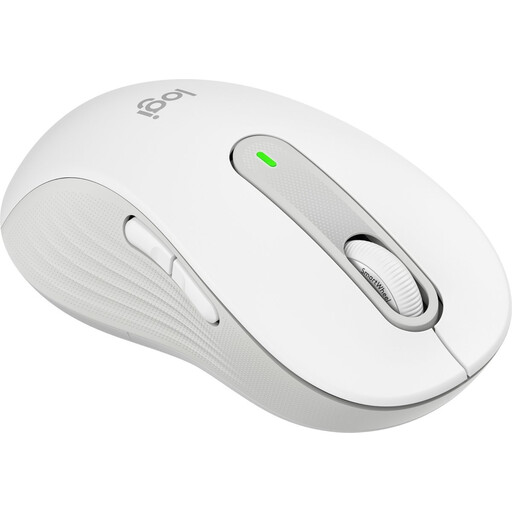
Why this fits: Aimed at left-handed users with larger hands who work with a mouse for extended periods every day.
The shape is specifically listed as left-handed and prevents the mismatch of a right-handed mouse.
2,000 DPI, five buttons, optical sensor and, according to Logitech, up to two years of use on one AA battery.
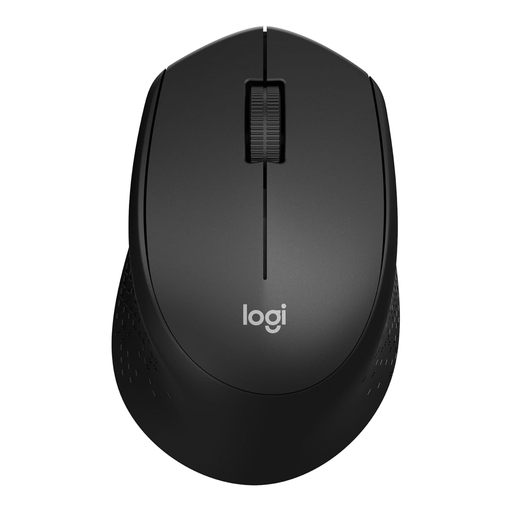
Why this fits: A silent wireless mouse for a shared office, home office or study space.
The silent click feature is explicitly stated in the product description; you don't have to rely on just a general marketing name.
USB nano receiver, optical tracking, 1,000 DPI and a battery life of up to 24 months as stated by Logitech.
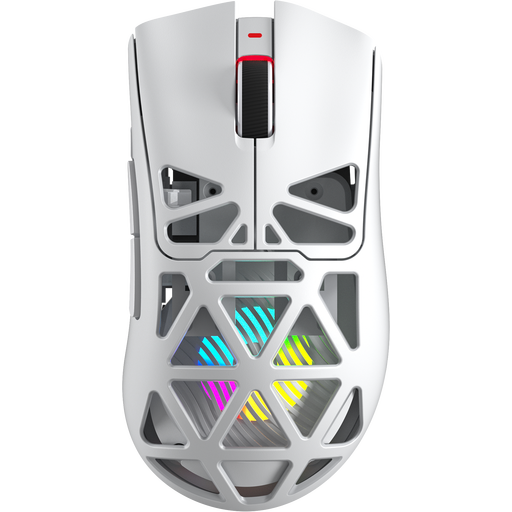
Why this fits: For PC and Mac users looking for adjustable buttons, high sensor resolution and multiple connection types.
The choice is based on concrete features: Bluetooth 5.0, 2.4G, USB-C, seven programmable buttons and a stated weight of 67 grams.
PixArt PAW3311 sensor, up to 12,000 DPI and a rechargeable 400 mAh battery according to the product information.
Browse a current selection of wireless USB products and compare connection, compatibility and practical features before you order.
Yes. A wireless mouse uses Bluetooth or its own radio connection via a USB receiver. Internet is not required. Your computer does need to support Bluetooth or have a suitable USB port.
This varies by model and usage. In the product information mentioned, the stated usage time ranges from around 12 to 24 months for models with AA batteries. A rechargeable mouse, such as the Logitech MX Vertical, is stated by Logitech to have a usage time of up to four months per full charge. Treat this as a brand estimate and check the battery status regularly.
It can be, but look at more than just DPI. Check the connection, weight, adjustable buttons and sensor. A wireless gaming mouse like the AULA SC620 offers, according to the product information, multiple connections and programmable buttons. For simple office work, those features are not necessary.
