
Vandaag of morgen in huis

Kwaliteit gegarandeerd

Welkomstaanbiedingen ontgrendelen: GRATIS bezorging | Tot 80% korting | Gratis 30 dagen JoyPlus-proefperiode
Download de app
A wireless mouse gives you more space on your desk and is practical for a laptop, home office or gaming PC. However, not every model is suitable for extended use. A low price can mean limited connectivity, while a high DPI rating does not automatically mean the mouse feels comfortable or precise.
Joybuy Product Recommendation Officer selects products based on verifiable specifications. Before you buy, pay particular attention to the following potential pitfalls.
DPI determines how quickly the cursor moves across the screen. A high-DPI mouse can be useful with multiple screens or high resolutions, but for office work, an adjustable setting is more important than an extreme maximum. Also check whether the DPI can be adjusted using a button or software.
A Bluetooth mouse works without taking up a USB port, which is useful with slim laptops, tablets and some Macs. By contrast, a 2.4GHz connection with a USB receiver can be practical for desktops and gaming PCs. Check the following beforehand:
A mouse that only works with a specific receiver is less flexible if you regularly switch between a laptop and desktop.
A mouse may be described as ergonomic, but its shape must also suit your hand. Pay attention to its dimensions, weight, hand orientation and the position of the thumb buttons. A vertical mouse also requires a short adjustment period. Left-handed users should check carefully that the model is genuinely designed for left-handed use; a symmetrical mouse is not always the same as a left-handed mouse.
For office and mobile use, both Bluetooth and a USB receiver can be useful. A model with multiple connection methods offers greater flexibility, but always check which operating systems are supported. Some features, such as macros or programmable buttons, only work with software for Windows or macOS.
A mouse powered by AA or AAA batteries can be used again immediately once you replace the battery. A rechargeable mouse avoids disposable batteries, but needs to be charged in good time. Do not only look at the stated battery life; also consider:
Battery-life claims are based on specific usage scenarios. According to brands’ own information, actual battery life may vary depending on the connection mode, polling rate, lighting and software settings.
A lightweight mouse is appealing for fast movements and mobile use. For an office mouse, a comfortable palm rest, quiet clicks and a good scroll wheel are often more important. Gamers are more likely to focus on polling rate, sensor resolution, weight and programmable buttons.
A quiet mouse reduces click noise, but check whether the scroll wheel and side buttons are quiet too. With models that have additional buttons, the accompanying software is important: without good configuration options, ten buttons will not automatically make the mouse more convenient.
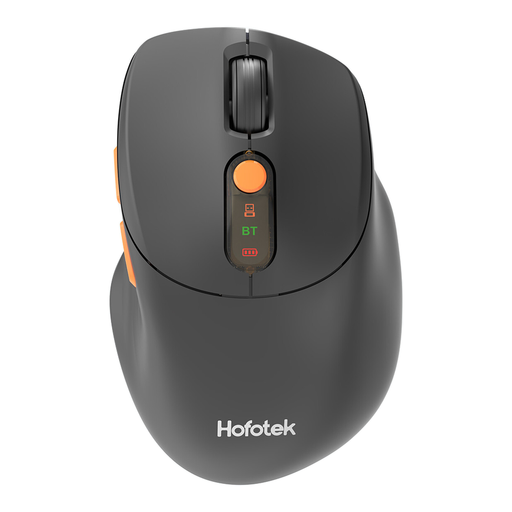
Why it suits this profile: This compact mouse is designed for everyday office and home use and works with Windows, macOS and Android. Bluetooth 5.1 and 2.4GHz connectivity give you a choice between direct pairing and a USB receiver.
The DPI can be set to 800, 1600, 2400, 3200 or 4000. This means you do not have to pay for a single fixed sensitivity that may not suit your screen.
62 grams, a silent click function and connections to up to three devices according to the product information.
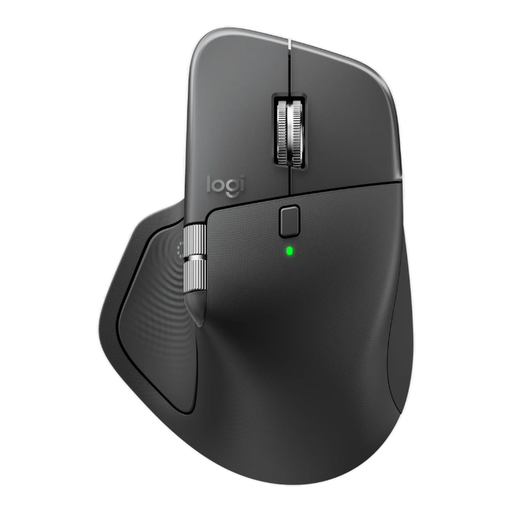
Why it suits this profile: This model is designed for right-handed professionals who scroll frequently, switch between devices and use additional features while working.
The specifications list Bluetooth, a Logi Bolt receiver, adjustable DPI and eight buttons. However, check beforehand whether the dimensions and 150-gram weight suit your hand.
8,000 DPI, horizontal scrolling, programmable buttons and a rechargeable USB-C battery.
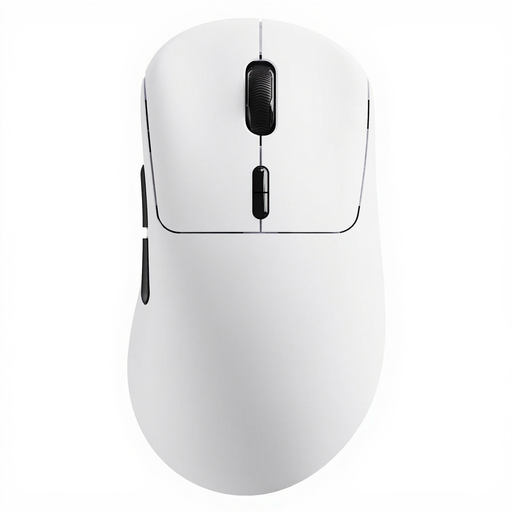
Why it suits this profile: For gamers looking for a lightweight gaming mouse with plenty of adjustment options and a long stated battery life.
The model lists 2.4GHz connectivity, a polling rate of up to 8,000Hz and software for Windows and Mac. However, a higher polling rate may use more system resources.
53 grams, up to 26,000 DPI and ten programmable buttons according to the product description.
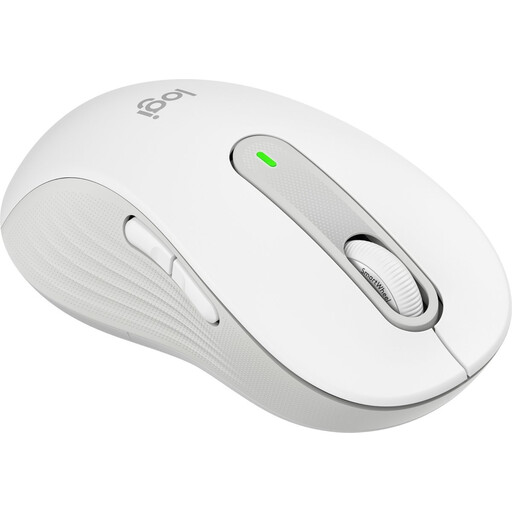
Why it suits this profile: According to the product specifications, the L version is designed for left-handed users with larger hands and for extended office work.
The hand orientation is explicitly listed as left-handed. This helps you avoid buying a generally symmetrical model when you need a specific left-handed shape.
2,000 DPI, five buttons, Bluetooth Low Energy and Logi Bolt; the manufacturer lists SilentTouch technology.
We have put together a complete, up-to-date list of products that fully meet these strict selection criteria and the applicable European safety regulations.
Not automatically. A Bluetooth mouse requires Bluetooth support on the laptop. A model with a USB receiver needs a suitable USB port. Also check the supported operating system and whether additional software is available.
Its lifespan depends on the battery, switches, scroll wheel, intensity of use and maintenance. A rechargeable battery may lose capacity over time. With a model that uses AA or AAA batteries, replacement is straightforward, but you will need to keep spare batteries available. The statutory guarantee in the EU for the products mentioned is at least two years; additional rights may apply under national law.
It can be, but pay attention to the noise level, shape and software. A lightweight gaming mouse with a high polling rate and numerous buttons is functional for gaming, but may be less quiet or straightforward for office use. For quiet working, a silent mouse and comfortable palm support are often more relevant than maximum DPI.
