
Vandaag of morgen in huis

Kwaliteit gegarandeerd

Welkomstaanbiedingen ontgrendelen: GRATIS bezorging | Tot 80% korting | Gratis 30 dagen JoyPlus-proefperiode
Download de app
A wireless mouse keeps your desk tidy and is handy with a laptop, desktop PC or multiple devices. Yet many models look alike. A low price can be tempting, but you may later find yourself dealing with an awkward connection, batteries that run flat quickly or a shape that doesn’t suit your hand.
Look out for these three common pitfalls:
A Bluetooth mouse connects directly to a laptop, tablet or compatible PC. You don’t need a separate dongle. For example, the HP 240 Black Bluetooth Mouse uses Bluetooth 5.1 and, according to the product information, doesn’t need a USB receiver.
A mouse with a USB receiver works through a small 2.4 GHz dongle. It’s practical for computers without Bluetooth and often straightforward to set up: plug in the receiver, insert the batteries and switch on the mouse. Check that your laptop has a free USB-A port. Some compact laptops may need an adapter.
If you switch between a laptop, desktop and tablet, a model with both Bluetooth and 2.4 GHz is worth considering. According to its specifications, the Trust Ozaa+ can pair with up to three devices: one via the USB receiver and two via Bluetooth.
DPI indicates how sensitively the mouse responds to movement. An optical mouse uses a light sensor to track movement across a surface. For word processing, web browsing and spreadsheets, settings of around 1000 to 1600 DPI are often enough. Adjustable DPI can be useful for large screens, image editing or gaming.
A mouse with adjustable DPI lets you change the cursor speed to suit the task. Don’t just look at the maximum value: check the available settings and how you adjust them. A button on the mouse is convenient; software may offer more options, but it isn’t always available for every operating system.
An ambidextrous mouse is suitable for both left- and right-handed use. A right-handed model may offer more thumb support. Also consider:
Check the conditions behind battery-life claims. Battery life depends on settings, connection, surface and frequency of use. A brand’s battery-life claim doesn’t guarantee the same results for every user.
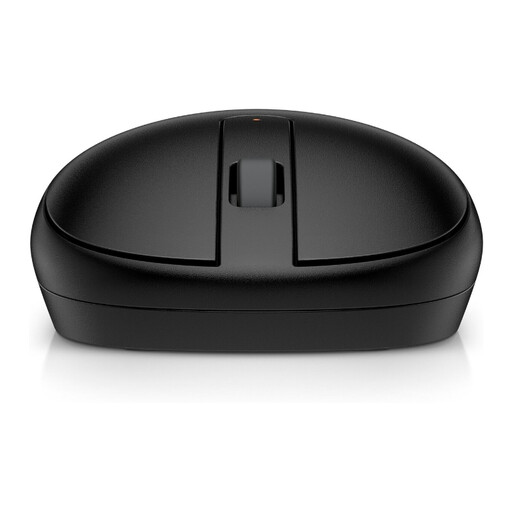
Why it suits this profile: This compact wireless mouse is designed for everyday use and connects via Bluetooth 5.1 without a dongle. Its ambidextrous shape works for both left- and right-handed users.
It connects without a separate receiver. Check first, though, that your laptop or PC supports Bluetooth.
Optical sensor with 1600 DPI, three buttons and a weight of 54.2 grams, according to the product specifications.

Why it suits this profile: This generously sized wireless mouse is designed for the office and working from home. It supports three devices, offers horizontal scrolling and has a rechargeable battery.
Its features are easy to verify: two Bluetooth channels, a 2.4 GHz receiver and a separate side-scrolling function.
Adjustable optical sensor up to 3200 DPI, quiet buttons and charging via the included cable.
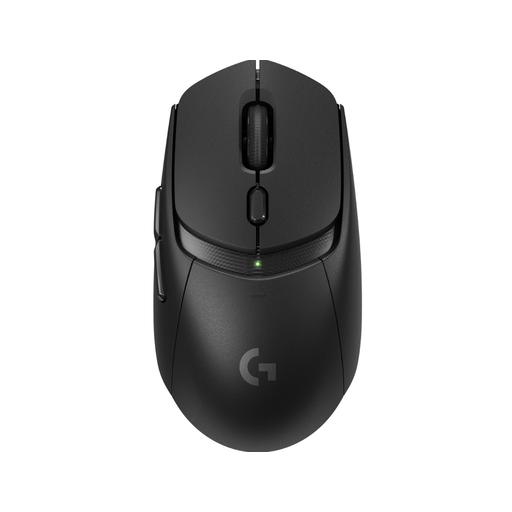
Why it suits this profile: This gaming mouse combines Lightspeed radio with Bluetooth, an optical HERO 25K sensor, six programmable buttons and a design for right-handed use.
The product specifications list both a USB receiver and Bluetooth. This gives you an alternative if one connection method doesn’t suit how you use the mouse.
Adjustable DPI, six programmable buttons and AA battery power; according to the product information, it can deliver over 300 hours of use.
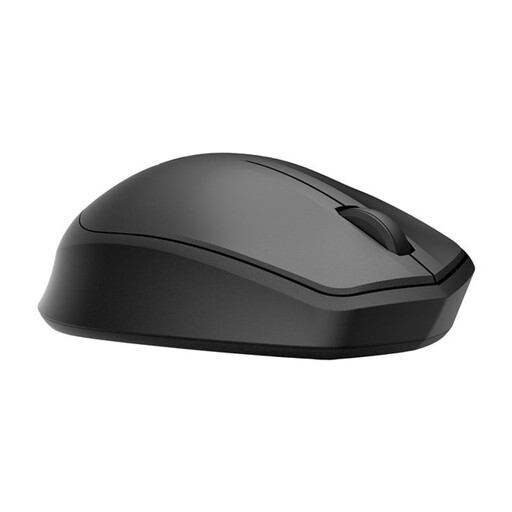
Why it suits this profile: This quiet mouse uses a 2.4 GHz connection and is designed for home offices, workplaces and shared spaces where quieter clicks are preferable.
It connects via the included USB dongle and has a range of up to 10 metres, according to the specifications. So you don’t have to rely on Bluetooth.
Optical sensor with 1200 DPI, ambidextrous shape, three buttons and up to 90% noise reduction on the left and right buttons, as stated by HP.
We’ve put together a complete, up-to-date list of products that meet these strict selection criteria and current European safety regulations.
Not automatically. A Bluetooth mouse requires Bluetooth support on your laptop. A model with a USB receiver needs a suitable USB port. Also check which operating systems it supports, particularly with ChromeOS, macOS, tablets and older computers.
Its lifespan depends on build quality, battery use, cleaning and how often you use it. A mouse with a replaceable battery can keep working as long as suitable batteries are available. The capacity of a rechargeable mouse’s built-in battery will decrease over time. Keep your wireless mouse dry, don’t drop it, and keep the sensor and scroll wheel free of dirt.
That depends on its power source. A model using AA or AAA batteries will involve ongoing costs. A rechargeable mouse means fewer disposable batteries, but it needs charging and has a built-in battery. So compare more than just the purchase price: consider the connection type, battery life and how you expect to use it.
