
Vandaag of morgen in huis

Kwaliteit gegarandeerd

Welkomstaanbiedingen ontgrendelen: GRATIS bezorging | Tot 80% korting | Gratis 30 dagen JoyPlus-proefperiode
Download de app
A wireless mouse gives you a tidier desk and more freedom of movement. However, not every model suits every user. A laptop user has different needs from someone who spends hours gaming every day or who needs a left-handed mouse.
Pay particular attention to three common pitfalls:
A wireless computer mouse usually works via Bluetooth or via a 2.4GHz USB receiver.
A Bluetooth mouse connects directly to a laptop, tablet or PC with Bluetooth. You don't need a free USB port and you don't have to carry a receiver. This is convenient for modern laptops and flexible workspaces.
Check before you buy:
The HP 240 series, for example, uses Bluetooth 5.1, has an optical sensor of 1,600 DPI and works with Windows, macOS and ChromeOS according to the product information.
An RF mouse uses a small USB receiver. This is often a simple plug-and-play solution for a mouse for a PC or laptop. You will need a USB-A port. Also check where you can store the receiver when you travel with the mouse.
The Trust Mydo has a wireless range of 10 metres according to the product specifications, and a receiver that you can store inside the mouse. The Trust Primo works up to 6 metres and is more compact, designed for travel.
An optical mouse registers movement via an optical sensor. The sensor resolution is expressed in DPI: dots per inch. A higher value makes the cursor faster, but doesn't automatically make the mouse more suitable for your use.
A mouse with adjustable DPI is more flexible. The Trust Yvi+ offers a range of 800 to 1,600 DPI according to the product description. The Trust Zaya has three settings: 800, 1,200 and 1,600 DPI. For daily use, such steps are often clearer than a very high maximum setting.
Also pay attention to the shape:
A silent mouse can be pleasant in a shared workspace, library or office. Do check whether only the main buttons are silent, or also the scroll wheel and extra buttons. With the Trust Mydo and Trust Yvi+, silent main buttons are mentioned. According to the product information, Logitech claims a reduction in click noise of up to 90 per cent for the M650 L thanks to SilentTouch technology. This is a brand claim and not a general guarantee for every usage situation.
Also look at the power source:
A statutory conformity guarantee of at least two years applies to consumers in the EU; additional rights may depend on the applicable national legislation.
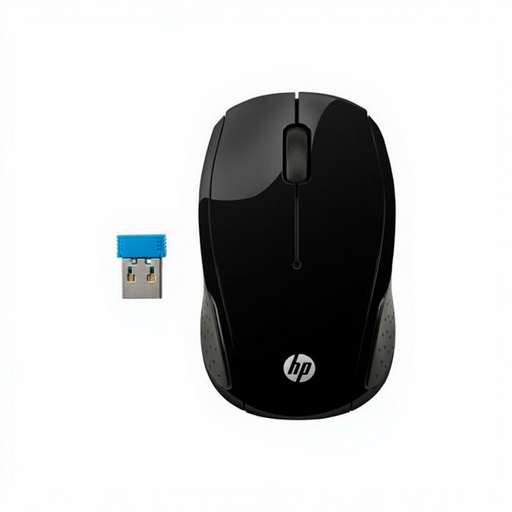
Why this fits the profile: A simple mouse for home, study and basic use on a Windows or Mac computer.
The USB receiver and two AAA batteries are included according to the product information; no extra software is needed.
Optical sensor of 1,000 DPI, ambidextrous shape and wireless range up to 10 metres according to the product specifications.
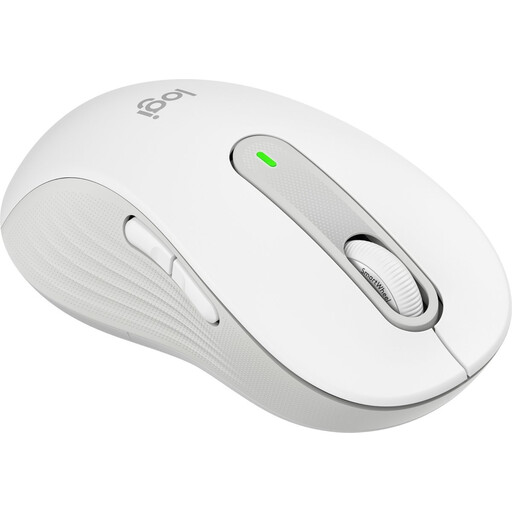
Why this fits the profile: Designed for left-handed users with larger hands who do a lot of typing, scrolling and long working sessions.
The left-handed version means you don't have to rely solely on a general symmetrical shape.
Bluetooth Low Energy or Logi Bolt, 2,000 DPI, five buttons and one AA battery according to the product information.
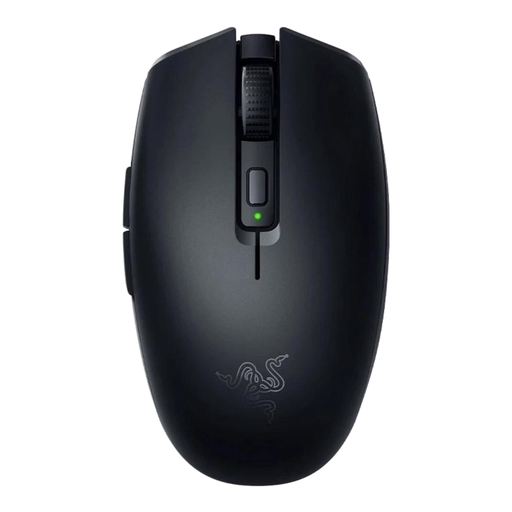
Why this fits the profile: For gamers who want a compact gaming mouse to use on PC and on the go.
The symmetrical shape and two connection options make the model less dependent on one hand position or device.
Bluetooth and Razer HyperSpeed Wireless, six programmable buttons and an optical sensor up to 18,000 DPI according to the product specifications.
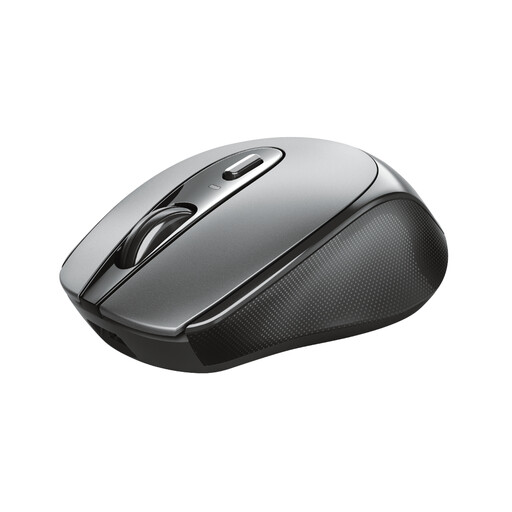
Why this fits the profile: For home workers and students looking for a rechargeable mouse with compact dimensions.
The built-in rechargeable battery reduces the need for loose batteries; the USB receiver can be stored inside the mouse.
USB-C charging, suitable for left- and right-handed users, 10 metre wireless range and three DPI settings.
We've put together a full, up-to-date list of products that fully meet these strict selection criteria and current European safety regulations.
No. A Bluetooth mouse requires Bluetooth support on the laptop. A model with a USB receiver requires a suitable USB port. Also check the supported operating system and the required Bluetooth version.
This varies per model, battery type, connection and usage. According to the product information, Trust states a battery life of up to 12 months for the Yvi+ and Logitech states up to two years for the M650 L with one AA battery. These are stated usage values; the actual duration may differ.
It can be, but with a gaming mouse pay attention to latency, polling rate, sensor settings, weight and the available connection. Bluetooth can be suitable for general use, while a dedicated 2.4GHz connection may be preferable for competitive gaming. Also check whether the mouse can work wired when the battery is flat.
