
Vandaag of morgen in huis

Kwaliteit gegarandeerd

Welkomstaanbiedingen ontgrendelen: GRATIS bezorging | Tot 80% korting | Gratis 30 dagen JoyPlus-proefperiode
Download de app
A wireless mouse might seem easy to choose at first. But differences in connectivity, shape, sensor and software can have a big impact on everyday use. A model that works well with a laptop on the go may not be right as a wireless gaming mouse or an office mouse.
Look out for these three common pitfalls:
An optical mouse uses an optical sensor to track movement across a surface. The sensor quality, surface and software all affect how smoothly the cursor moves. For general office work, an adjustable resolution of around 1,000 to 4,000 DPI is often enough. Creative users may benefit from more customisation, while gamers should focus on consistent tracking and the mouse’s shape.
DPI stands for dots per inch. A figure of 8,000 or 30,000 DPI offers a wide range, but most users won’t need to use it all the time. Check whether the DPI is adjustable and whether you can save your preferred settings in the software or onboard memory.
The polling rate indicates how often the mouse sends data. 1,000 Hz is enough for many uses. 4,000 or 8,000 Hz may be useful for fast-paced games, but check that your PC can handle it. With some models, a lower setting may be a better choice if you experience stuttering.
A Bluetooth mouse is handy for a laptop, tablet or PC with built-in Bluetooth. You won’t need a separate dongle. Check which Bluetooth version and operating systems it supports.
A wireless connection via a USB receiver is often straightforward: plug in the receiver, switch on the mouse and pair it. Check the connector first. A USB-C receiver won’t necessarily fit an older laptop or desktop. Some mice support both RF and Bluetooth, so you can switch between devices.
Look for multi-device features, too. A mouse for a PC and laptop that can connect to two or three devices can be handy if you work from home, use a desktop and have a second computer.
An ergonomic mouse should suit your hand size, grip and how long you use it for. A right-handed model won’t necessarily suit a left-handed user. A vertical mouse encourages a different hand position from a traditional design, so it may take some getting used to.
A lighter mouse can feel comfortable for quick movements in games. A heavier model may feel more stable in the office. Also consider how it’s powered:
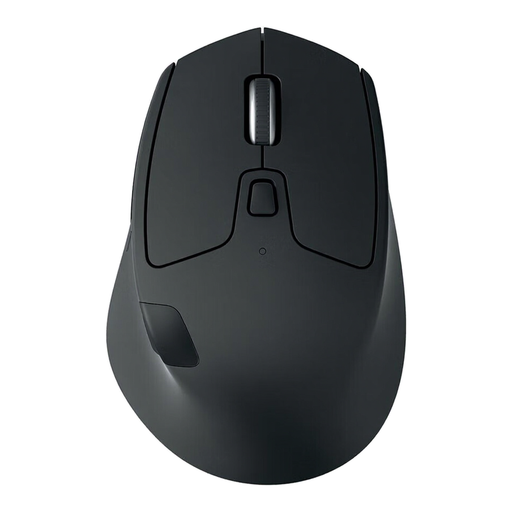
Why it suits this profile: This right-handed model is designed for everyday use and can pair with up to three devices. It’s a good fit for anyone looking for a straightforward mouse for their PC and laptop.
The specifications state a battery life of up to 24 months with a single AA battery. So you won’t need to charge a built-in battery regularly, although actual battery life depends on use and battery type.
Optical sensor, Bluetooth and USB receiver, eight buttons and the ability to switch between three devices.
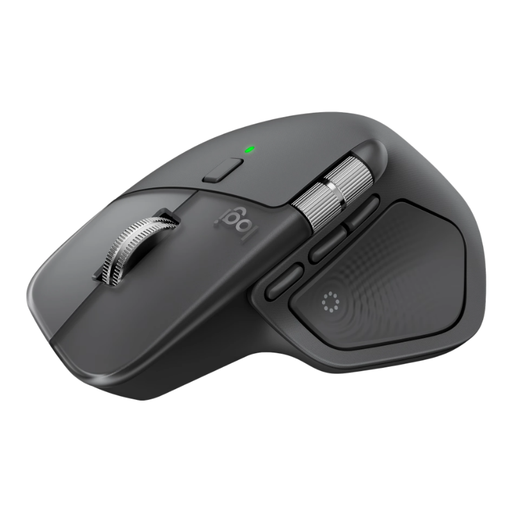
Why it suits this profile: Its shape, quiet buttons and versatile scrolling features are designed for long working sessions, spreadsheets and use across multiple devices.
The product information highlights more than just DPI: it also lists an ergonomic right-handed shape, horizontal scrolling and programmable buttons. That gives you a clearer picture than a high sensor rating alone.
Optical sensor up to 8,000 DPI, eight programmable buttons, Bluetooth 5.1 and a USB-C receiver for up to three devices.
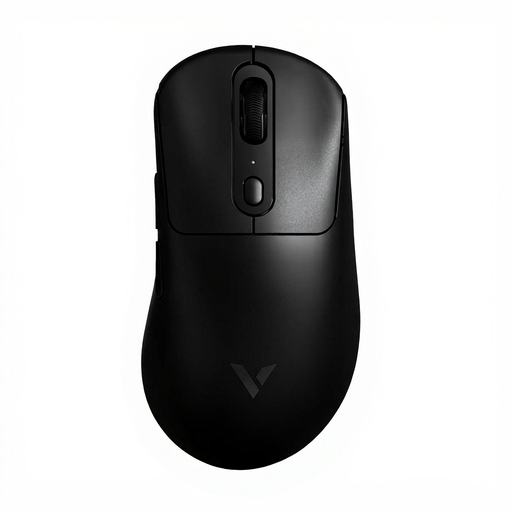
Why it suits this profile: This lightweight model is designed for anyone looking for a wireless gaming mouse with a high polling rate, programmable features and plenty of freedom to move.
The product information gives both the battery life and a note that you may need the latest driver to use power-saving mode. It also warns that 8K performance requires suitable hardware.
59 grams, up to 30,000 DPI, 8K wireless polling rate, 120 million optical switch clicks and ten programmable buttons.
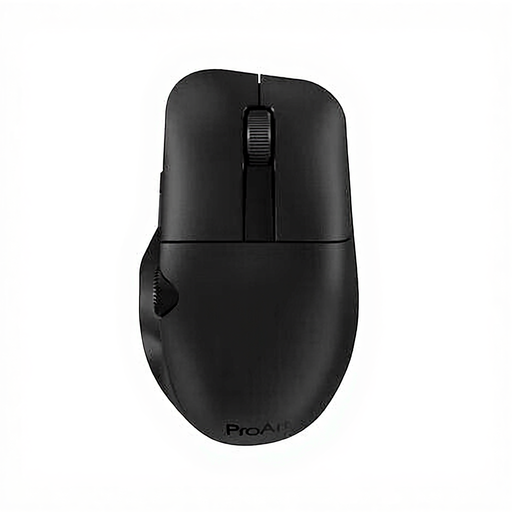
Why it suits this profile: This right-handed mouse combines RF wireless connectivity with Bluetooth and has six programmable buttons for creative software and office work.
The choice isn’t based on DPI alone: both connectivity options, the right-handed shape and adjustable buttons are clearly listed. The maximum polling rate is 1,000 Hz, which is suitable for general work.
Optical sensor up to 4,200 DPI, six programmable buttons, an 800 mAh rechargeable battery and a range of up to 10 metres, according to the product description.
We’ve put together a comprehensive, up-to-date list of products that meet these strict selection criteria and the applicable European safety regulations.
Yes. Some models use a USB receiver with a 2.4GHz connection, so your PC or laptop doesn’t need Bluetooth. Check that the receiver fits the available USB port and is included with the mouse.
It varies considerably by model. A mouse with long battery life may use an AA battery, while models with a built-in battery may be rated for tens of hours, months or longer. Lighting, polling rate, Bluetooth use and power-saving settings all affect actual battery life.
Usually, it isn’t necessary. 1,000 Hz is generally enough for word processing, spreadsheets and browsing. A higher polling rate may be more relevant for fast-paced games, but it can increase CPU usage. So check your computer, screen and how you plan to use the mouse before paying extra for this feature.
