
Vandaag of morgen in huis

Kwaliteit gegarandeerd

Welkomstaanbiedingen ontgrendelen: GRATIS bezorging | Tot 80% korting | Gratis 30 dagen JoyPlus-proefperiode
Download de app
A wireless mouse gives you more room on your desk and is handy for a laptop, home office or gaming PC. But a high DPI rating or eye-catching RGB lighting doesn’t automatically mean a model is right for you. The shape, connection and charging method often matter more than the marketing claims.
Look out for these common pitfalls:
A Bluetooth mouse connects directly to a compatible laptop, tablet or desktop computer. You won’t need a spare USB port. Check the Bluetooth version and supported operating systems, though.
A 2.4 GHz connection uses a USB receiver. It’s often easy to set up and works well with a desktop computer. Some models let you store the receiver inside the mouse, which is handy when travelling.
A multi-device mouse combines both options and can sometimes pair with several devices. For example, the Trust Ozaa+ lists connections to up to three devices: via a USB receiver and two Bluetooth channels. That’s useful if you switch between a laptop, desktop and tablet.
DPI determines how far the cursor moves in response to a particular hand movement. Adjustable DPI is more useful than an extremely high maximum value, as you can tailor the speed to documents, photo editing or games.
For everyday use, a range of around 800 to 3200 DPI will suit many people. A gaming mouse with RGB lighting may offer higher values, but consider the sensor, weight and software too.
The polling rate indicates how often the mouse sends data to your computer. A higher rate can reduce input lag in fast-paced games, but typically puts more demand on the hardware and battery. The AJAZZ AJ159 APEX lists a wireless polling rate of up to 8000 Hz. This is mainly relevant to competitive players, rather than for email or spreadsheets.
A rechargeable mouse means you won’t need to replace disposable batteries. Check the stated battery life, charging port and whether you can keep using the mouse while it charges. For a model with a built-in battery, follow the manufacturer’s safety instructions and don’t try to open the casing yourself.
A mouse that uses AA or AAA batteries can be handy if you want to replace a battery quickly. Also consider the weight of a wireless mouse. A lightweight model is easy to carry, while a heavier one may offer more support for your hand.
A quiet mouse can be useful in a shared workspace. Bear in mind that “quiet click” usually refers to certain buttons, not necessarily the scroll wheel or all mechanical sounds. Noise-reduction claims come from the brand, so treat them as product specifications rather than a universal guarantee of silence.
The right choice depends on the combination of hand size, workspace, devices and level of precision you need. The models below illustrate different user profiles. The features listed are based on the available product specifications.
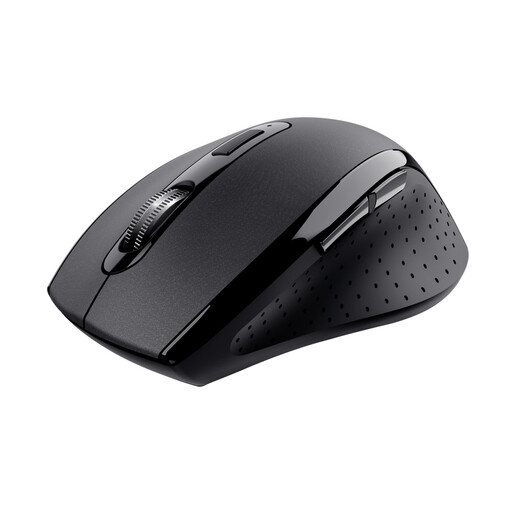
Why it suits this profile: A straightforward computer mouse for home or office, with a 2.4 GHz receiver, adjustable 1500 DPI and a stated range of up to 10 metres.
The key features are clearly specified: USB connection, six buttons and adjustable DPI. You’re not paying for features you may not use.
Ergonomic shape, a stowable receiver and power from two AAA batteries. The specification lists quiet clicks.

Why it suits this profile: Designed for professionals who do a lot of scrolling, use several devices and want a quiet, rechargeable mouse with extra buttons.
It’s not all about DPI: the mouse lists Bluetooth, Logi Bolt, eight buttons, horizontal scrolling and a USB-C rechargeable battery.
Adjustable sensor up to 8000 DPI, connection to up to three devices and a MagSpeed scroll wheel. The manufacturer also lists quiet clicks.

Why it suits this profile: For players who value low input lag, a lightweight design and several connection options.
Alongside its high DPI, the model lists a PAW3950 sensor, 2.4 GHz, Bluetooth and USB-C. This means you can also use the gaming mouse for office work.
The stated weight is 56 grams, with a polling rate of up to 8000 Hz and a magnetic charging dock with an integrated receiver. RGB lighting and the TFT screen are extra features.
No. A model with a USB receiver needs a suitable USB port or adapter. A Bluetooth mouse needs Bluetooth support. Before ordering, also check compatibility with Windows, macOS, ChromeOS, Android or iPadOS.
It depends on the battery, how intensively you use the mouse and the connection mode. Manufacturers often give a maximum battery life. Treat this as an indication based on specific conditions. A mouse with replaceable batteries works differently from one with a built-in lithium battery.
An ergonomic shape can change your posture and grip, but the effect varies from person to person. A vertical mouse usually takes some getting used to. Take breaks, adjust your workspace properly and stop if discomfort persists. Don’t choose a mouse based on an ergonomic label alone.
We’ve put together a complete, up-to-date list of products that meet these strict selection criteria and current European safety regulations.
