
Vandaag of morgen in huis

Kwaliteit gegarandeerd

Welkomstaanbiedingen ontgrendelen: GRATIS bezorging | Tot 80% korting | Gratis 30 dagen JoyPlus-proefperiode
Download de app
A wireless mouse gives you more space on your desk and keeps cables from trailing across your laptop or keyboard. However, not every wireless model is suited to long working days, travel or use with multiple devices. A low price can be tempting, but the wrong connection, an awkward shape or a battery that runs out quickly can make your purchase less practical.
In this buying guide from the Joybuy Product Recommendation Officer, you’ll find out what to look for and which models suit different types of user.
A Bluetooth mouse doesn’t need a USB receiver, but your laptop or computer must support Bluetooth. Older desktops and some business PCs don’t have it as standard. A Bluetooth-only model, such as the HP 240, is therefore best suited to modern laptops, tablets and computers with built-in Bluetooth.
A wireless mouse with a 2.4GHz receiver connects via a USB port. This can be more reliable with a desktop PC, but it does take up a USB-A or USB-C port. Also check that the receiver supplied is compatible with your device.
DPI determines how quickly the cursor moves across the screen. A mouse with adjustable DPI is useful if you switch between word processing, spreadsheets and image editing. However, a high maximum DPI isn’t automatically necessary for everyday office work.
For many users, a range of around 1000 to 3200 DPI is enough. What matters more is that the sensor works reliably and that you can easily adjust the speed.
An ergonomic mouse may have a contoured shape, thumb rest or larger surface. This can feel comfortable, but a large right-handed model won’t suit someone who travels often or uses their left hand. So consider:
A symmetrical mouse is generally more versatile for left- and right-handed use. A contoured model may offer more support for one hand, but it often takes up more space.
A wireless Bluetooth mouse is handy for a laptop with few spare ports. Bluetooth 5.1, as used by the HP 240, refers to the connection version. The actual experience also depends on your device’s Bluetooth hardware and software.
A multi-device mouse can be paired with several computers, tablets or laptops. Check whether you can switch between devices quickly and how many can actually be paired at the same time. According to its product specifications, the Logitech M720 Triathlon supports up to three devices.
Models with both Bluetooth and a USB receiver offer greater flexibility. They’re a good choice if, for example, you use both a laptop and a desktop PC.
A mouse that uses AA or AAA batteries can last from months to years, depending on the model and how you use it. Check whether batteries are included and whether the stated battery life is an estimate from the manufacturer.
A rechargeable mouse means you won’t need to replace disposable batteries. Check the charging port, the stated battery life and whether you can keep working while it charges. A built-in battery will deteriorate over time, though; with a mouse that uses a replaceable battery, you can simply fit a new one.
Two buttons and a scroll wheel are enough for everyday use. Programmable buttons are particularly useful if you often use keyboard shortcuts, apps or browser functions.
A quiet mouse can be handy in a shared office, library or bedroom. Bear in mind that “quiet” usually refers to the buttons; the scroll wheel or side buttons may still make a noise.
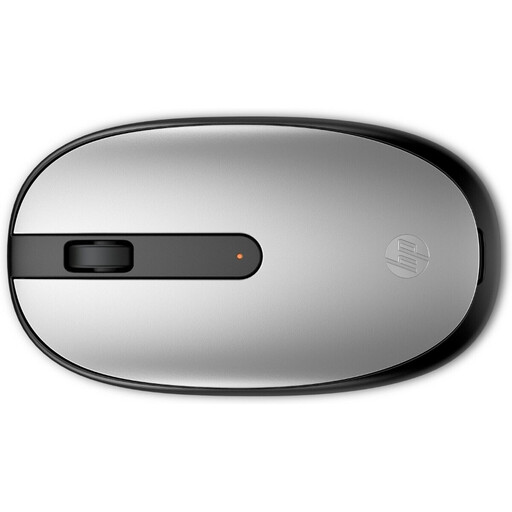
Why it suits this type of user: This compact Bluetooth mouse has a symmetrical shape and works without a dongle. It’s a good fit for laptop users who mainly work with documents, websites and email.
The Bluetooth 5.1 connection means you don’t need a USB receiver. Just check that your laptop supports Bluetooth before you buy.
1600 DPI optical sensor, three buttons and a scroll wheel; suitable for left- and right-handed use.

Why it suits this type of user: This right-handed office mouse is designed for intensive multitasking, with Bluetooth, a Logi Bolt receiver, programmable buttons and USB-C charging.
The specifications list quiet clicks, adjustable DPI and support for up to three devices. However, the shape is designed specifically for right-handed use.
8,000 DPI, horizontal scroll wheel, eight programmable buttons and a built-in rechargeable battery.

Why it suits this type of user: Its large, right-handed shape, quiet buttons and horizontal scrolling are practical for wide spreadsheets, schedules and long days at the office.
It combines a 2.4GHz receiver with two Bluetooth channels, so you don’t need a separate mouse for each device.
Adjustable sensor up to 3200 DPI, rechargeable battery, LED battery indicator, and vertical and horizontal scrolling.
We’ve put together a complete, up-to-date list of products that meet these strict selection criteria and the applicable European safety regulations.
No. A Bluetooth mouse only works if your laptop supports Bluetooth and its operating system is compatible. For a model with a USB receiver, you’ll need a suitable USB port. So check your laptop’s connections and system requirements before you buy.
This varies by model, battery type and usage. Product specifications may give estimates of 12, 15 or 24 months for models with replaceable batteries. A rechargeable mouse will usually state how long it lasts on a single charge. Treat these figures as the manufacturer’s guidance: heavy use, lighting and wireless features can affect actual battery life.
That depends on the purchase price, charging time and lifespan of the built-in battery. You’ll buy fewer disposable batteries, but you will need to charge the mouse regularly. If you want to work for a long time without charging, a model with an AA battery may be more practical. So compare not only the price, but also the power source and stated battery life.
