
Vandaag of morgen in huis

Kwaliteit gegarandeerd

Welkomstaanbiedingen ontgrendelen: GRATIS bezorging | Tot 80% korting | Gratis 30 dagen JoyPlus-proefperiode
Download de app
A wireless mouse keeps your desk tidy and gives you more freedom to move. However, not every model is suited to long days in the office, use with a MacBook or fast-paced gaming sessions. A high DPI rating alone tells you little about comfort or ease of use.
As a Joybuy Product Recommendation Officer, I focus on features you can verify: connectivity, shape, sensor, buttons, power and compatibility.
A high-DPI mouse can be very sensitive, but that doesn’t automatically make it more comfortable to use. For word processing and spreadsheets, adjustable DPI is often more important than the maximum figure. Check the sensor too, along with whether you can adjust the speed using software.
Long battery life is useful, but also check how the mouse is charged. A rechargeable mouse with USB-C means no loose batteries, while a model that takes AA or AAA batteries can be handy if you’re out and about without a cable. Also check whether the receiver included uses USB-A or USB-C.
An ergonomic mouse won’t necessarily suit every hand or working position. A large, right-handed mouse may feel comfortable in a larger hand, but awkward for smaller hands or left-handed use. So check the dimensions, weight and shape, and whether it has a thumb rest.
A Bluetooth mouse works without a separate USB receiver, making it practical for laptops and tablets. A 2.4 GHz connection via a dongle can be useful for computers without reliable Bluetooth. Models with both options offer greater flexibility.
A stable wireless connection is important for gaming. As well as checking the technology’s marketing name, look at the receiver included, the range and whether the mouse can also be used with a USB-C cable. If you use several devices at your desk, support for two or three paired devices is useful.
DPI indicates the cursor’s sensitivity. A mouse with 8000 DPI or more gives you plenty of adjustment options, but lower settings are often enough for everyday office work. An adjustable DPI button or software profile is useful if you switch between photo editing, documents and gaming.
Also check whether the sensor is optical or laser-based, and which surfaces the mouse is designed to work on according to the product specifications. A mouse mat is usually a simple way to get consistent tracking.
An office mouse often has quiet buttons, a comfortable design and a scroll wheel for long documents. A gaming model focuses more on low weight, programmable buttons and a high polling rate.
Look out for these features:
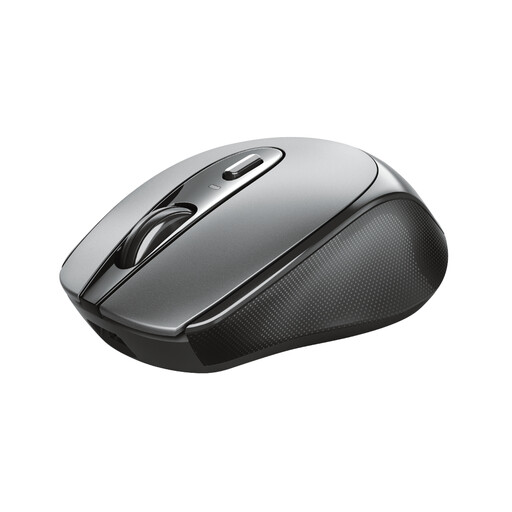
Why it suits this user: A straightforward choice for using a laptop, browsing and light office tasks. Its symmetrical shape is suitable for both left- and right-handed use.
The specifications are easy to understand: 800, 1200 and 1600 DPI, a USB receiver and a built-in rechargeable battery. Don’t expect extensive gaming features.
USB-C charging, four buttons, a 10-metre wireless range and a symmetrical shape for left- and right-handed use.
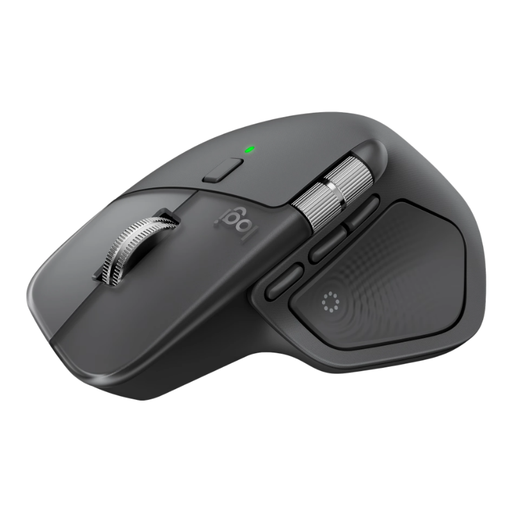
Why it suits this user: Designed for productivity, large documents and working across multiple devices. Its shape is for right-handed use and includes a thumb rest.
The product information lists eight programmable buttons, Bluetooth 5.1, a USB-C receiver and adjustable DPI up to 8000.
MagSpeed scroll wheel, horizontal scroll wheel, quiet buttons and support for up to three paired devices.

Why it suits this user: A wireless gaming mouse for players looking for a lightweight model, programmable buttons and a high-resolution sensor.
This model uses a 2.4 GHz wireless connection, but can also be connected via USB-C. That means you can keep using it with a cable while it charges.
Around 63 grams in weight, adjustable sensor up to 30,000 DPI, five buttons and a stated battery life of up to 90 hours.
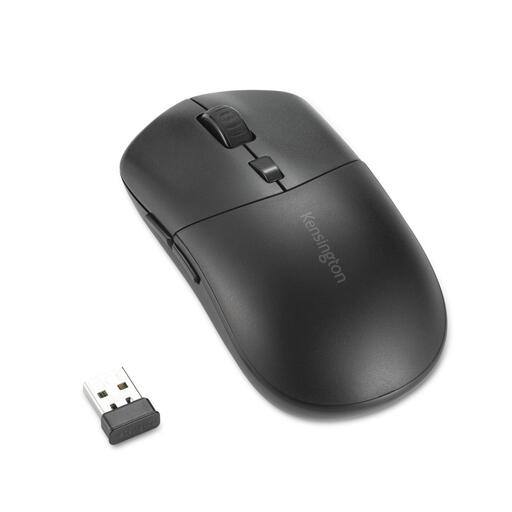
Why it suits this user: A good fit for home workers and people with small to medium-sized hands who want a quiet mouse with several connectivity options.
The mouse has quiet buttons and connects via Bluetooth or a USB-A receiver. You’re not limited to just one type of connection.
Up to three active devices, USB-C charging, six buttons and, according to the product information, a battery life of up to four months.
We’ve put together a complete, up-to-date list of products that meet these strict selection criteria and current European safety regulations.
That depends on the connection and software. Bluetooth models often work with both systems, but always check the compatibility information. Some software for adjusting buttons and DPI is only available for Windows or macOS.
Battery life between charges varies considerably. According to the product specifications, a rechargeable mouse may last from a few weeks to several months, while gaming models often have a shorter stated battery life because of their higher performance. The lifespan of the mouse itself depends on factors including how it’s used, its click mechanism and how well the built-in battery is looked after.
Yes, provided it offers a stable 2.4 GHz connection, a suitable sensor, low latency and enough battery capacity. For competitive gaming, weight, shape and polling rate are especially important. For casual gaming, a Bluetooth mouse with adjustable DPI may also be suitable.
