
Vandaag of morgen in huis

Kwaliteit gegarandeerd

Welkomstaanbiedingen ontgrendelen: GRATIS bezorging | Tot 80% korting | Gratis 30 dagen JoyPlus-proefperiode
Download de app
A wireless mouse keeps your desk tidy and gives you more freedom to move. But it’s not a good idea to choose based only on price, brand name or a high dpi rating. A mouse that looks appealing in the shop might disappoint at home because of an awkward shape, limited compatibility or a receiver that takes up a USB port.
For home use, office work, studying and gaming, there are three key pitfalls to watch out for:
Below, you’ll find out which specifications are really worth checking and which models suit different needs.
A Bluetooth mouse connects directly to a Bluetooth-enabled laptop or computer, so you don’t need a separate USB dongle. This is handy if your laptop has few USB ports. Do check that the operating system and Bluetooth version are compatible.
A wireless USB mouse usually uses a small receiver for a 2.4GHz radio connection. It’s often straightforward to set up: plug in the receiver, switch on the mouse and get started. The receiver does take up a USB port, though. Some models let you use one receiver with several compatible devices.
A multi-device mouse can be paired with several computers or tablets. According to its product specifications, the Logitech M720 Triathlon supports connections to up to three devices and has a button for switching between them. This is useful if, for example, you use a work laptop and a personal computer.
A right-handed mouse often has a pronounced thumb rest and a curved body. This can feel comfortable if you work with the same hand for long periods, but the shape is less versatile. A left-handed mouse is designed for use with the left hand. An ambidextrous model has a symmetrical shape and can be used by both left- and right-handed people.
As well as hand position, consider:
A larger mouse won’t feel more comfortable for everyone. Students who often carry a mouse around may prefer a compact, lightweight model. For a permanent wireless mouse for the office, extra support and a horizontal scroll wheel can be useful when working with wide spreadsheets.
Dpi indicates how far the pointer moves in response to a given physical movement of the mouse. A high dpi rating doesn’t automatically mean greater accuracy. For word processing, email and browsing, 1,000 to 2,000 dpi is enough for many users. Adjustable dpi can offer more flexibility for image editing, large screens or gaming.
An optical mouse works on many matt surfaces. Glass, reflective desks and very smooth surfaces can affect tracking. Some models use a laser sensor and, according to their product specifications, work on a wider range of surfaces. If you’re unsure, always check the manufacturer’s information.
A quiet wireless mouse can be useful in a shared home office, library or meeting room. Check whether “quiet” applies to all the buttons or just the main click. According to Logitech’s own information, SilentTouch reduces click noise by up to 90 per cent on certain models. This is a brand claim, not a universal feature of every Logitech mouse.
Battery life is usually quoted for specific conditions of use. A model with AA or AAA batteries may work for months or longer, while a rechargeable mouse needs a USB-C cable. So check:
A built-in battery means you won’t need disposable batteries, but its capacity may decrease over time. With replaceable batteries, you can swap them more quickly.
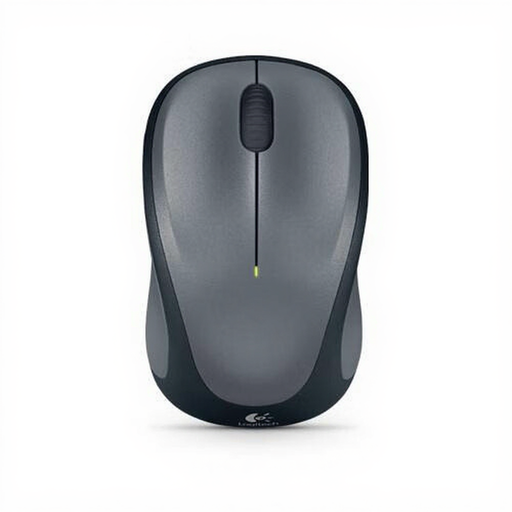
Why it suits this user: This compact model is suitable for everyday use at home, in the office or with a laptop. Its symmetrical shape works for both left- and right-handed users.
The specifications list a 2.4GHz connection with a nano USB receiver and a range of up to 10 metres. Its ambidextrous design also reduces the risk of choosing a mouse with the wrong shape for your hand.
Optical sensor with 1,000 dpi, three buttons and one AA battery included.

Why it suits this user: This right-handed model is aimed at business users who do a lot of scrolling, work across multiple devices and want to customise extra buttons.
It’s clear from the outset that this isn’t a gaming mouse and that it’s designed for right-handed use. That makes it easier to choose the right model, rather than relying on a high dpi rating alone.
8,000 dpi, Bluetooth and Logi Bolt, USB-C charging, horizontal scrolling and eight programmable buttons.
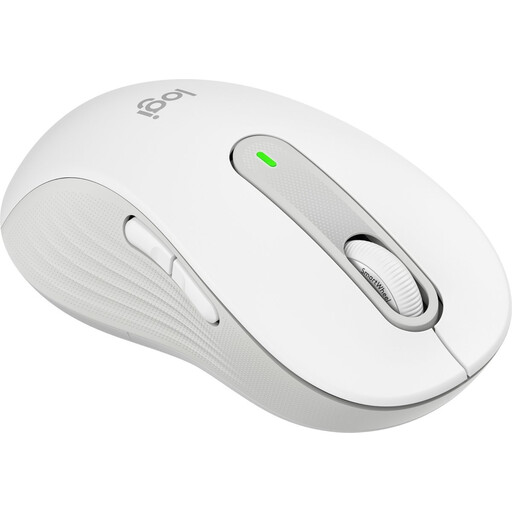
Why it suits this user: This model is designed for left-handed users with larger hands who spend long hours at a computer every day.
The hand orientation and size are clearly specified. According to Logitech’s own information, SilentTouch reduces click noise by up to 90 per cent; check that this level of noise reduction meets your expectations.
2,000 dpi, Bluetooth Low Energy or Logi Bolt, five buttons and power from one AA battery.
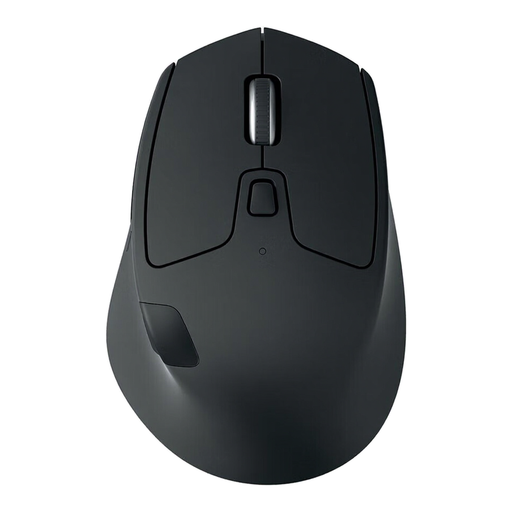
Why it suits this user: The M720 is designed for people who regularly switch between three computers and want to navigate long documents quickly.
Compatibility is clearly specified: Bluetooth and wireless radio connection, with support for three devices. That means you won’t have to pair it again each time you switch.
Optical sensor with 1,000 dpi, eight buttons, a fast scroll wheel and a quoted battery life of up to 24 months from one AA battery.
We’ve put together a complete, up-to-date list of products that meet these strict selection criteria and the applicable European safety requirements.
Not every mouse works in the same way with every laptop. A Bluetooth model requires Bluetooth support, while a USB mouse needs a free USB port. Also check the operating system and whether the correct receiver is included.
It varies depending on the model, connection and how intensively you use it. Products with AA or AAA batteries may work for months or even several years, according to their product specifications. A rechargeable model needs a USB cable, and its battery capacity may decrease over time.
It can be, but when choosing a gaming mouse, focus on adjustable dpi, polling rate, weight, connection type and the number of programmable buttons. A standard wireless office mouse is designed mainly for navigation, word processing and everyday computer use, and usually has fewer gaming features.
