
Vandaag of morgen in huis

Kwaliteit gegarandeerd

Welkomstaanbiedingen ontgrendelen: GRATIS bezorging | Tot 80% korting | Gratis 30 dagen JoyPlus-proefperiode
Download de app
A wireless mouse keeps your desk tidy and gives you more freedom to move. But not every model suits every situation. A compact mouse for travel feels different from an ergonomic mouse for long working days. And a wireless gaming mouse has different requirements for its sensor, polling rate and connection than an office mouse.
Most disappointing purchases aren’t down to the wrong colour, but to three points that are often overlooked:
First, choose between a left-handed mouse, a right-handed model or an ambidextrous design. A mouse for either hand offers flexibility, but won’t always have the same thumb rest as a specially shaped model.
Also check the dimensions:
For example, the Logitech Signature M650 L Left is specifically designed for left-handed users with larger hands. It measures 118.19 × 65.63 × 41.52 mm. The Logitech Lift is a right-handed vertical mouse with a 57-degree angle and, according to the product specifications, is designed for small to medium-sized hands.
A Bluetooth mouse is useful if you have few USB ports or want to connect directly to a laptop, tablet or smartphone. Make sure your device is Bluetooth-compatible.
A mouse with a USB receiver often works as soon as you plug it in. However, the receiver takes up a USB port. Some models offer both options:
Bear in mind that “wireless” doesn’t necessarily mean “Bluetooth”. A wireless mouse that only comes with a 2.4GHz receiver won’t automatically work via Bluetooth.
A rechargeable mouse means you don’t need loose batteries, but you will need to recharge it regularly. Models with an AA or AAA battery can work for longer without needing a recharge. Battery life depends on settings and how intensively you use the mouse, so treat these figures as product specifications rather than a guarantee for every user.
For everyday work, an optical sensor with, for example, 1,000 to 3,200 DPI is often sufficient. A higher DPI value doesn’t automatically mean more control. Gamers should also consider the polling rate, response time, weight and how the mouse connects.
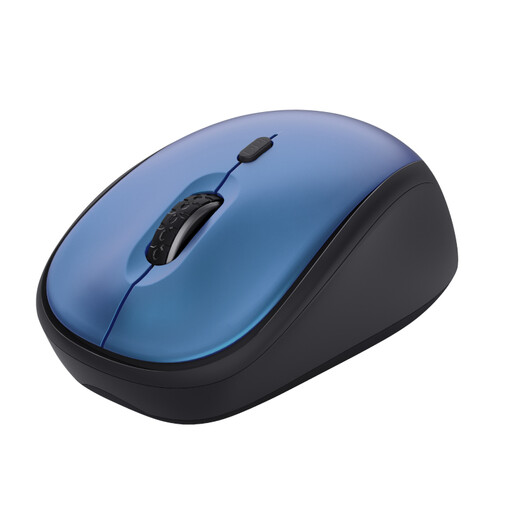
Why it suits this type of user: This compact mouse is suitable for working from home, studying and using on the go. The USB micro receiver can be stored inside the mouse, and the DPI is adjustable between 800 and 1600.
Its design works for both left- and right-handed users. The quiet buttons and compact size make it clear what this model is designed for.
Quiet clicks, weighs 84 grams, runs on one AA battery and offers a wireless range of up to 8 metres according to the product specifications.
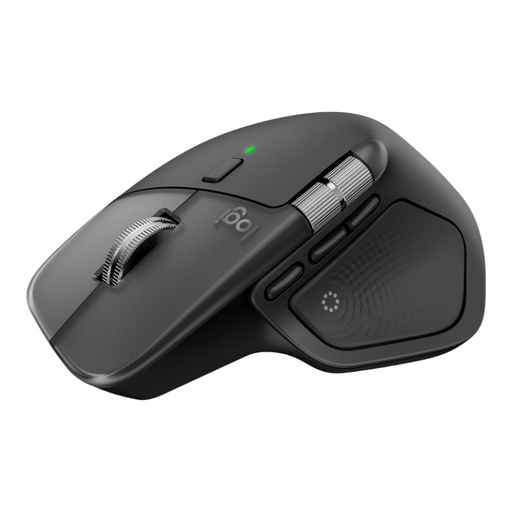
Why it suits this type of user: This model is designed for demanding office work, large spreadsheets and users who work across multiple devices.
The specifications list Bluetooth and Logi Bolt, support for up to three paired devices and eight programmable buttons. That makes it easy to check in advance whether its features suit your workflow.
Rechargeable battery, horizontal thumb wheel, MagSpeed scroll wheel and support for macOS, Windows and iPadOS.
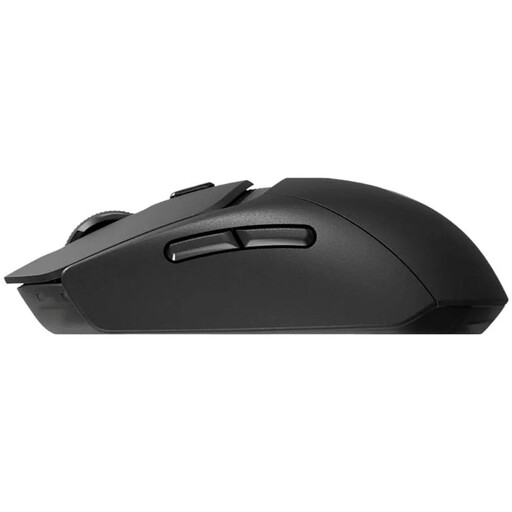
Why it suits this type of user: For gamers who want the freedom of wireless play with a lightweight mouse, adjustable features and a choice of Bluetooth or LIGHTSPEED.
This mouse offers more than a standard office connection: the specifications list LIGHTSPEED, Bluetooth, a polling rate of up to 1000 Hz and six programmable buttons.
Weighs 86 grams, features an optical sensor of up to 25,600 DPI and six programmable buttons, and has a stated battery life of more than 300 hours on one AA battery.
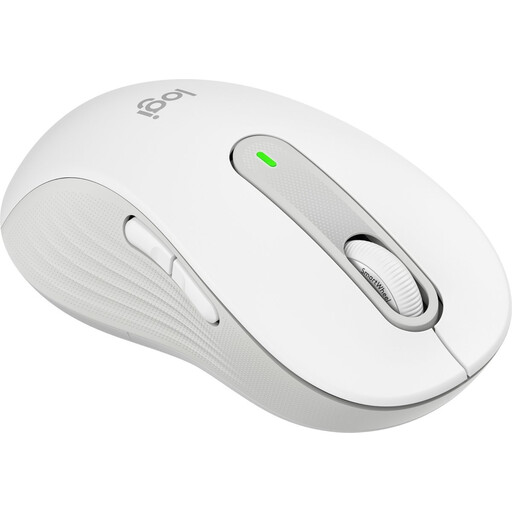
Why it suits this type of user: This left-handed mouse features Bluetooth Low Energy and Logi Bolt, and is designed for everyday office and home use.
Its left-handed design and dimensions are clearly stated. The silent-click feature is also listed in the product specifications, so you don’t have to rely on a marketing name alone.
2,000 DPI, five buttons, soft-grip details and power from one AA battery, with a stated battery life of up to two years.
We’ve put together a complete, up-to-date list of products that meet these strict selection criteria and current European safety regulations.
Not always. A model with only a 2.4GHz or RF receiver needs a free USB port. A Bluetooth mouse pairs directly with a compatible device. Before buying, check the connections listed and the available ports on your laptop or PC.
It varies by model. Some mice use one AA battery and have a stated battery life of twelve months to several years. A rechargeable mouse works for as long as its built-in battery has sufficient charge. Intensive use, lighting and a high polling rate can affect power consumption.
Yes, provided it has a suitable sensor, low latency, a stable connection and a shape that suits your grip. For competitive gaming, a wireless gaming mouse with a 2.4GHz connection, adjustable DPI and a suitable polling rate are all worth considering. For office work, quiet clicks, comfort and battery life are usually more important.
