
Vandaag of morgen in huis

Kwaliteit gegarandeerd
Download de app
Categorieën

The wrong mouse can lead to frustration: a stuttering cursor, a battery that's always dead, or even hand cramps after a day of work. Choosing the right wireless mouse isn't about grabbing the most expensive or advanced option. It's about finding a model that matches your specific needs, whether you're a gamer, a professional, or a casual user. This guide will help you understand the key specifications and make an informed decision.
Before you start comparing models, it's helpful to know which features matter. Pay attention to the following parameters to find a mouse that's right for you.
A wireless mouse connects via a 2.4GHz USB receiver (dongle) or via Bluetooth.
The DPI value indicates the sensitivity of the mouse sensor. A high-DPI mouse moves the cursor further across the screen with a smaller physical movement.
An ergonomic mouse is designed to support the natural posture of your hand and wrist, reducing the risk of strain during prolonged use. Pay attention to:
A rechargeable mouse with a built-in battery is practical and more eco-friendly than a model with disposable batteries. Check the battery life (expressed in hours or days) and the charging method. A USB-C port is the modern standard and allows you to use the mouse while it's charging.
Based on the criteria above, we have selected a range of wireless mice with different features, suitable for various users.
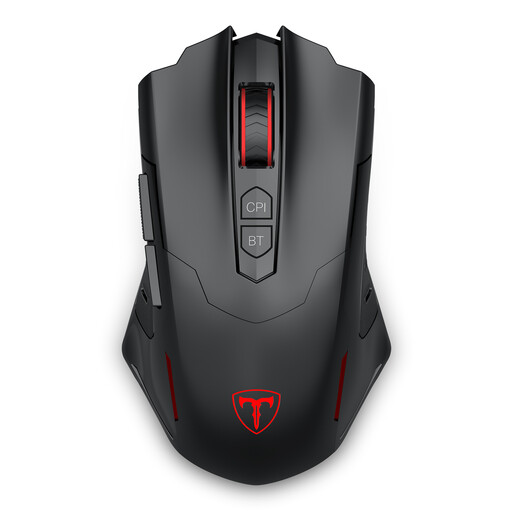
Why this product The ET PC400 combines gaming functionalities with the flexibility of dual connectivity. Its programmable buttons and adjustable DPI make it a versatile choice for gamers looking for customisation without a premium price tag.
Pros
Who is this for? For casual to serious gamers who want a customisable gaming mouse with the flexibility to easily switch between a gaming PC and a laptop or tablet.
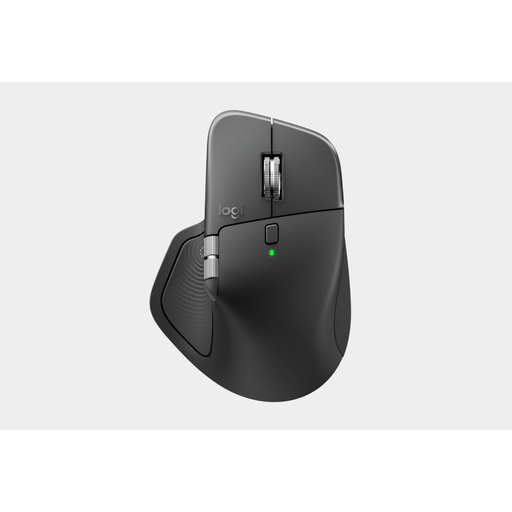
Why this product The MX Master 4 is focused on productivity and comfort. This ergonomic mouse is designed for long workdays, with features that accelerate your workflow. The Darkfield sensor and quiet clicks make it a popular model for professional environments.
Pros
Who is this for? For professionals, creatives, and anyone who spends many hours at a computer. The focus is on comfort, precision, and features that boost productivity.
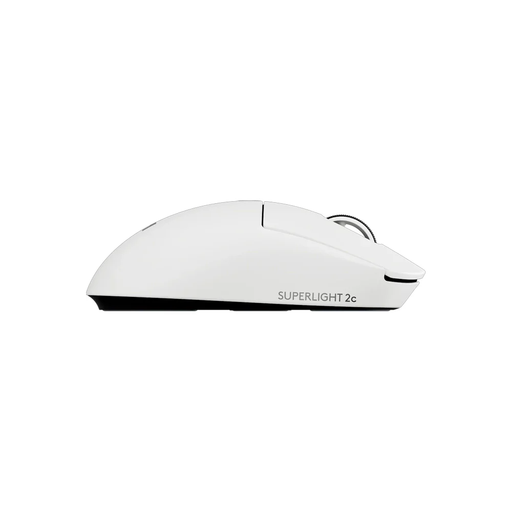
Why this product This Logitech mouse is designed with one goal in mind: competitive gaming performance. Its extremely low weight and highly accurate sensor make it an instrument for gamers where reaction speed and precision are crucial.
Pros
Who is this for? For competitive gamers, especially in FPS genres, who are looking for an ultra-light, responsive, and extremely precise gaming mouse to maximise their performance.
This selection represents some popular choices for different purposes. However, the range of wireless mice is much broader, with models specifically designed for left-handed users, travel, or unique aesthetic preferences. If you're looking for more options, particularly within the gaming category, you can browse our full collection.
See all our Wireless Gaming Mice here.
1. What is the difference between a Bluetooth mouse and a 2.4GHz wireless mouse? A 2.4GHz mouse uses a dedicated USB dongle and generally offers a faster, more stable connection with less delay, which is ideal for gaming. A Bluetooth mouse connects directly to your device without a dongle, which is convenient for laptops and tablets and keeps USB ports free. For office work and browsing, the performance difference is negligible.
2. How important is DPI for a wireless mouse? DPI (Dots Per Inch) measures the sensitivity of the mouse. A high-DPI mouse is important for gamers who need quick reflexes and for professionals working on large, high-resolution screens. For general daily use on a standard monitor (1080p or 1440p), a DPI between 800 and 1600 is typically sufficient.
3. Can I use a gaming mouse for work? Yes, you certainly can. A gaming mouse often has a very precise sensor and extra programmable buttons that can also be useful for productivity tasks. However, keep in mind that the design is sometimes more focused on performance than on long-term comfort. For long workdays, a dedicated ergonomic mouse may be a better choice.
Written by the Joybuy Product Recommendation Officer