
Vandaag of morgen in huis

Kwaliteit gegarandeerd

Welkomstaanbiedingen ontgrendelen: GRATIS bezorging | Tot 80% korting | Gratis 30 dagen JoyPlus-proefperiode
Download de app
A clean, cable-free desk is the goal for many who work or study from home. Switching to a wireless mouse and keyboard seems like a simple solution, but the market is full of pitfalls. Many sets promise the world but deliver frustration in practice. Before you invest in a new setup, it's important to know what to look for to avoid making a bad purchase.
As a Product Recommendation Officer at Joybuy, I see what consumers struggle with every day. Marketing terms can be confusing, so I filter out the noise and focus on what truly matters. These are the most common pitfalls:
To sidestep these pitfalls, it's wise to look at a few core specifications. These objective features determine whether a product is right for your needs.
The way your wireless mouse or keyboard connects is crucial for the user experience.
Some sets offer both options, providing maximum flexibility.
A good ergonomic mouse supports the natural posture of your hand and wrist. For people who spend long hours at the computer or are experiencing the onset of discomfort, a vertical mouse can be a game-changer. This type of mouse keeps your hand in a "handshake" position, which can reduce muscle strain in the forearm. For a keyboard, pay attention to the key actuation (e.g., quiet scissor-switches for a peaceful environment) and the presence of a wrist rest.
In many parts of the world, the QWERTY layout (specifically US-International) is standard. However, if you often type in French or work in Belgium, an azerty keyboard may be more practical. Always check the layout before purchasing a keyboard and mouse set to prevent typos and frustration.
Based on objective specifications, we have selected several products that suit different user profiles and avoid the pitfalls mentioned earlier.
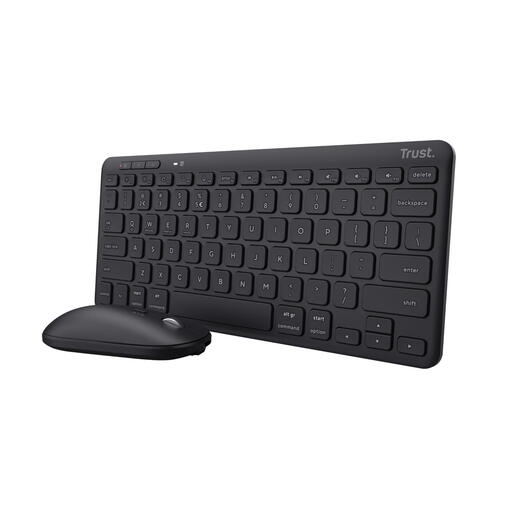
Why This Fits Their Persona: This set is compact, lightweight, and made from recycled plastic. Ideal for those who frequently switch between the office, home, and on the go. You can connect it to three devices simultaneously and switch between your laptop, tablet, and phone with a single button.
The multi-device Bluetooth functionality bypasses the limitation of a single RF dongle. The built-in rechargeable battery puts an end to unexpectedly dead batteries and their associated costs.
Connects to 3 devices (RF + Bluetooth). Compact TKL (Tenkeyless) format and quiet keys.
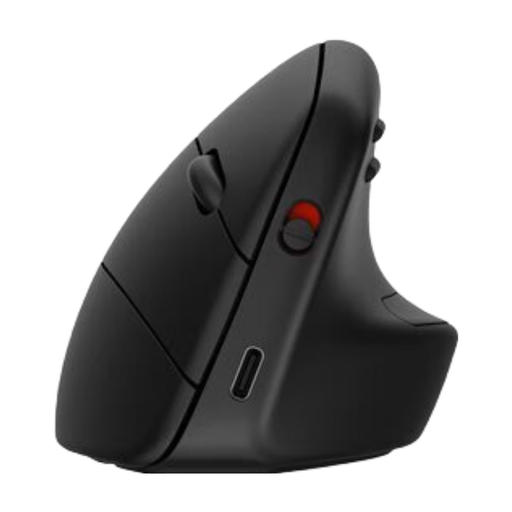
Why This Fits Their Persona: This mouse is specifically designed for those who spend long days at the computer and take comfort seriously. The vertical posture is intended to reduce muscle activity in the forearm. According to HP, this can decrease strain by 12%.
This product goes beyond the vague "ergonomic" marketing claim. It offers a fundamentally different design (vertical) aimed at improving wrist posture, rather than just a cosmetic adjustment.
True vertical design with a detachable wrist rest. Connects to 3 devices via Bluetooth 5.3 and has a long battery life.
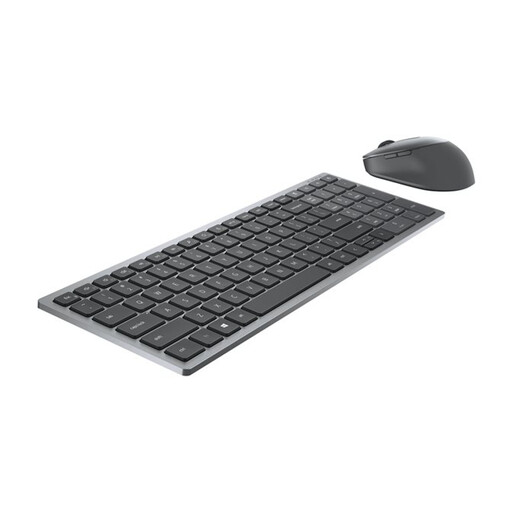
Why This Fits Their Persona: This set is aimed at the professional seeking a reliable, complete solution with a Belgian AZERTY layout. The dual connectivity and programmable hotkeys make it an efficient workhorse for a busy workday.
The 36-month battery life claimed by Dell tackles the pitfall of misleading battery claims. The dual connectivity (RF and Bluetooth) provides a stable connection for any situation, minimizing stutters.
Specific AZERTY keyboard. Dual connectivity and a 7-button mouse for extra productivity.
We have compiled a complete, up-to-date list of products that fully meet these strict selection criteria.
The actual battery life depends heavily on your usage. A rechargeable mouse or keyboard often needs to be charged after several weeks to months of daily use (8 hours a day). Models that run on AA or AAA batteries can last from 6 months up to 2-3 years, according to some manufacturers, depending on the model and usage. Features like keyboard backlighting will significantly shorten battery life.
Neither is necessarily "better"; it depends on your needs.
The difference lies in the placement of the letters. QWERTY is the standard in many countries, including the UK and the US. AZERTY is primarily used in Belgium and France. The A and Q are swapped, the Z and W are swapped, and the M is in a different location. Punctuation marks are also in different positions. Choose the layout you are used to in order to type comfortably.
