First, check how your wireless microphone system charges: directly via USB, using cables for separate components, or with a model-specific charging case. Then choose the number of outputs and the capacity based on what you want to charge at the same time and how long you’ll be away from a socket. A stated mAh capacity or maximum wattage alone doesn’t guarantee a particular number of microphone charges or a specific charging speed.
Who is this buying guide for?
Creator topping up a microphone system on the go
You want to charge a transmitter, receiver or charging case when there’s no socket nearby. Charging methods vary by system, so check your microphone’s manual. DJI Support and RØDE describe charging solutions for specific models.
Creator with several things to charge
You want to top up more than one component or device during a recording day. Extra outputs are only useful if the cables fit and the combined output is right for your needs when charging simultaneously. The Dutch Consumers’ Association, Samsung and Trust outline relevant testing factors and model specifications.
Creator travelling without a regular power source
You’re looking for a backup you can take with you without carrying more weight than necessary. If you’re flying, check the applicable rules for power banks too. The Dutch Consumers’ Association discusses how to test the actual power delivered; the Netherlands Human Environment and Transport Inspectorate provides information about carrying power banks in luggage.
What should you look for when choosing?
Start by checking how your microphone system charges. Then compare the connections, the backup power you need and how easy it is to carry.
| What to consider |
What should you check? |
Who is this important for? |
| Connection and charging method |
Check the manual for your exact microphone model, the cable connectors and whether the chosen port supplies power. |
I want to make sure the connection works with my microphone system first. Compatibility is the main buying concern for around 36% of consumers. |
| Charging at the same time |
Count the devices that need power at the same time, then check the port types, cables and combined output. |
If several components need power at once, I want to be able to connect them when sockets are scarce. Charging multiple devices at the same time is the main buying concern for around 29% of consumers. |
| Backup power |
Compare your system’s battery and planned top-ups with the capacity and, where available, the measured usable output of the exact model. |
When I’m recording for a long time without a socket, I want to know how much backup power I need. Battery life is the main priority for around 21% of consumers. |
| Portability |
Compare the weight and dimensions with the capacity you need; don’t look only at the stated capacity. |
I want to take a handy backup with me for shorter recording sessions. Around 14% of consumers say that carrying a compact power bank is their main buying concern. |
Common buying pitfalls
-
Assuming the maximum wattage is your microphone’s charging speed
The stated maximum may apply to just one port. Samsung states that the EB-P3400 delivers a maximum of 9 W per device when charging two devices at once; this doesn’t tell you how quickly a particular microphone will charge.
Check how your microphone charges and the output available for the number of devices you want to connect at the same time.
You may need an extra cable for a second device, so check whether the required cables are included.
-
Converting the mAh figure directly into a number of microphone charges
The capacity on the packaging doesn’t tell you how many full charges your particular microphone system will get. The Dutch Consumers’ Association measures how much power power banks actually deliver, and the result may differ from the stated capacity.
Use the mAh figure to compare models, and check measurements for the exact model and your system’s battery specifications for a more accurate estimate.
-
Assuming a charging case is a universal accessory
A case won’t necessarily fit every microphone series. RØDE lists the Charge Case+ for the Wireless GO (Gen 3) and Wireless PRO; DJI describes different charging methods for versions of the Mic Mini.
Before you buy, check the full microphone model and version, and see whether your system already comes with a compatible case.
A case that doesn’t fit could be a purchase you didn’t need to make.
-
Ignoring a recall notice or applying it to every model from a brand
In a notice dated 15 July 2025, the Netherlands Food and Consumer Product Safety Authority named Anker models A1257, A1647, A1681 and A1689. The notice doesn’t automatically apply to every Anker model.
Compare the full model number with the notice, and don’t use a unit that has actually been recalled.
Relevant brands to consider
Samsung
Samsung describes the EB-P3400 as a 10,000 mAh power bank with two charging ports. It’s a useful comparison if you want to connect two devices by cable.
- Samsung states that it offers up to 25 W Super Fast Charging for one connected device.
- For two connected devices, Samsung states a maximum of 9 W per device. One cable is included; you’ll need to buy a second one separately. These are model specifications, not a measurement of a microphone’s charging speed.
Trust
According to Trust, the 10,000 mAh Avala has one USB-C and two USB-A outputs, which may be useful if you use different compatible cables.
- Trust says you can charge three devices at once and specifies 20 W for the USB-C port.
- These product specifications don’t show how quickly a particular microphone system will charge when several devices are connected.
Xtorm
Xtorm states that the Fuel Series 5 FS5100 has a capacity of 10,000 mAh, two USB-C ports and one USB-A port.
- Xtorm specifies 20 W USB-C PD output for this model.
- The stated output doesn’t guarantee a particular charging speed for every microphone. Check that the ports and cables work with your system.
Anker
According to Anker, the Nano A1259 has a capacity of 10,000 mAh, a built-in USB-C cable, a separate USB-C port and a USB-A port.
- Anker specifies up to 30 W through the built-in USB-C cable when used on its own, and up to 24 W total.
- The 2025 Netherlands Food and Consumer Product Safety Authority notice names other specific Anker models, not the A1259. Always check the full model number and current notices; don’t assume a notice applies to other models.
Joybuy products for compact USB-C charging
These compact USB-C power banks are suitable only if your microphone or charging case can be charged via USB-C. Also check that the capacity suits the length of time you’ll be away from a socket.
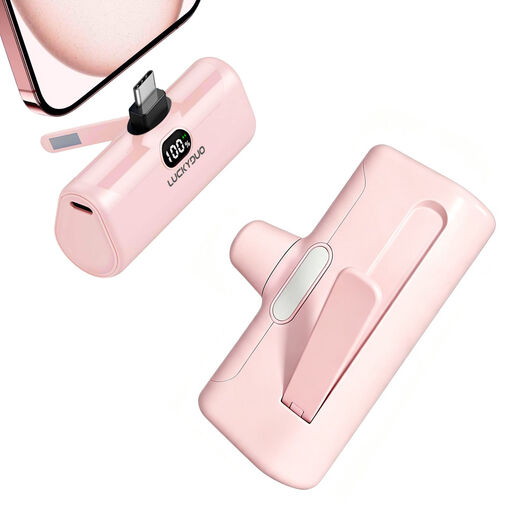 Image unavailable
5,000 mAh USB-C power bank with 15 W PD and phone stand, pink
An option to consider if your microphone system charges via USB-C and you’re looking for a compact backup; check how your system charges.
The product description states 15 W PD via USB-C, an LCD display and a stated capacity of 5,000 mAh. The title also mentions a foldable phone stand and LED light.
Joybuy
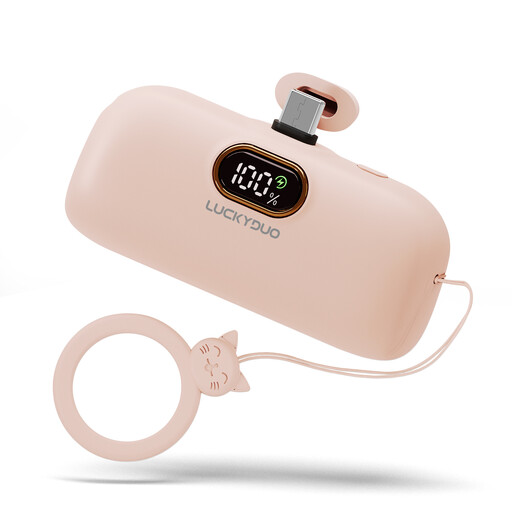 Image unavailable
5,000 mAh mini USB-C power bank, pink
A compact option if your microphone system can charge via USB-C; check that the port and the cable you’ll carry work with your version.
The product name and description specify a USB-C port and a stated capacity of 5,000 mAh.
Joybuy
Frequently asked questions
Can I connect any wireless microphone directly to a USB-C power bank?
No, the charging method depends on the exact system. DJI describes several methods for the Mic Mini, including charging via a charging case or using a charging dock or splitter cable. Check the manual and the cables supplied with your version before choosing a power bank.
Do I need a charging case as well as a power bank?
Only if your charging plan depends on a case. A compatible case can keep several components together and charge them, but cases are model-specific: RØDE lists the Charge Case+ for the Wireless GO (Gen 3) and Wireless PRO. Also check whether your system already includes a case.
Can I take a power bank for my microphone on a plane?
According to the Netherlands Human Environment and Transport Inspectorate, you can take a power bank in your hand luggage only, not in your checked luggage. Check the power bank’s label and your airline’s rules for your flight.
What can I do if my power bank stops working too soon?
In the Netherlands, statutory consumer rights apply alongside any manufacturer’s warranty. ACM ConsuWijzer says there is no fixed statutory warranty period for every product; what you can reasonably expect depends, among other things, on the product and normal use. Report the fault to the seller.


