What should you look for when buying?
First, check that the chosen output and cable meet the charging instructions for your microphone or case. Then weigh portability against the power reserve and extra features you need.
| What to consider |
What should you check? |
Who is this important for? |
| Connection and charging compatibility |
Check the charging input and requirements in the manual for your exact microphone or case, and make sure the chosen USB port is an output. |
If I want to be sure my microphone can charge using the cable and output, compatibility comes first. Around 36% of consumers say charging compatibility is their main concern. |
| Safe charging in your room |
Use undamaged cables and charge in a clear space where heat can escape, not under a pillow or duvet. |
If I’m charging my power bank in a small student room, I want to choose a spot where heat can escape and the cable won’t be damaged. Around 28% of consumers prioritise safe charging. |
| Size and capacity |
Compare the stated capacity and, if you’ll be carrying the power bank, the dimensions and weight of the exact model. |
If you carry your power bank in a bag, you’ll want enough power reserve without unnecessary bulk or weight. Around 22% of consumers prioritise portability. |
| Continued charging and extra outputs |
Check whether the exact model has a documented low-current mode and how much total power is available when charging several devices at once. |
If my small device stops charging prematurely or I want to connect several devices at once, I look for a suitable charging mode or an extra output. Around 14% of consumers prioritise continued or simultaneous charging. |
Power banks at Joybuy
This selection focuses on power banks for wired charging of a wireless microphone. Always check that the output or built-in cable matches the instructions for your microphone or charging case.
 No image available
MOMAX 1-Power F.Pass+ power bank, 10.000 mAh
Could be suitable if the built-in cable or output matches the charging input on your microphone or charging case.
10.000 mAh; the product name lists a built-in cable.
Joybuy
 No image available
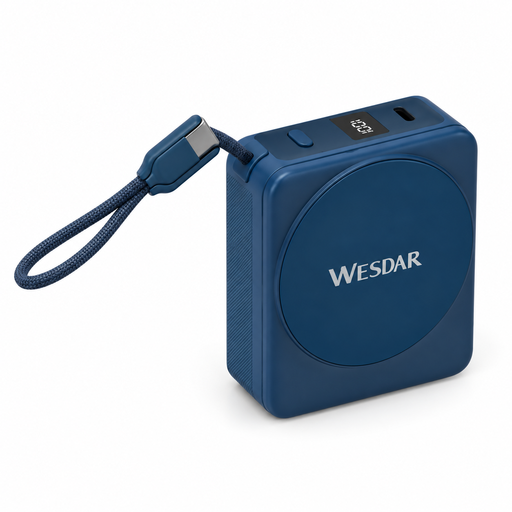
Magnetic power bank, 10.000 mAh, with built-in USB-C cable
The built-in USB-C cable may be useful if it matches the charging input on your microphone or case.
10.000 mAh; 22,5 W fast charging; 15 W wireless charging; built-in USB-C cable; digital display.
Joybuy
 No image available
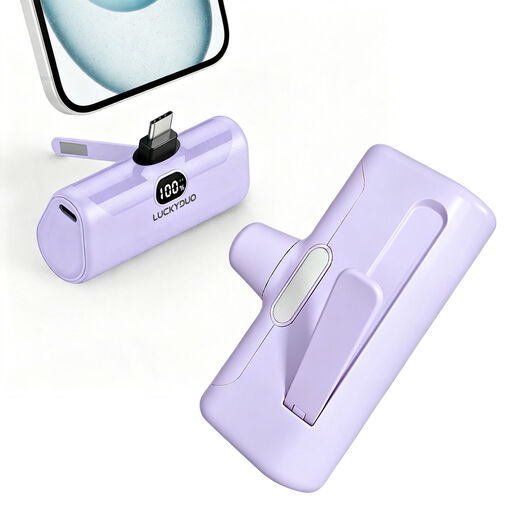
Compact USB-C power bank, 5.000 mAh, 15 W PD
Could be suitable if your microphone manual says it can charge through a compatible USB-C output.
5.000 mAh; USB-C; PD 15 W.
Joybuy
 No image available
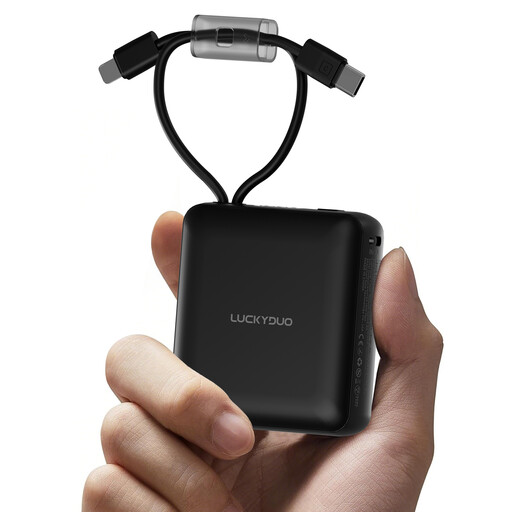
Power bank, 10.000 mAh, with two built-in cables
The built-in cables could save you carrying separate ones if either matches the charging input on your microphone.
10.000 mAh; two built-in cables.
Joybuy
 No image available
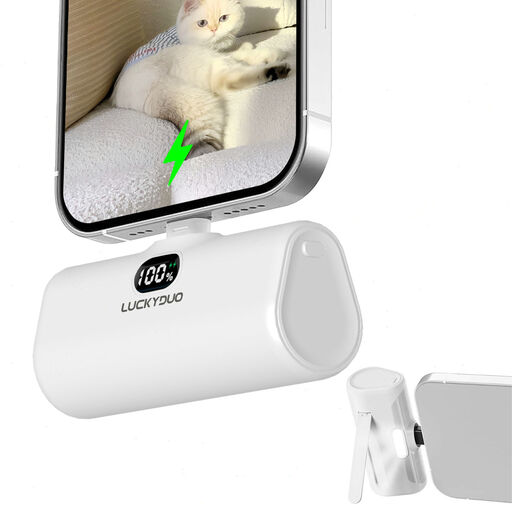
Compact Lightning power bank, 5.000 mAh
The built-in Lightning cable is only useful if it matches the charging input on your microphone or charging case.
5.000 mAh; built-in Lightning cable.
Joybuy
Frequently asked questions
Can you charge any wireless microphone with a USB-C power bank?
No, not just because it has the right connector. Check the charging input and requirements in the manual for your exact microphone or charging case, and make sure the chosen power bank port is an output. A model-specific charging case may offer a different way to charge than a general-purpose power bank.
What can you do if the power bank stops charging too soon?
First check the cable, the port you’ve chosen and your device’s instructions. If your power bank has a dedicated, documented mode for low-power devices, consult the manual to find out how to use it. Anker documents this mode for model A1388; it doesn’t automatically apply to other models.
Where should you put your power bank while charging it in your student room?
Charge it in a clear space where heat can escape, not under a pillow or duvet, and don’t use a damaged cable. This follows the safety advice from Brandweer Nederland for chargers, batteries and rechargeable batteries.
What cooling-off period applies to online purchases in the Netherlands?
For distance sales, a 14-day cooling-off period applies in many cases. The Dutch government also explains that sellers must provide information about the product and cooling-off period, among other things. Check the terms and any exceptions that apply to your purchase.
Where can you take a worn-out power bank?
Take a discarded power bank to a collection point for small electrical appliances with batteries, rather than putting it in general waste. Milieu Centraal describes collection points for small appliances and a trade-in scheme when you buy a similar new appliance.


