
Microphone users with a small charging case
You want to know whether your microphone or charging case will keep charging through the right output and cable. Charging requirements vary by model, so check the manual for your own equipment.


First, check the charging instructions for your exact microphone or charging case, the power bank’s output and the cable you need. Then choose the capacity. A low-power mode may be useful for small devices, while charging several items or spending longer away from a mains socket may call for extra ports or more power in reserve. A high wattage rating alone does not prove that a power bank will work well with your microphone setup.
You want to know whether your microphone or charging case will keep charging through the right output and cable. Charging requirements vary by model, so check the manual for your own equipment.
You need backup power for recording or trips where mains charging may not be an option. Work out the capacity you need based on your equipment and how long you’ll be using it. The rated cell capacity is not the same as the energy available at the output.
For example, you may want to charge a transmitter, receiver or phone, and need to consider the number of usable outputs and the cables you’ll need to bring. DJI Mic 2 charging requirements, for example, differ between the charging case and individual components. Don’t use these figures as a general guide for other microphones.
| What to consider | What to check before buying | Who this is for |
|---|---|---|
| Connection and reliable charging | Check the specified input on your microphone or charging case, the power bank’s output and the cable. A USB-C port may be an input rather than an output. | I want to be sure my microphone or charging case will keep charging through the right port; the manual for my exact model is the best guide. Around 36% of consumers put suitable connections and reliable charging first when buying. |
| Enough power in reserve | Consider how many devices you have, how often you want to charge them and whether a suitable mains socket is available. Don’t compare power banks by their stated mAh figure alone. | If a mains socket isn’t always available, I want enough power for the way I plan to use my devices, without simply choosing the highest mAh figure. Around 29% of consumers prioritise having enough power in reserve. |
| Several devices and cables | Count the ports and cable types you need. If charging several devices at once, check the output per port and whether the cables are suitable for your equipment. | For example, I want to charge a transmitter, receiver and phone without carrying lots of unnecessary cables. Around 21% of consumers prioritise connecting several devices and cable convenience. |
| Portability and safe use | Compare the dimensions and weight of the exact model. Follow the charging instructions and charge battery-powered equipment in a suitable place. | I want to carry the power bank easily between the holiday cottage and a recording location, while charging it carefully. Around 14% of consumers put portability first when buying. |
Anker states that the USB-C port on the Anker 313 A1229 is an input only. So the connection won’t automatically suit a microphone that needs power from a USB-C output.
Check whether each port is described as an input or output, and compare this with your microphone’s charging cable.
Anker describes the A1287’s 20,000 mAh as the rated capacity of its internal cells. This figure is not the same as the amount of energy your equipment receives via USB.
Plan your backup power based on your devices and how you’ll use them. Consumentenbond assesses the power banks’ actual performance separately; where possible, compare measurements for the exact model.
The NVWA has warned of overheating and a potential fire risk with certain power bank models. The warning applies to the products named, not automatically to every model from a particular brand.
Check whether the exact model and any relevant batch are named in a safety warning. Don’t use a damaged power bank or one covered by a warning. The Fire Service advises charging battery-powered equipment in a room with a working smoke alarm.
The Anker 313 A1229 and Anker 525 A1287 are worth comparing if a mode for low-power devices could be useful. The models differ in their connections and capacity.
The Fuel Series 5 FS5103U is worth considering if you need different USB connections for recording equipment.
The BoostCharge BPB021hqPK is an option if you’d rather not pack a separate USB-C cable.
The EB-P4520 is a useful comparison if having several USB-C connections matters more to you than keeping the weight down.
This selection includes compact power banks, models with built-in cables and options with different capacities for charging microphones, charging cases or other equipment. Before buying, check that the output and cable match your microphone’s charging instructions.
 No image available
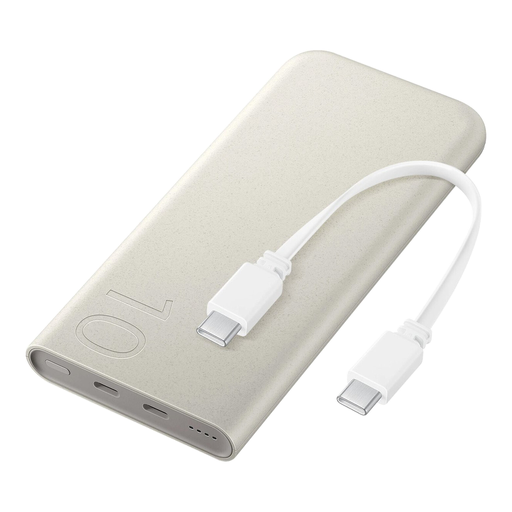
Could suit you if you want to carry fewer separate cables; check that the built-in cable fits your microphone’s connection.
10,000 mAh; built-in cable.
 No image available
Before using it, check whether this power bank’s charging method is suitable for your microphone or charging case. Wireless charging does not prove that it’s compatible with that equipment.
25 W; 10,000 mAh; inductive charging.
 No image available
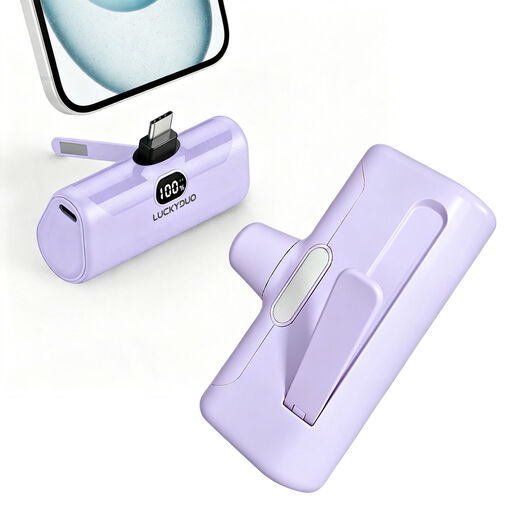
Could suit you if you want a small amount of backup power; check your microphone’s charging instructions before choosing a connection.
5,000 mAh; PD 15 W; built-in phone stand and LED light.
 No image available
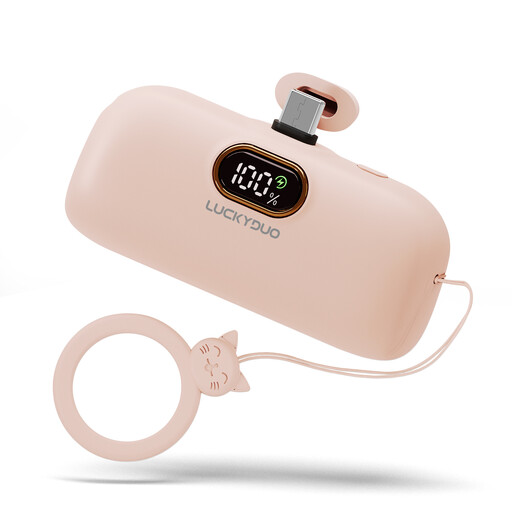
An option to compare if you’re looking for a small amount of backup power; check that the USB-C connection matches your microphone’s specified charging input.
5,000 mAh; USB-C.
 No image available
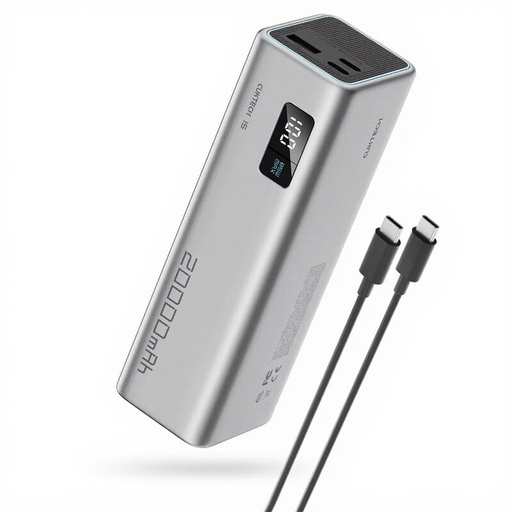
Could suit you if you want to charge other equipment as well as your microphone; check the cables you need and the output per port when charging several devices at once.
20,000 mAh; 65 W; three USB-C ports; grey.
It depends on the exact model and whether you charge it through the case or directly. For example, DJI recommends 5 V/2 A for the Mic 2 case and 5 V/1 A for individual components; don’t automatically apply these figures to other microphones. Check your model’s manual, then check the output and cable.
Choose your backup power based on how many devices you want to charge, how often you expect to charge them and whether a mains socket will be available. A stated rated cell capacity is not the same as the amount of energy available at the USB output.
Check what’s included in the box and compare the connections with those on your microphone. Anker states that a USB-C cable and mains adapter aren’t included with the A1229; the Belkin BPB021hqPK has a USB-C cable attached to the power bank. That doesn’t mean the cable will fit every microphone.
Follow the instructions and check the battery, cable and charger for damage. The Fire Service highlights risks including short circuits, damage and moisture, and advises charging battery-powered equipment in a room with a working smoke alarm.
Don’t put a power bank in your general waste. Milieu Centraal advises taking small devices with a built-in battery to an electrical appliance collection point; if the battery can be removed, take it to a battery recycling point separately.