
Vandaag of morgen in huis

Kwaliteit gegarandeerd

Welkomstaanbiedingen ontgrendelen: GRATIS bezorging | Tot 80% korting | Gratis 30 dagen JoyPlus-proefperiode
Download de app
A wireless keyboard gives you more space on your desk and makes switching between a laptop, PC, tablet or smartphone easier. However, not every model is suitable for every situation. A mechanical keyboard for gaming has different requirements from a quiet keyboard for a shared workspace.
Most disappointing purchases usually come down to three things:
A full-size keyboard usually has a numeric keypad. This is useful for administration, spreadsheets and financial data entry, but it takes up more desk space. A compact keyboard, such as a 75% or 80% model, usually leaves out the numeric keypad while retaining the arrow keys and function row.
A 75% keyboard is appealing to gamers, programmers and home workers who want more room for their mouse. However, check whether you regularly use a separate numeric keypad. For intensive numerical data entry, a full-size model is more practical.
Also pay attention to the language layout. Many models in the range use QWERTY US. This can work perfectly well, but the physical key layout and symbols may differ from what you are used to. The Trust Ody II and Trust Vaiya, for example, are full-size models with a QWERTY US layout.
A Bluetooth keyboard is convenient for tablets, smartphones and laptops without a spare USB port. A USB receiver often provides a straightforward plug-and-play connection to a PC or laptop. A tri-mode keyboard generally combines:
Before buying, check how many devices can be paired at the same time. Some models support just one device, while a multi-device keyboard combines multiple Bluetooth channels with a USB receiver. The Trust Vaiya states that it can connect to up to four devices: one via the receiver and three via Bluetooth.
A wireless mechanical keyboard uses individual mechanical switches. This produces a different typing feel from membrane or scissor keys. A hot-swap keyboard allows compatible 3- or 5-pin switches to be replaced without soldering. Always check that the switches you want are compatible.
For a shared workspace, a quiet wireless keyboard is often a more sensible choice than a mechanical model with audible click switches. According to the product description, the Trust Ody II uses low-profile, quiet membrane keys. The Trust Vaiya has quiet scissor keys with a laptop-style profile.
On mechanical models, gasket-mount constructions, dampening layers and PBT keycaps can affect the typing feel and sound. Brands use terms such as “creamy sound” or “thock” to describe this. These are not fixed sound standards. Treat them as manufacturer descriptions and focus particularly on the switch type, keycap material and construction.
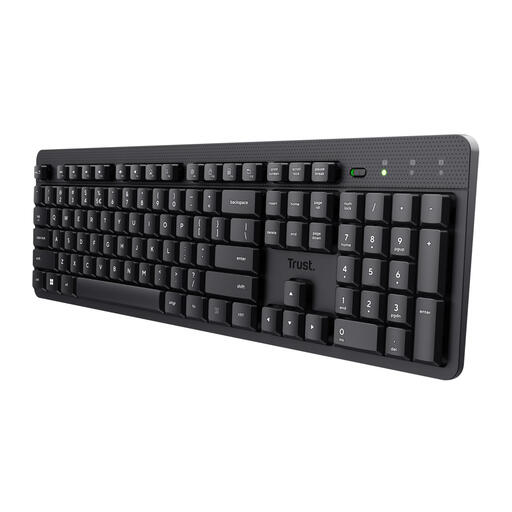
Why it suits this profile: This full-size model is suitable for home workers and office professionals looking for a simple wireless connection, quiet keys and a numeric keypad.
The product description clearly states the QWERTY US layout, membrane keys and connection via a USB receiver. This makes the most important choices clear from the outset.
Full-size format, numeric keypad, quiet low-profile keys, spill-resistant casing and a range of up to 8 metres according to the product information.
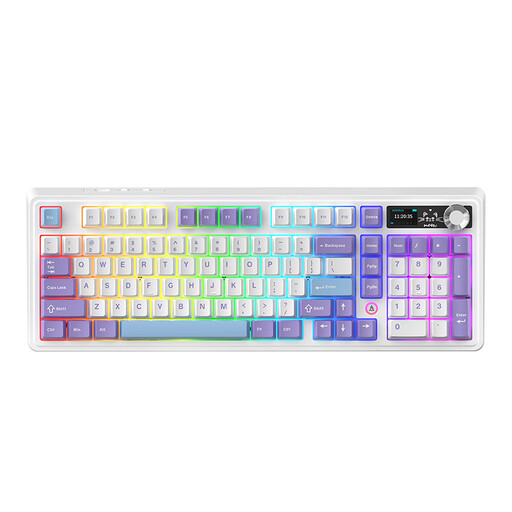
Why it suits this profile: This 98% model combines a more compact design with 97 keys, a volume knob and features for users who place a high value on customisation.
The specifications mention tri-mode connectivity, hot-swap support and battery capacities that may vary by version. Check the selected variant carefully.
Hot-swappable PCB, Bluetooth, 2.4GHz and USB-C, RGB lighting, a metal knob and a 98% layout that retains many function keys.
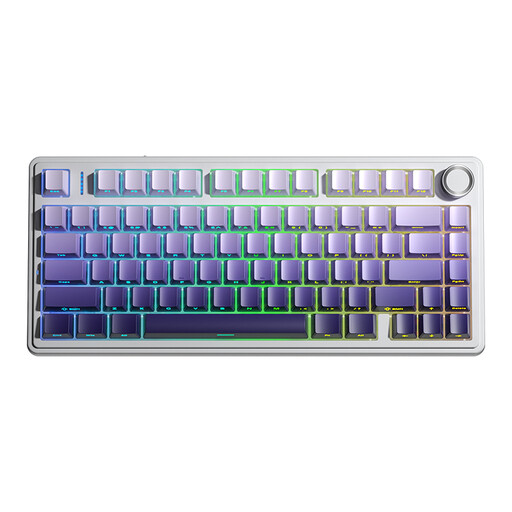
Why it suits this profile: An option for gamers and creative users who want to combine a compact layout, mechanical switches, RGB and multiple connection options.
The product information specifies the 75% layout, QWERTY US layout, 3-pin and 5-pin hot-swap sockets and three connection modes. This allows you to check in advance whether it suits your setup.
Bluetooth, 2.4GHz and wired USB connection, 4000mAh battery, RGB lighting, programmable keys and a multifunctional knob.
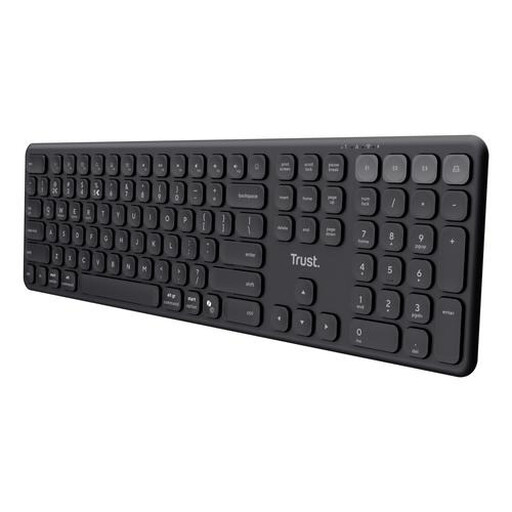
Why it suits this profile: Suitable for anyone working with a laptop, tablet and smartphone who wants to switch quickly between devices without using a mechanical gaming model.
The product description explicitly mentions three Bluetooth channels plus one USB receiver, as well as support for Windows, macOS, iOS and Android.
Full-size layout, numeric keypad, quiet scissor keys, USB-C charging and, according to the product information, battery life of up to six months.
We have put together a complete, up-to-date list of products that fully meet these strict selection criteria and the applicable European safety regulations.
That depends on the connection and operating system. A Bluetooth keyboard often works with tablets and smartphones, but always check the stated compatibility. A USB receiver usually requires a suitable adapter or USB port.
Battery life varies considerably between models. Manufacturers sometimes state a maximum usage time under specific conditions, such as with RGB lighting switched off. On models with lighting, high brightness or intensive use, actual battery life may be shorter. A keyboard with replaceable batteries works differently from one with a built-in rechargeable battery.
It can be, but pay attention to the noise level of the switches. Linear switches and sound dampening can be quieter than click switches, but the experience varies by model and user. For a shared workspace, a quiet membrane or scissor keyboard is often a more predictable choice.
