
Vandaag of morgen in huis

Kwaliteit gegarandeerd

Welkomstaanbiedingen ontgrendelen: GRATIS bezorging | Tot 80% korting | Gratis 30 dagen JoyPlus-proefperiode
Download de app
A wireless keyboard and mouse set keeps your desk tidy and gives you more freedom to move around. But choosing one isn’t as simple as a product photo might suggest. A set may be described as quiet, yet still make an audible typing noise. A keyboard may support multiple devices, while your laptop has no USB-A port. And an ergonomic shape won’t necessarily suit every hand.
For people working from home, students and office professionals, three common pitfalls are worth bearing in mind:
A US-layout QWERTY keyboard and mouse set is not the same as a Belgian AZERTY keyboard and mouse set. So don’t just check the product title; look at the product details under “keyboard layout” and “language” too.
Also consider the size:
For example, the Trust Lyra has a TKL layout with 78 keys and a US QWERTY layout. The Dell Pro Compact Silent Keyboard and Mouse KM555, on the other hand, has a Belgian AZERTY layout and a numeric keypad. That difference can make a real impact on how natural typing feels every day.
An RF wireless set usually connects via a 2.4 GHz USB receiver. This is often practical for desktop computers and laptops with USB-A. Just make sure you don’t lose the receiver and that your device has the right port.
A Bluetooth keyboard and mouse doesn’t need a separate receiver. That makes it handy for modern laptops, tablets and phones. A set with both connection types gives you more flexibility:
A multi-device keyboard and mouse set is particularly useful if you switch between a work computer, personal laptop and tablet. Check how many devices can actually be paired at once and how you switch between them: with a button, keyboard shortcut or switch.
A quiet keyboard and mouse can reduce noise in a shared home office, library or workplace. Scissor switches, low-profile keys and dampened mouse buttons are specific features to look for. The Trust Lyra, for example, uses scissor switches. The Trust Ody II has low-profile keys, and its product description says that both the keys and mouse buttons are quiet.
These features also affect comfort:
HP says that, according to its own research, the HP 925 Ergonomic Vertical Mouse can reduce muscle activity by 12%. Treat this as a brand claim, not a guaranteed result for you personally. The mouse does have verifiable features, including a vertical shape, a range of up to 10 metres, USB-C charging and pairing with up to three devices.

Why it suits this profile: This set is designed for everyday working from home and studying. It uses a single USB receiver for the keyboard and mouse and has a US QWERTY layout.
The connection type, layout and compatibility are clearly stated. The receiver can be stored magnetically inside the keyboard.
Quiet keys and mouse buttons, an adjustable typing angle and adjustable mouse sensitivity from 800 to 1600 DPI.

Why it suits this profile: Its compact size, rechargeable batteries and ability to connect to up to three devices make it a good fit for a flexible workspace or a small home office.
The set combines RF and Bluetooth, so you’re not limited to just one type of connection.
Rechargeable keyboard and mouse batteries, scissor keys, quiet mouse clicks and support for Windows, macOS, iOS, iPadOS, Android and ChromeOS.
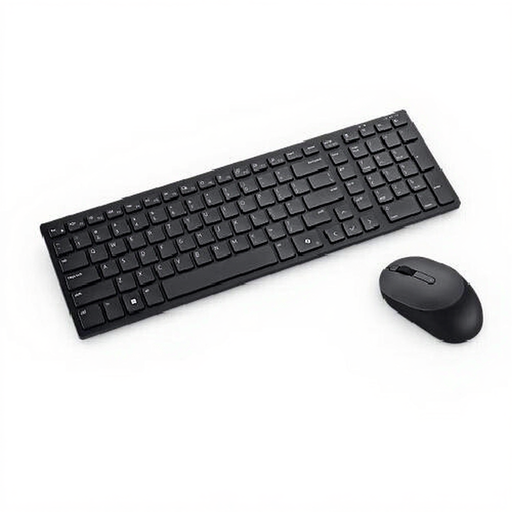
Why it suits this profile: The Belgian AZERTY layout, numeric keypad and dual wireless connectivity are practical for intensive office work.
The layout is clearly specified as Belgian AZERTY, and the set connects via RF or Bluetooth 5.1. This means you can check it’s the right choice before ordering.
Full-size design with a numeric keypad, multimedia and programmable keys, and an ambidextrous mouse.
We’ve put together a complete, up-to-date list of products that meet these strict selection criteria and current European safety requirements.
Not always. Bluetooth saves a USB port and is handy for tablets and modern laptops. An RF receiver often offers straightforward plug-and-play use. Choose Bluetooth if your device supports it, or RF if you mainly use a desktop computer or laptop with USB-A.
It depends on the model, how you use it and the battery type. Trust states that the Trezo Comfort keyboard can last up to 48 months and the mouse up to 12 months. The Trust Lyra uses rechargeable batteries and is rated for up to six months per charge. Treat these figures as stated battery life under specific conditions; intensive use may shorten the actual battery life.
Yes, but only if the set supports multi-device pairing. Check the stated maximum and the connections available. The Trust Lyra supports up to three devices, while the Rapoo 9010M can pair with up to four devices according to its product specifications. Before ordering, also check compatibility with Windows, macOS, ChromeOS, Android or iPadOS.
