
Vandaag of morgen in huis

Kwaliteit gegarandeerd

Welkomstaanbiedingen ontgrendelen: GRATIS bezorging | Tot 80% korting | Gratis 30 dagen JoyPlus-proefperiode
Download de app
A wireless keyboard and mouse set keeps your desk tidy, without cables between your PC, laptop and monitor. However, sets can vary considerably in layout, connectivity, comfort and battery usage. A low price says little about whether a set is suitable for your workspace.
For home workers, students and office professionals, three purchasing mistakes are particularly frustrating:
@, ? and € may be in different places.A QWERTY keyboard is common among English-language and international models. A Belgian AZERTY keyboard may be less familiar to many Dutch users, but it can be suitable if you are used to that layout.
As well as checking whether it is QWERTY or AZERTY, consider:
A compact model saves space, but usually does not have a separate numeric keypad. For spreadsheets, administration and accounts work, a full-size keyboard is often more practical.
Most sets use a 2.4GHz USB receiver, Bluetooth or both. A USB receiver often works straight away once connected, while Bluetooth is useful for tablets, phones and laptops without a free USB-A port.
A single receiver for the keyboard and mouse has a practical advantage: you only use one USB port. However, check that your computer supports USB-A. With a Bluetooth set, make sure Bluetooth is available on your device.
Also check the stated range. A range of, for example, 8 to 10 metres is a product specification; the actual distance may be affected by walls, metal objects and other wireless equipment.
For regular typing, low-profile keys, an adjustable typing angle and a wrist rest are useful features. A quiet keyboard and mouse set can be convenient in a shared home office, library or workplace. According to the product descriptions provided by the relevant brands, certain keys and mouse buttons are dampened; therefore, interpret “silent” as reduced noise rather than complete silence.
When choosing a mouse, consider:
An ergonomic wireless mouse can be an alternative if you are specifically looking for a vertical shape or a different hand position. It is not a universal solution: fit and familiarity remain personal considerations.

Why it suits this profile: This combination offers a straightforward start with one USB receiver, a US QWERTY layout and support for Windows, macOS, Linux and Chrome OS.
The receiver can be stored magnetically inside the keyboard. The product information also states an adjustable mouse speed of 800–1600 DPI and a spill-resistant design.
Low-profile keys, adjustable typing angle, media and shortcut keys, and one wireless RF connection.
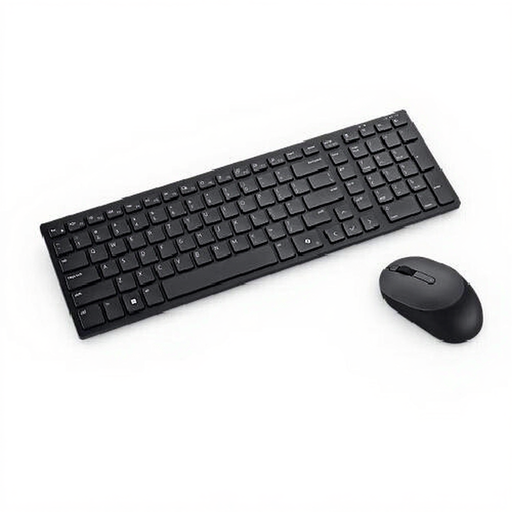
Why it suits this profile: This set combines a Belgian AZERTY layout with RF and Bluetooth 5.1. It is well suited to office work and users who want to connect multiple devices.
The connection is not limited to one method. However, check beforehand that the Belgian AZERTY layout suits your typing habits.
Numeric keypad, multimedia and programmable keys, ambidextrous mouse and 4020 DPI optical tracking.

Why it suits this profile: This full-size set is designed for extended typing in an office or home office, with an integrated wrist rest and numeric keypad.
The product details clearly state that this is a US QWERTY layout. This lets you check the layout before ordering, rather than relying solely on the image.
Full-size design, wrist rest, 2.4GHz connection, adjustable DPI and a stated battery life of up to 48 months for the keyboard.
We have compiled a complete, up-to-date list of products that fully meet these strict selection criteria and the applicable European safety regulations.
With sets that use a USB receiver, connecting it is usually all that is needed. Insert the batteries, plug the receiver into a USB port and switch on the keyboard and mouse. With Bluetooth models, you first need to pair both devices through the Bluetooth settings.
This varies depending on the model, frequency of use and settings. Manufacturers often state an estimated maximum usage time. Check whether this figure applies to the keyboard, the mouse or both. A rechargeable set avoids having to buy loose batteries regularly, but it does need to be charged from time to time.
Yes, as long as the layout, connection and shape suit your work. For a quiet workspace, dampened keys and mouse buttons are useful. A numeric keypad is handy if you work with lots of figures. If you use multiple computers or tablets, it is better to look for Bluetooth and multi-device support.
