
Vandaag of morgen in huis

Kwaliteit gegarandeerd

Welkomstaanbiedingen ontgrendelen: GRATIS bezorging | Tot 80% korting | Gratis 30 dagen JoyPlus-proefperiode
Download de app
A wireless keyboard and mouse set keeps your desk tidy and is useful for working from home, the office, studying and using a laptop. Yet many sets look alike. A low price can be tempting, but the wrong keyboard layout, limited connection options or loud clicking can quickly become frustrating.
So don’t just focus on the appearance or words such as “silent” and “ergonomic”. Above all, check the specifications that match your devices and the way you work.
In the Netherlands, both QWERTY and AZERTY layouts are available. A US QWERTY keyboard has a different layout from a Belgian AZERTY model. The position of symbols and the shape of the Enter key may also differ.
Check the following before buying:
A keyboard for a laptop and PC may work perfectly well technically, but still feel awkward if the layout does not match what you are used to.
A set with a 2.4GHz USB receiver usually works easily through plug-and-play. However, this does not automatically mean that you can also connect a tablet or smartphone. For multiple devices, you need Bluetooth or an explicit multi-device function.
Pay attention to the difference between:
A silent keyboard and quiet mouse will generally reduce typing and clicking noise, but no set is completely silent. The noise level also depends on the surface, how firmly you press the keys and the way you type.
Scissor-switch and low-profile keys often feel different from membrane keys. Anyone expecting a mechanical feel may be disappointed by a quiet office model. So check the switch type and product description rather than relying solely on the marketing term “silent”.
For an office setup, a keyboard with a USB receiver is practical: connect the receiver, insert the batteries and you can usually get started straight away. Do check whether your laptop only has USB-C ports. If so, you may need an adapter.
A Bluetooth keyboard and mouse is better suited to tablets and smartphones, but the device must support Bluetooth accessories. Also check the operating systems listed. Windows, macOS, Linux, Chrome OS, Android and iPadOS are not necessarily all supported by every model.
A full-size keyboard has a numeric keypad. This is useful for administration, spreadsheets and entering lots of figures, but it takes up more space. A compact TKL model omits the numeric section and is easier to carry around.
Also consider:
A higher DPI is not automatically more practical. For office work, an adjustable, moderate speed is often sufficient.
Battery-powered sets do not need a charging cable, but you will need to replace the AA or AAA batteries in good time. Rechargeable models reduce the use of disposable batteries, but need to be charged periodically.
Battery life is usually stated under specific usage conditions. According to information provided by the manufacturer, operating time may, for example, extend to several months or longer, depending on usage, connection and settings. Treat this as an indication rather than a guaranteed running time.
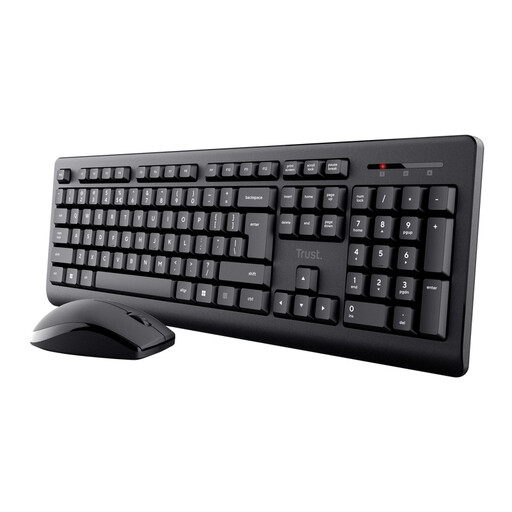
Why it suits this profile: A practical wireless keyboard and mouse combination for working from home, studying and general office work, without complicated installation.
The product information states that it has one USB receiver, quiet low-profile keys and a splash-resistant design. Do note that this model uses US QWERTY and does not have Bluetooth.
Full-size layout with numeric keypad, one receiver and a symmetrical mouse. The stated wireless range is up to 8 metres.
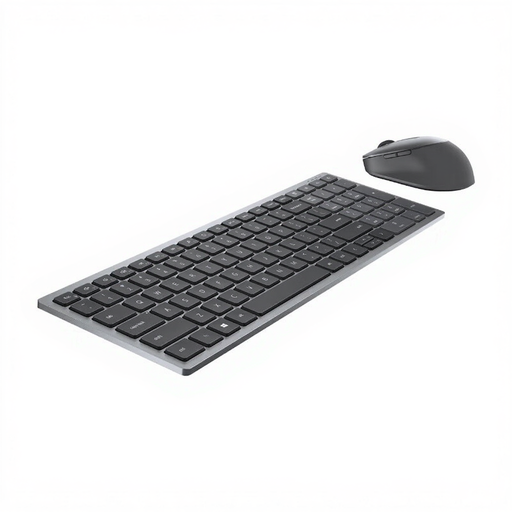
Why it suits this profile: Designed for office professionals who want to use a reliable set with RF and Bluetooth at a permanent workstation.
The dual connection reduces reliance on a single connection method. Do check that the US International QWERTY layout suits you.
Bluetooth 5.0 and 2.4GHz RF, a mouse with 7 buttons and stated battery life of up to 36 months according to the product information.
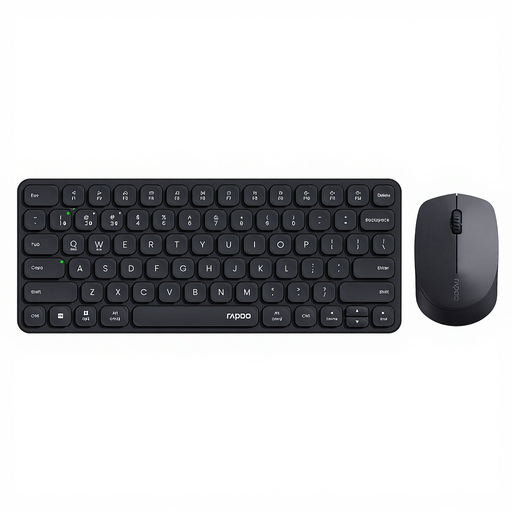
Why it suits this profile: Suitable for users who switch between a PC, laptop, tablet and smartphone and want to use one wireless keyboard and mouse combo for all of them.
The set supports 2.4GHz and Bluetooth 4.0/5.0 and can be paired with up to four devices, according to the product information.
Low-profile scissor keys, quiet mouse clicks and adjustable mouse resolution from 800 to 2400 DPI. According to the specifications, it works with Windows, Mac, Linux and Chrome OS.
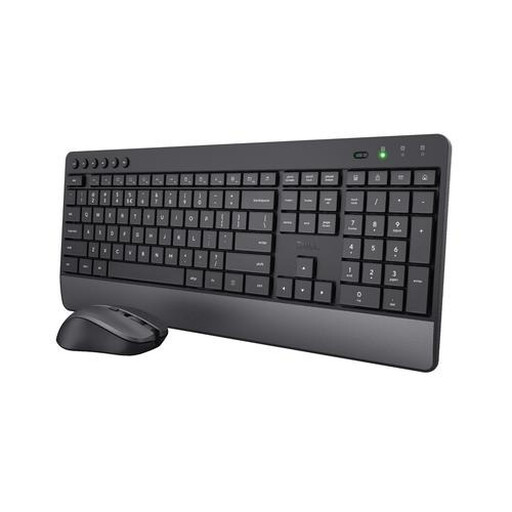
Why it suits this profile: A keyboard and mouse for office workers or people working from home who want a full-size model, numeric keypad and integrated wrist rest.
The product description mentions quiet keys and mouse buttons, a wrist rest and adjustable DPI. However, the design is larger than a compact multi-device set.
US QWERTY, numeric keypad, 2.4GHz USB receiver and stated keyboard battery life of up to 48 months according to Trust.
We have put together a complete, up-to-date list of products that fully meet these strict selection criteria and the applicable European safety regulations.
Not automatically. Check whether the set uses a USB-A receiver, USB-C connection or Bluetooth. Also check the supported operating systems. You may need an adapter if your laptop does not have a USB-A port.
This varies by model, connection and frequency of use. Manufacturers often provide an estimated operating time. According to brands’ own figures, this can range from several months to several years. Switch the set off when you are not using it for an extended period and remove disposable batteries before long-term storage.
For a desktop PC, a USB receiver is often the simplest option. Bluetooth is useful when you switch between a laptop, tablet and smartphone. If you need both, you can choose a multi-device keyboard with both Bluetooth and 2.4GHz connectivity.
