
Vandaag of morgen in huis

Kwaliteit gegarandeerd

Welkomstaanbiedingen ontgrendelen: GRATIS bezorging | Tot 80% korting | Gratis 30 dagen JoyPlus-proefperiode
Download de app
A wireless keyboard and mouse set QWERTY US may seem easy to choose: select a black set, check the price and place your order. In practice, problems often only appear after a few weeks. You could end up with the wrong layout, a USB receiver that does not fit or keys that are simply too noisy in a shared working environment.
For home workers, students and office workers, these are the three main pitfalls to watch out for:
@, " and € may differ. So check whether it is a US International or ANSI layout.For Dutch users, a QWERTY US keyboard is often appealing because of its ANSI layout and familiar American key arrangement. However, your computer’s software settings can make a difference. After connecting the keyboard, check that the keyboard language is set to, for example, “United States – International”.
Also look out for offers with “QWERTY” in the title. A QWERTY UK model may have a different Enter key and different symbol placement. AZERTY models, such as some Belgian versions from Dell and HP, are designed for a different key layout.
A keyboard with a USB receiver generally works via a free USB port and is usually quick to set up. If your laptop only has USB-C ports, you may need an adapter. So check the type of receiver and the accessories included.
A Bluetooth keyboard and mouse can be paired directly with compatible laptops, tablets and phones. Some sets combine both technologies. The Trust Lyra, for example, uses one USB receiver and two Bluetooth connections and, according to the product description, can be paired with up to three devices.
A full-size wireless keyboard provides room for a numeric keypad. This is useful for administrative work, accounting and spreadsheets, but it takes up more desk space. A TKL or compact model generally does not have a separate numeric section.
When choosing a quiet set, pay attention to the type of keys. Scissor mechanisms and low-profile membrane keys feel different from mechanical switches. “Quiet” does not mean completely silent, either; the noise level also depends on how you type and the surface beneath the keyboard.
Finally, check the power source. A rechargeable wireless keyboard set reduces the need for loose batteries. For models powered by AA or AAA batteries, battery life and whether batteries are included are important factors to consider when calculating the total cost.
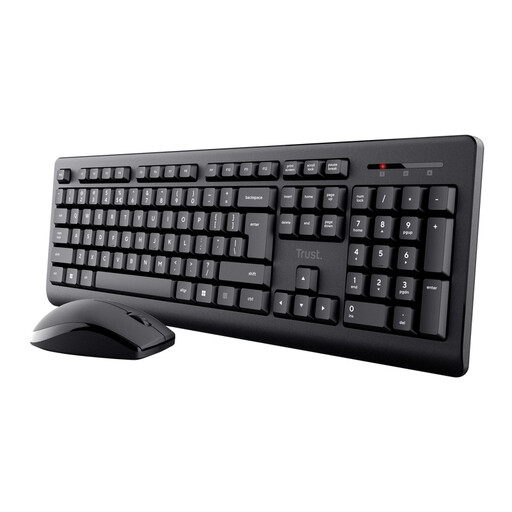
Why it suits this profile: This keyboard and mouse set is designed for everyday use, with one USB receiver, quiet low-profile keys and a full-size layout with a numeric keypad.
The product information explicitly states QWERTY US, a numeric keypad and a spill-resistant design. Spill-resistant does not mean waterproof.
One USB receiver, low-profile keys, symmetrical mouse and a stated range of up to 8 metres.
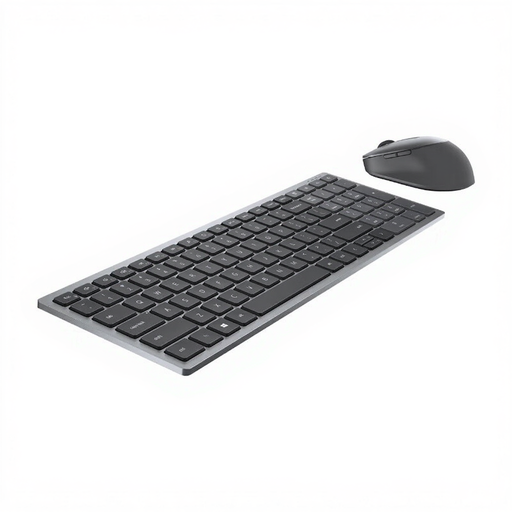
Why it suits this profile: The combination of RF and Bluetooth offers flexibility in an office with multiple devices. The product details state support for Windows, Mac, Linux and Android.
The connection is not limited to Bluetooth: it also offers RF connectivity through the included receiver. Do check that the desired US layout matches your software settings.
Bluetooth 5.0 and RF, a mouse with 7 buttons, 1600 dpi and, according to the product information, battery life of up to 36 months.
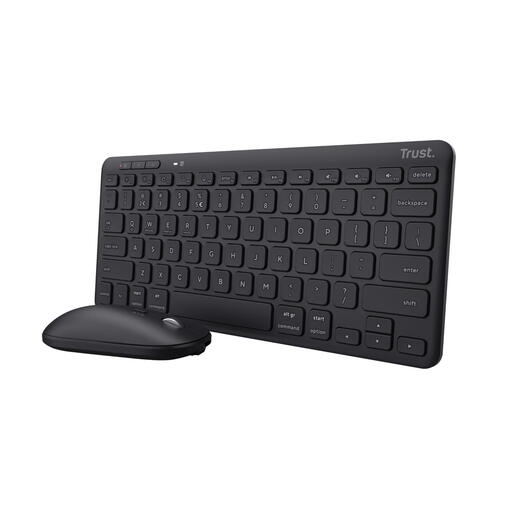
Why it suits this profile: This compact wireless keyboard is designed for small desks, working on the move and users who switch between a computer, tablet and phone.
The product description clearly states that the TKL model does not have a separate numeric keypad. This means you know in advance that saving space is the priority.
Pairing with up to 3 devices, USB and Bluetooth 5.0, rechargeable batteries and a quiet mouse click according to the product information.
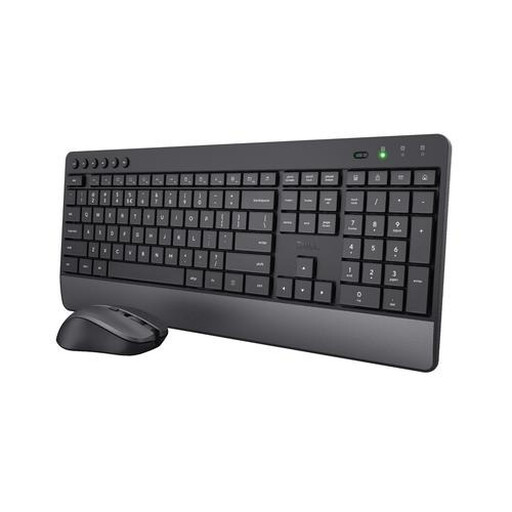
Why it suits this profile: The full-size layout, numeric keypad and integrated wrist rest are well suited to long office and home-working sessions.
The specifications mention a US/QWERTY layout, quiet low-profile keys and an integrated wrist rest. It remains a wireless RF set with a USB receiver.
Numeric keypad, media and shortcut keys, adjustable mouse sensitivity from 1000 to 1800 dpi and batteries included according to the product description.
We have put together a complete, up-to-date list of products that fully meet these strict selection criteria and the applicable European safety regulations.
With a set that uses a USB receiver, insert the receiver into a free USB port and switch on both devices. With Bluetooth models, you first need to pair the devices through the Bluetooth settings. If your laptop has USB-C ports, check whether an adapter is required.
This varies depending on the model, frequency of use and connection. Manufacturers often state a maximum usage time under specific conditions. According to the product information, the Trust Lyra offers up to six months per charge; the Trezo Comfort offers up to 48 months for the keyboard and up to 12 months for the mouse. Treat these figures as product specifications, not a guarantee for every usage scenario.
No. Low-profile keys and quiet mouse buttons can reduce typing and clicking noise, but no set is completely silent. For a shared workspace, the Trust Primo, Trust Ody II and Trust Trezo Comfort are designed for quieter everyday use based on their product descriptions.
