
Vandaag of morgen in huis

Kwaliteit gegarandeerd

Welkomstaanbiedingen ontgrendelen: GRATIS bezorging | Tot 80% korting | Gratis 30 dagen JoyPlus-proefperiode
Download de app
A cable-free desk looks clean and creates space. A wireless keyboard and mouse set is a logical choice for anyone looking to work efficiently, whether at home, in the office, or on the go. However, the transition to wireless is not without its pitfalls. Many sets promise the world but, in practice, deliver more frustration than functionality.
Before you invest in a new work-from-home setup, it's wise to be aware of the most common mistakes. This will prevent a promising purchase from ending up in a drawer after just a few months.
multi-device keyboard that seamlessly switches between your laptop, tablet, and PC. In reality, switching is often cumbersome, the connection is unstable, or specific function keys don't work on all your devices.compact keyboard looks sleek and saves space. But an illogical key layout or an undersized mouse can lead to typos, an unnatural posture, and eventually, wrist or shoulder pain.To avoid buyer's remorse, it's wise to look past the marketing and focus on the specifications that truly matter for your use case.
The way your set connects determines its flexibility.
bluetooth keyboard and mouse connects directly to your devices without needing a dongle. This is ideal if you're looking for a keyboard and mouse for a laptop and tablet and want to switch easily. Many modern sets can be paired with three or more devices simultaneously.The size of the keyboard directly impacts your posture and efficiency.
Also, pay attention to the key switch type. Membrane and scissor switches, like those found in many laptops, are generally quiet, making them suitable for a silent keyboard and mouse set in an office environment.
The choice between a rechargeable keyboard and mouse and a model with replaceable batteries is a personal one.
Based on these criteria, we have selected a number of products that suit different user profiles.
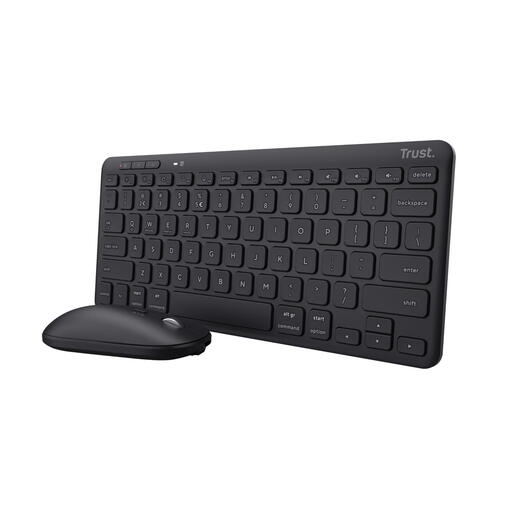
Why This Fits Their Persona: This set is designed for those who are frequently on the move. Its compact TKL format and light weight make it easy to carry in a laptop bag. Ideal for working on the train, in a lecture hall, or at a hot desk.
Tackles the "universal" connectivity trap by enabling easy switching between 3 paired Bluetooth devices. Its compact size doesn't lead to discomfort, thanks to comfortable scissor-switch keys with a pleasant tactile response.
The set is rechargeable via USB-C and, according to the manufacturer, is partly made from recycled plastic, making it a practical and more conscious choice.
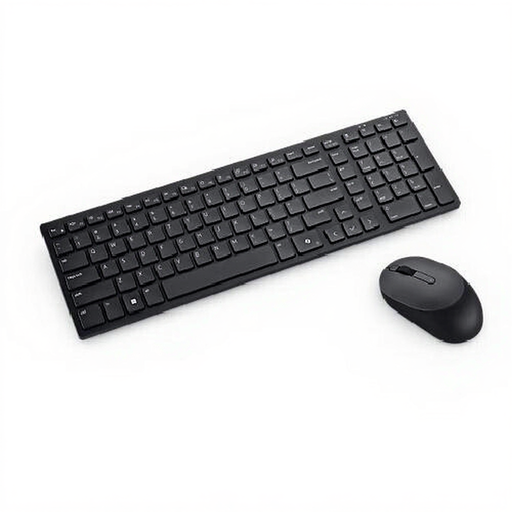
Why This Fits Their Persona: For the professional who works long hours and needs a reliable, quiet, and comfortable set. This combo strikes a great balance between functionality and a tidy desk.
This set offers dual-mode connectivity (RF and Bluetooth 5.1), allowing the user to work stably on a desktop PC while easily switching to a laptop or tablet. The silent keys prevent noise disruption during online meetings.
Its compact 95% layout retains the numeric keypad while still taking up less space than a full-size model. The mouse features a high resolution of 4020 DPI for precise cursor control.
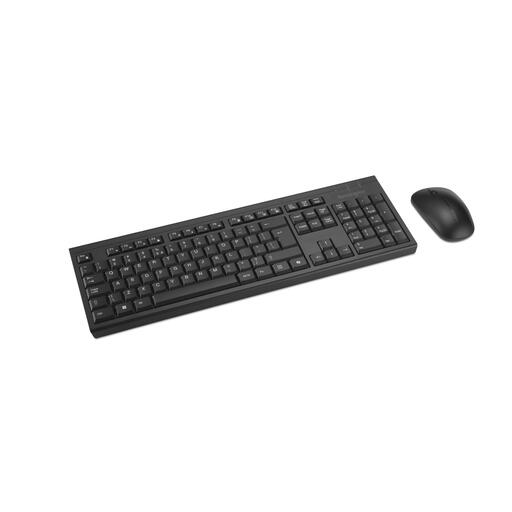
Why This Fits Their Persona: Perfect for the user or organisation that values sustainability and a quiet work environment. This full-size set is functional for a full workday at a fixed station.
This set debunks the battery myth. It's a rechargeable keyboard and mouse with a clear, manufacturer-claimed battery life of up to 4 months. No more hassle with disposable batteries.
According to Kensington, the set is made with at least 60% recycled plastic. The mouse has silent clicks, and the keyboard is spill-resistant, which improves its longevity in a busy workplace.
We have compiled a complete, up-to-date list of products that fully meet these strict selection criteria.
For a multi-device keyboard with Bluetooth, the process is typically straightforward. You put the keyboard or mouse into pairing mode (often via a dedicated button) and select it in the Bluetooth settings of your computer, tablet, or phone. To switch between paired devices, you use a special switch button on the keyboard or mouse. Consult the manufacturer's manual for specific steps.
The battery life depends heavily on usage. Manufacturers often provide an estimate, which can range from several weeks to multiple months on a single charge. Features like keyboard backlighting have a significant impact on battery life. An advantage of a rechargeable keyboard and mouse is that you can often continue to use them while they are charging, so you're never left without power.
Both are QWERTY layouts, but they have minor differences. The US layout is standard in the United States, while the UK layout is used in the United Kingdom. Key differences include the placement of symbols like the @ and " keys, the shape of the Enter key, and the inclusion of the pound (?) symbol on the UK layout. The US-International layout is a popular variant that makes it easy to type accented characters and special symbols common in other languages. For most users, the choice depends on regional preference and what you're accustomed to.
