
Vandaag of morgen in huis

Kwaliteit gegarandeerd

Welkomstaanbiedingen ontgrendelen: GRATIS bezorging | Tot 80% korting | Gratis 30 dagen JoyPlus-proefperiode
Download de app
A wireless keyboard and mouse set keeps your desk tidier and is useful when you regularly switch between a laptop, desktop computer or tablet. However, not every wireless keyboard and mouse combination is suitable for everyday use. The wrong layout, a missing USB port or disappointing battery life can quickly make your purchase less practical.
So, pay particular attention to these common pitfalls:
A set with one USB receiver is usually easy to install: connect the receiver, insert the batteries and switch on the devices. This is practical for a desktop computer or laptop with a spare USB-A port.
A Bluetooth keyboard and mouse does not need a separate receiver. This is useful with laptops, tablets and phones. However, check whether the operating system is supported and whether both the keyboard and mouse can be paired via Bluetooth.
A combination with both options offers greater flexibility. According to the product specifications, the Rapoo 9010M supports 2.4 GHz via USB and Bluetooth 4.0/5.0. According to the product information, the model can be paired with up to four devices. That is relevant if you switch between a computer, laptop, tablet and smartphone.
For many Dutch users, the layout is the most important thing to check. The range includes US QWERTY, UK QWERTY and Belgian AZERTY, among others. The HP 650 and several Dell models in this selection have a Belgian AZERTY layout. The Philips SPT6237B/05 is a wired set with a UK English layout, so it is not suitable if you specifically want a wireless set.
You should also choose between:
A quiet keyboard and mouse is useful in a shared study, library or office. Scissor-switch keys are generally low-profile and similar to laptop keys. Membrane or plunger keys can also be suitable for office work, but feel different. So, do not look only at the term “silent”; also consider the key type and whether the keyboard has an adjustable typing angle or wrist rest.
Also consider the power supply. Sets with AA or AAA batteries require replacement batteries from time to time. Rechargeable models avoid this recurring purchase, but do need to be charged in good time. Stated battery life, such as “up to six months” or “up to 36 months”, is provided by the manufacturer and depends on usage, settings and conditions.
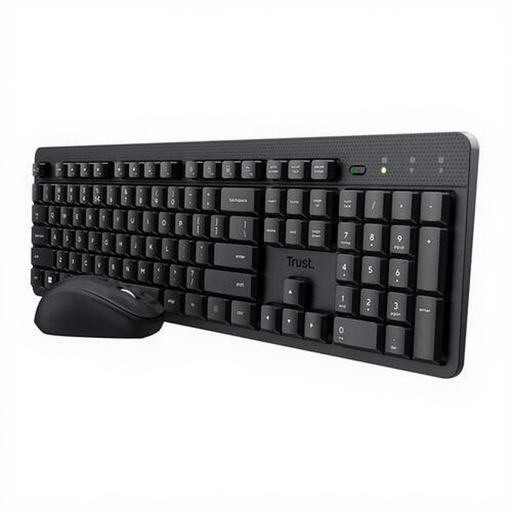
Why it suits this profile: A straightforward set for working from home, studying or general computer use. The connection via a single USB receiver requires very little installation.
The product information mentions quiet keys and mouse buttons, an adjustable typing angle and storage for the magnetic receiver. However, check that your device has a USB port.
US QWERTY layout, adjustable mouse speed of 800–1600 dpi, spill-resistant design and compatibility with Windows, macOS, Linux and Chrome OS.
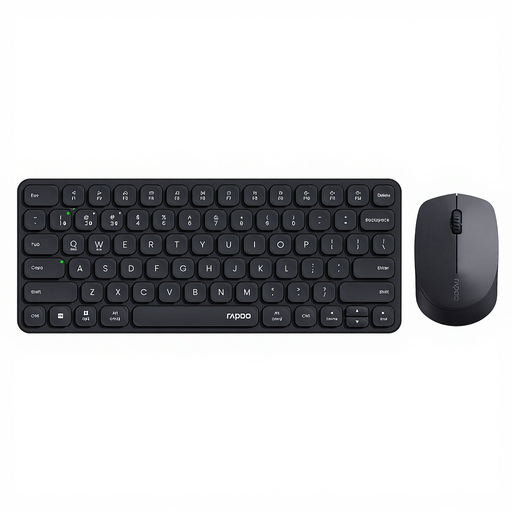
Why it suits this profile: Ideal for professionals who use several devices and would rather not buy a separate keyboard and mouse combination for each computer.
You are not limited to one connection method: according to the product specifications, 2.4 GHz and Bluetooth 4.0/5.0 are available. This makes the set suitable for devices without a spare USB-A port.
Support for up to four paired devices, a low-profile design with scissor-switch keys and adjustable mouse resolution from 800–2400 dpi.
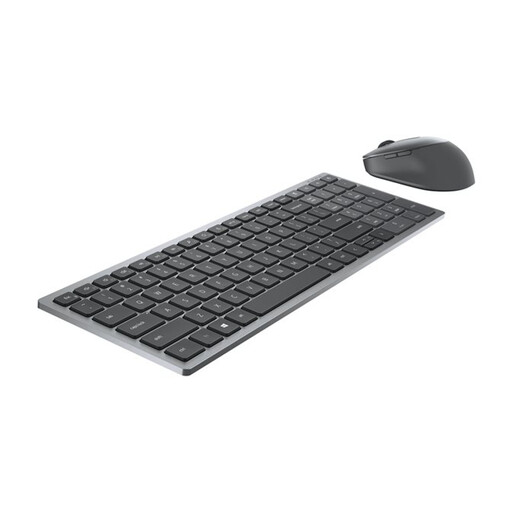
Why it suits this profile: A logical choice for office work, with a Belgian AZERTY layout, numeric keypad and a mouse with extra buttons.
According to the product information, the combination supports both RF and Bluetooth 5.0. This allows you to choose between a USB receiver for the keyboard and mouse or direct pairing.
Belgian AZERTY layout, numpad, seven mouse buttons, 1600 dpi and manufacturer-rated battery life of up to 36 months.
We have put together a complete, up-to-date list of products that fully meet these strict selection criteria and the applicable European safety regulations.
Not automatically. A set with a USB receiver only works if your laptop has a suitable USB port. A USB-C laptop may require an adapter. For Bluetooth, your laptop must support Bluetooth and the set must be compatible with the operating system. Also check that shortcut keys, media functions and the keyboard layout are recognised correctly.
It varies by model and usage. Manufacturers sometimes quote a lifespan ranging from a few months to several years. These are guidelines. Frequent typing, intensive mouse use and leaving the devices switched on can reduce the actual battery life. A rechargeable set does not need disposable batteries, but it does need to be connected to the charger regularly.
Yes, especially in a shared space. In addition to the noise rating, check the key mechanism, typing angle and shape of the mouse. “Quiet” is a product feature stated by the manufacturer, not a guarantee of complete silence. For prolonged use, the right layout, a stable connection and a size that suits your desk are at least as important.
