
Vandaag of morgen in huis

Kwaliteit gegarandeerd

Welkomstaanbiedingen ontgrendelen: GRATIS bezorging | Tot 80% korting | Gratis 30 dagen JoyPlus-proefperiode
Download de app
A wireless keyboard and mouse set keeps your desk tidy and is useful for working from home, the office, studying and everyday computer use. However, not every combination is suitable for every laptop or PC. The wrong keyboard size, a missing USB port or an awkward layout can quickly make your purchase less practical.
So don’t focus only on appearance or a low price. The connection, keyboard layout, battery type and comfort are what determine whether a wireless keyboard and mouse remains enjoyable to use every day.
In the Netherlands, you’ll come across several layouts. A QWERTY keyboard and mouse with a US or UK layout is not the same as a Belgian AZERTY keyboard and mouse. The positions of letters, punctuation marks and special keys can vary.
Before ordering, check the following:
If you rely solely on the product photo, you may receive a keyboard that feels different from what you expected.
A USB receiver keyboard and mouse generally uses a 2.4GHz connection. This is straightforward with a PC or laptop that has a spare USB-A port, but less convenient with a modern laptop that only has USB-C. A Bluetooth keyboard and mouse doesn’t need a receiver, although the pairing process varies from one device to another.
Also check whether the keyboard and mouse share a single receiver. This saves a USB port. With multi-device models, it’s important to check how many devices can actually be connected at the same time and how you switch between them.
A quiet membrane or scissor key usually makes less noise than a mechanical key, but “quiet” doesn’t mean completely silent. The same applies to an ergonomic design: a wrist rest or low angle may feel comfortable, but the right working posture also depends on desk height, screen position and personal preference.
Look for measurable features such as:
For a keyboard and mouse for laptop and PC, three connection options are relevant:
Check which operating systems are supported. Windows, macOS, Linux, Chrome OS, Android and iPadOS aren’t supported by every set. A model that works with Windows won’t always have the same shortcut keys on a Mac.
A full-size keyboard usually includes a numeric keypad and takes up more space. A TKL model leaves out the numeric section and is more compact. This is useful on a small desk or when you regularly take the set with you.
A numeric keypad can save time when doing administrative work. For students or laptop users, a compact model may be more practical. Also check the language and regional version: Belgian AZERTY is a different choice from US QWERTY.
A battery-powered set works without a charging cable, but you’ll eventually need to replace the AA or AAA batteries. Some models use a built-in rechargeable battery. Don’t look only at the stated battery life: it depends on usage intensity, connection type and power management.
According to the product description, the Rapoo 9010M has a battery life of up to around twelve months, depending on usage. Trust states that the Lyra has a rechargeable battery lasting approximately six months per charge. Treat figures like these as the manufacturer’s product specifications, rather than guaranteed battery life in every situation.

Why it suits this profile: This set combines a US/QWERTY keyboard, one USB receiver and straightforward installation. It’s ideal for students, home users and beginners who want to get started without configuring lots of settings.
The product information clearly states the US/QWERTY layout, RF connection and adjustable mouse speed of 800–1600 DPI. However, check that your laptop has a USB-A port.
One receiver for both devices, low-profile keys and magnetic storage for the receiver inside the keyboard.

Why it suits this profile: For professionals switching between a desktop, laptop, tablet and phone, this wireless keyboard and mouse combo supports up to four devices.
The specifications list both 2.4GHz and Bluetooth 4.0 and 5.0. This means you aren’t reliant on just one type of connection. Check the colour variant and layout in advance.
Low-profile scissor keys, quiet mouse clicks, five DPI levels and compatibility with Windows, Mac, Linux and Chrome OS.

Why it suits this profile: This full-size set is designed for extended typing at a fixed workstation. The numeric keypad and integrated wrist rest are well suited to office work and working from home.
The manufacturer describes the keys and mouse buttons as quiet and states that the 2.4GHz receiver has a range of up to 10 metres. It remains a US/QWERTY model, so check the layout carefully.
Full-size layout, wrist rest, media keys and a mouse suitable for left- and right-handed use with adjustable DPI.
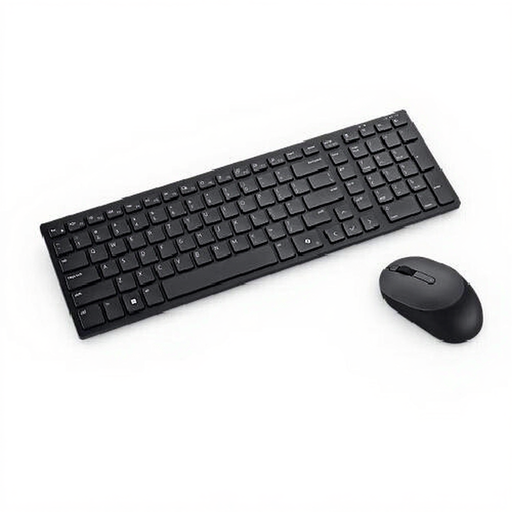
Why it suits this profile: If you’re used to a Belgian AZERTY layout, you won’t need to switch to a US/QWERTY model. This set is designed for everyday office and computer use.
The product details explicitly state Belgian AZERTY, Bluetooth 5.1 and RF via USB. This avoids confusion about the layout and gives you two connection options.
Full-size design, numeric keypad, programmable keys and a mouse with 4020 DPI optical tracking.
We’ve put together a complete, up-to-date list of products that fully meet these strict selection criteria and the applicable European safety regulations.
No. A set with a USB receiver requires a compatible USB port. If your laptop only has USB-C, you may need an adapter. Bluetooth models only work if your laptop supports Bluetooth. Also check the operating system and keyboard layout.
This varies by model and usage. Manufacturers often provide an estimated battery life. According to the product information, the Rapoo 9010M can last for up to around twelve months, while Trust states that the Trezo Comfort lasts up to 48 months for the keyboard and up to twelve months for the mouse. Intensive use, frequently switching between devices and leaving the set switched on can affect battery life.
A set with low-profile scissor keys, membrane keys or dampened mouse buttons can be suitable for shared spaces. However, the noise level also depends on how you type and click. Check that the set offers the layout, wrist rest, shortcut keys and connection you need. That way, you’re choosing not only for less noise, but also for practical comfort during everyday work.
