
Vandaag of morgen in huis

Kwaliteit gegarandeerd

Welkomstaanbiedingen ontgrendelen: GRATIS bezorging | Tot 80% korting | Gratis 30 dagen JoyPlus-proefperiode
Download de app
A wireless keyboard and mouse set may seem like a straightforward purchase at first glance. However, there are clear differences in connectivity, layout, power supply and dimensions. Home workers, students and people who regularly switch between a laptop, tablet and desktop computer can therefore easily buy a set that proves less convenient in everyday use.
When comparing products, do not just look for terms such as “silent”, “compact” or “multi-device”. Always check the underlying specifications. Below, you will find the most important pitfalls and practical selection criteria for a wireless keyboard and mouse combination.
Some sets work exclusively with a 2.4GHz USB receiver. This is practical for a computer with a spare USB port, but less suitable for a tablet or slim laptop without a USB-A connection. Other models combine a receiver with Bluetooth.
So check which of the following you need:
A multi-device keyboard and mouse can be useful, but also check how many devices are actually supported and how you switch between them.
A small keyboard takes up little space, but often has no numeric keypad. With a TKL or compact layout, keys that you may use for spreadsheets or entering figures are also missing. A US QWERTY keyboard is not the same as a Dutch QWERTY layout either.
With a US QWERTY or US International layout, the position of punctuation marks and the way special characters are entered may differ, among other things. Therefore, check both the physical keys and your operating system’s language settings before ordering.
A silent wireless mouse or a keyboard with quiet keys can be more comfortable in a shared workspace. However, there is no single fixed European noise standard that classifies all models in the same way. Manufacturers use their own descriptions.
So look at the type of mechanism. Scissor switches with a low profile generally feel like laptop keys. With mice, the design of the click buttons is what matters. Read the product description carefully too, and do not assume that every “silent” claim means exactly the same noise level.
For a wireless keyboard and mouse combination for a laptop and tablet, at least two connection options are practical: Bluetooth and a USB receiver. According to the product specifications, the Trust Lyra supports one device via the receiver and two via Bluetooth, allowing up to three paired devices. The Rapoo 9010M is specified for up to four devices via 2.4GHz and Bluetooth 4.0/5.0.
Also check:
A compact wireless keyboard with mouse is suitable for small desks and mobile use. According to the stated specifications, the Trust Lyra is 287 mm wide, 126 mm long and has 78 keys. The model is 17 mm high and uses scissor switches.
A full-size model is wider, but often includes a numeric keypad. Also consider the mouse shape. A symmetrical mouse is usually suitable for both left- and right-handed users. A larger mouse designed for right-handed use may provide more support for your hand, but will take up extra space.
With a rechargeable keyboard and mouse, you do not need to replace separate AA or AAA batteries. Do check:
According to the Trust Lyra’s product information, the keyboard and mouse can operate for up to six months per charge, and a full charge takes approximately two hours. This is a maximum stated by the manufacturer and is not a guarantee for every usage scenario.

Why it suits this profile: This compact set is suitable for students, small desks and users who switch between a computer, tablet and phone.
The connection consists of a USB receiver and two Bluetooth channels. The three switching buttons make the number of paired devices clear.
78 keys, scissor switches, rechargeable components and support for Windows, macOS, iOS, iPadOS, Android and Chrome OS.

Why it suits this profile: This set is well suited to office and home users who combine multiple devices and want a low profile with quiet operation.
The specifications list both 2.4GHz and Bluetooth 4.0 and 5.0, with support for up to four devices.
Low-profile scissor keys, quiet mouse clicks, adjustable 800–2400 dpi and support for Windows, macOS, Linux and Chrome OS.
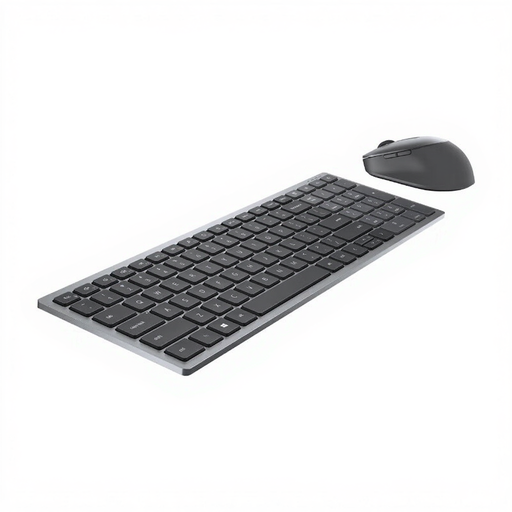
Why it suits this profile: This combination is aimed at office workers who need a full-size keyboard, numeric keypad and dual-mode connectivity.
The US International QWERTY layout is clearly stated. The set uses both RF and Bluetooth, so you are not reliant on just one type of connection.
Full-size design, numeric keypad, Bluetooth 5.0, RF connectivity and a mouse with seven buttons and 1600 dpi.
We have put together a complete, up-to-date list of products that fully meet these strict selection criteria and the applicable European safety regulations.
Yes, provided that the tablet supports Bluetooth and the keyboard and mouse are compatible with the operating system in use. Also check whether the set can be paired separately with multiple devices. A USB receiver will not work without a suitable port or adapter.
Battery life depends on the model, battery type and intensity of use. Manufacturers often state a maximum operating time. A rechargeable set requires fewer disposable batteries, while a battery-powered model can be convenient when you want to continue working immediately without a charging break.
“Silent” usually means that the click mechanism produces less noise than a standard model. It is not a universal measurement. For an office or shared home, it is best to consider the product description, button type and user feedback together.
