
Vandaag of morgen in huis

Kwaliteit gegarandeerd

Welkomstaanbiedingen ontgrendelen: GRATIS bezorging | Tot 80% korting | Gratis 30 dagen JoyPlus-proefperiode
Download de app
A wireless keyboard and mouse set might seem easy to choose: pick a colour, check the price and you’re done. But most disappointments aren’t down to how a set looks. They come from choosing the wrong layout, limited connectivity or a design that doesn’t suit you.
For people who work from home, students and office professionals, these three pitfalls are particularly important:
@, " and € can vary.A good wireless keyboard and mouse should suit your devices, workspace and everyday needs. Below, you’ll find the main things to check, along with a few options worth considering.
If you touch-type or enter text frequently, you’ll notice the wrong layout straight away. A QWERTY keyboard and mouse is common with US and international models. An AZERTY keyboard and mouse matches the Belgian layout, but isn’t the same as a Dutch QWERTY layout.
Also consider the size:
A compact model is handy for a small desk or use on the go. For financial admin or lots of number work, a full-size model is usually the better choice.
A set may connect via 2.4GHz RF with a USB receiver, Bluetooth or both. With an RF connection, you’ll usually plug in one receiver for both the keyboard and mouse, saving a USB port. Check that your laptop or desktop has a spare USB-A port, though; some modern laptops need an adapter.
A Bluetooth keyboard and mouse is a good choice if you want to work without a receiver or regularly switch between a laptop, tablet and phone. A multi-device keyboard and mouse can remember several devices. Don’t just check how many devices it can pair with: consider how you switch between them, too. A physical button is usually quicker than pairing again.
For a quiet keyboard and mouse, the key mechanism, sound dampening and mouse buttons all matter. Plunger and membrane keys are generally designed for office work, while mechanical switches tend to offer a more defined feel and make more noise.
Also check:
A higher DPI setting doesn’t automatically mean more accurate or comfortable control. It mainly determines how quickly the pointer moves. For office work, being able to adjust the DPI is often more useful than having a high maximum.

Why it suits this profile: This set connects easily via RF using a single USB receiver and works with Windows, macOS, Linux and Chrome OS. The US QWERTY layout is a good fit if you’ve specifically chosen this layout.
The product details clearly state that this is a US QWERTY layout. You can check that it suits you before ordering, rather than finding out after delivery.
One USB receiver, adjustable mouse speed of 800–1600 DPI, low-profile keys and media keys.
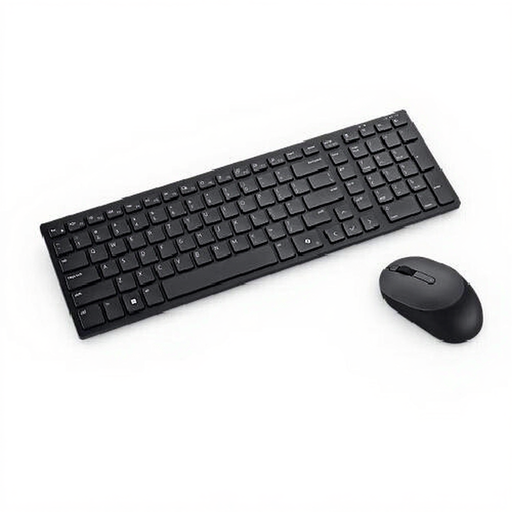
Why it suits this profile: This full-size wireless set combines a Belgian AZERTY layout with RF and Bluetooth 5.1. It’s a good fit for office professionals who need a numeric keypad and flexible connectivity.
The Belgian AZERTY layout is clearly stated. You can also choose between Bluetooth and a USB receiver.
Numeric keypad, programmable keys, Bluetooth 5.1 and an optical mouse with 4020 DPI.

Why it suits this profile: The Lyra is designed for people who switch between a computer, tablet and phone. Its compact size and rechargeable battery make it handy for a flexible workspace or working in different locations.
You’re not limited to one connection method: the set uses a USB receiver and two Bluetooth connections.
Up to three paired devices, rechargeable components, quiet scissor keys and compatibility with multiple operating systems.

Why it suits this profile: The integrated wrist rest, full-size layout and soft keys are designed for everyday office and home use. However, make sure the US QWERTY layout suits the way you type.
The set clearly states that it has a quiet feel and a US QWERTY layout. That makes it easy to consider both noise and key layout when choosing.
Integrated wrist rest, numeric keypad, adjustable mouse DPI and a 2.4GHz connection via nano receiver.
We’ve put together a complete, up-to-date list of products that meet these strict selection criteria and current European safety regulations.
Not necessarily. Check the operating system, available USB ports and connection type. A set with a USB receiver usually needs a USB-A port or a suitable adapter. For Bluetooth, your device needs to support Bluetooth.
It depends on the model, how long you use it and the type of battery. Some sets use AA or AAA batteries, while others have a built-in rechargeable battery. Check whether the stated battery life is a manufacturer’s estimate, and bear in mind that intensive use, automatic sleep mode and backlighting can all affect it.
Yes, as long as the layout, mouse shape and connection suit the way you work. A quiet keyboard and mouse can be a good choice in a shared space. If you enter lots of figures, a full-size model with a numeric keypad may be more useful. If you work across several devices, consider a Bluetooth or multi-device keyboard and mouse.
