
Vandaag of morgen in huis

Kwaliteit gegarandeerd

Welkomstaanbiedingen ontgrendelen: GRATIS bezorging | Tot 80% korting | Gratis 30 dagen JoyPlus-proefperiode
Download de app
A wireless keyboard and mouse set keeps your desk tidy and is ideal for working from home, studying or everyday computer use. Yet many sets look similar, while the differences in layout, connection and comfort can be significant. A low price, moreover, says little about whether it's suitable for your workspace.
So pay particular attention to three common pitfalls:
For many Dutch users, a QWERTY keyboard and mouse is a logical choice. Do pay attention to the difference between US QWERTY and another English-language layout. The physical keys and symbols can differ.
If you work with a Belgian layout, a AZERTY keyboard and mouse may suit your established way of working better. Products such as the Dell KM555 and HP 650 have, according to their product specifications, a Belgian AZERTY layout and a numeric keypad. That's useful for administrative work, spreadsheets and financial data entry.
A Bluetooth keyboard and mouse can connect directly to compatible laptops, tablets and phones. With sets that offer multiple connection options, you can sometimes switch between Bluetooth and a USB receiver.
An RF set usually works via a single nano or USB receiver. That offers simple plug-and-play installation, but you do need a free USB port. Also check whether the receiver uses USB-A or USB-C, or whether an adapter is supplied.
For a workspace with multiple devices, the Trust Lyra and Rapoo 9010M are interesting options based on their stated specifications. The Trust Lyra supports up to three paired devices via USB and Bluetooth. The Rapoo 9010M is, according to the product information, suitable for up to four devices and works with 2.4 GHz and Bluetooth.
The term ergonomic keyboard and mouse is only useful once you know which features support comfort. Check, for example:
A compact keyboard and mouse saves space on a small desk, but often lacks a separate numeric section. For data entry, a full-size format may be more comfortable. A quiet keyboard and mouse is especially practical in a shared study, library or office, but the exact noise experience also depends on your typing style and desk surface.
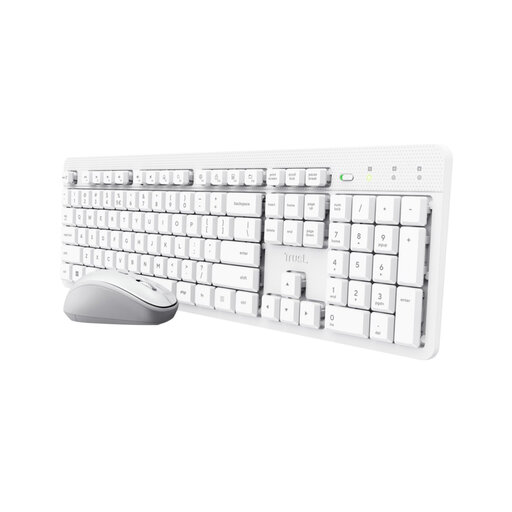
Why this fits the profile: This set uses a single USB receiver and has a US QWERTY layout. That makes installation straightforward for home use, study and general office work.
The product information mentions quiet keys and mouse buttons, an adjustable typing angle and an adjustable mouse speed of 800–1600 DPI. Do check whether US QWERTY suits your habits.
Single receiver, quiet operation, spill-resistant design and compatibility with Windows, macOS, Linux and Chrome OS.
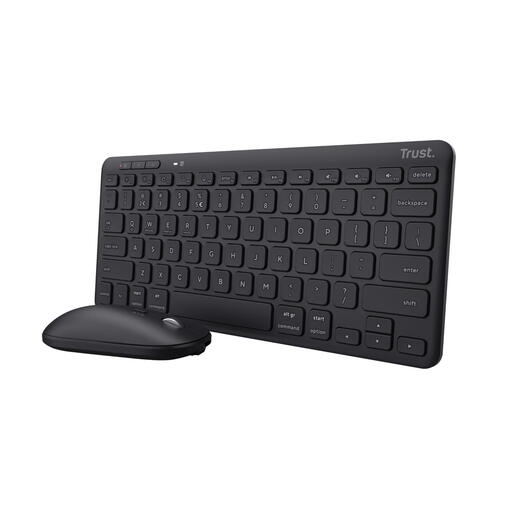
Why this fits the profile: The combination of Bluetooth, USB and a compact size suits professionals who switch between laptop, tablet and phone.
The connection isn't limited to a single USB port: according to the product specifications, you can pair up to three devices. The batteries are rechargeable, but bear in mind the stated US QWERTY layout.
Compact TKL format, scissor-switch keys, Bluetooth 5.0, three devices and a mouse suitable for left- and right-handed use.
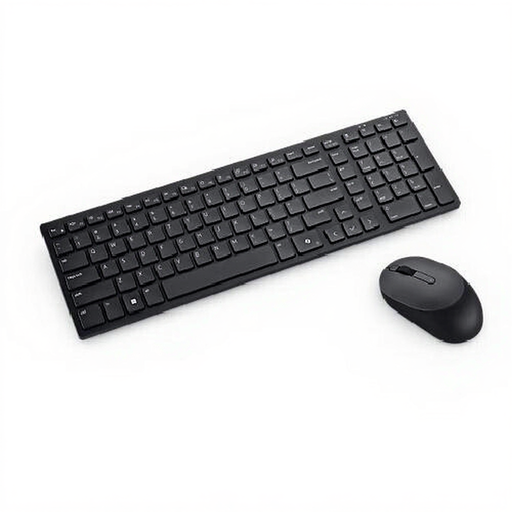
Why this fits the profile: This full-size set is aimed at office professionals who need a Belgian AZERTY layout, numeric keypad and multiple connection options.
The layout and size are clearly stated: Belgian AZERTY, 105 keys and a numeric section. This prevents a compact US model from being unsuitable for administrative work.
Full-size layout, Bluetooth 5.1 alongside RF, plunger keys, anti-spill system and an ambidextrous mouse with 4020 DPI.
We've put together a full, up-to-date list of products that fully meet these strict selection criteria and comply with current European safety regulations.
No. A set with a USB receiver requires a suitable USB port. With Bluetooth, your laptop, tablet or desktop needs to support Bluetooth. Also check the stated operating system and see whether a USB-C adapter is needed.
This varies by model, frequency of use and connection. Some sets work with AA or AAA batteries; others have a built-in rechargeable battery. The Trust Lyra states, according to the product information, a usage time of up to six months per charge. The Trust Trezo Comfort states different usage times for the keyboard and mouse. Treat such figures as stated product specifications, not as a guarantee for every usage scenario.
Yes, as long as the layout, noise level and size suit your work. Choose a quiet keyboard and mouse for a shared space. If you enter a lot of numbers, you'll probably benefit more from a full-size keyboard and mouse for the office with a numeric keypad. For a small desk or hot desk, a compact wireless keyboard and mouse combo is more practical.
