
Vandaag of morgen in huis

Kwaliteit gegarandeerd

Welkomstaanbiedingen ontgrendelen: GRATIS bezorging | Tot 80% korting | Gratis 30 dagen JoyPlus-proefperiode
Download de app
A wireless keyboard and mouse set keeps your desk tidy and is ideal for working from home, studying and everyday computer use. Yet many combinations look very similar. A low price might be tempting, but the wrong layout, limited connectivity or an awkward design can quickly become frustrating.
In this buying guide, you’ll learn what to look for before purchasing a wireless keyboard and mouse combo. After that, we’ve included a few recommendations for different usage scenarios.
In Dutch online shops, you’ll come across both QWERTY keyboard with mouse and AZERTY keyboard with mouse sets. A US-QWERTY layout can differ from the one you’re used to. The position of punctuation marks and certain special keys may also vary.
So, check before you buy:
A USB wireless keyboard and mouse set typically uses a 2.4GHz receiver. This usually works straight away once you plug the receiver in, but you will need a free USB port. A Bluetooth keyboard and mouse connects directly to devices that support Bluetooth, such as laptops, tablets and smartphones.
Some models offer both options. This is handy when you switch between a desktop, laptop and tablet. Also check whether a single receiver connects both devices. That way, you won’t need to use two USB ports.
A quiet keyboard and mouse combo reduces typing and clicking noise, but the sound level also depends on your typing style and desk surface. Flat scissor-switch keys generally feel different to membrane keys. If you’re after a mechanical feel, you may be less satisfied with compact office sets.
Also pay attention to the power supply. A rechargeable keyboard and mouse set saves you from regularly replacing batteries, while battery-powered models can be convenient if you don’t want a charging cable on your desk.
Choose Bluetooth if you mainly work with laptops, tablets and phones. An RF receiver is suitable for computers with a free USB port. A combination of RF and Bluetooth offers greater flexibility.
Check the support for your system. The range includes models for Windows, macOS, Linux, Chrome OS, Android, iOS and iPadOS. Note: a set may connect physically, but certain media keys or shortcut keys may work differently depending on the operating system.
A compact keyboard and mouse takes up less space and is easier to carry around. TKL models usually don’t have a separate numeric keypad. This is a drawback if you work a lot with numbers, spreadsheets or financial administration.
A full-size model is larger but offers more keys and often a more comfortable layout for office work. Measure your desk and check the dimensions in millimetres, especially if you use a laptop stand or monitor.
Look at the keyboard for:
For the mouse, DPI, shape and number of buttons are important. An adjustable resolution, for example between 800 and 1600 DPI, lets you change the cursor speed. A symmetrical mouse is suitable for both left- and right-handed use. With ergonomic models, do check whether the shape suits your hand; “ergonomic keyboard and mouse” is no universal guarantee of comfort.
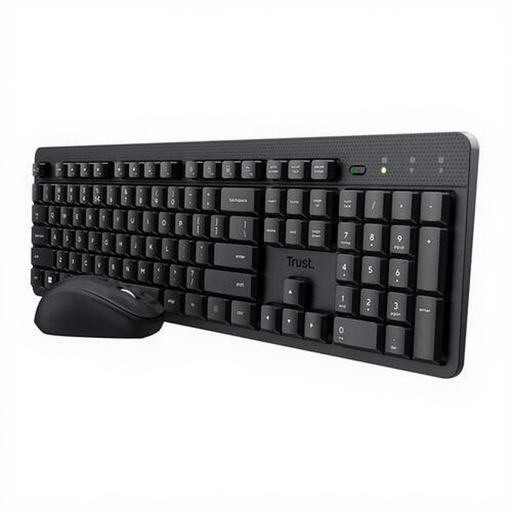
Why this fits the profile: This set uses a single USB receiver and has a US-QWERTY layout. That makes installation straightforward for home workers, students and general computer users.
The product specification mentions quiet keys and mouse buttons, an adjustable typing angle and a magnetic storage compartment for the receiver.
Single USB receiver, DPI setting from 800–1600 and support for Windows, macOS, Linux and Chrome OS.
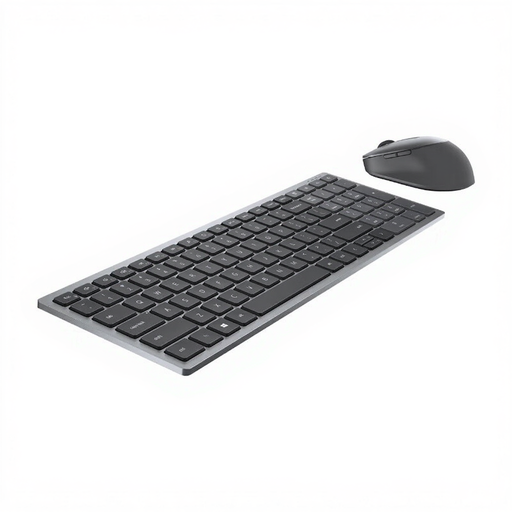
Why this fits the profile: The set combines RF and Bluetooth with a full-size QWERTY keyboard. That suits a fixed workstation where flexibility and plenty of desk features matter.
You’re not solely reliant on Bluetooth or a USB connection. The mouse also has a symmetrical shape and 7 buttons.
RF and Bluetooth 5.0, a numeric keypad and, according to the product specification, a battery life of up to 36 months.
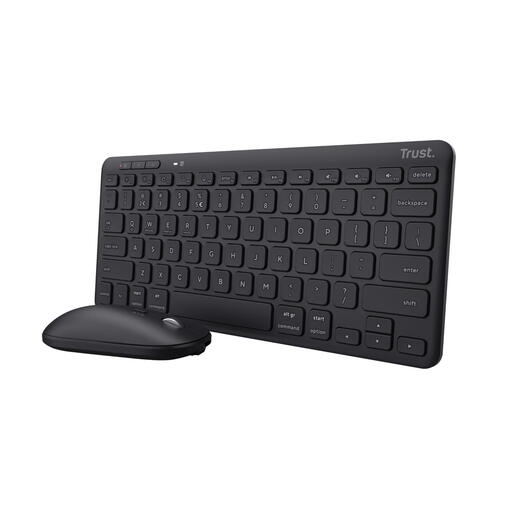
Why this fits the profile: This multi-device keyboard and mouse is aimed at users who work with a computer, tablet and phone and have limited desk space.
The connection isn’t limited to one device: according to the product information, you can pair up to three devices via USB and Bluetooth.
Compact TKL format, rechargeable battery, three switching buttons and compatibility with Windows, macOS, iOS, iPadOS, Android and Chrome OS.
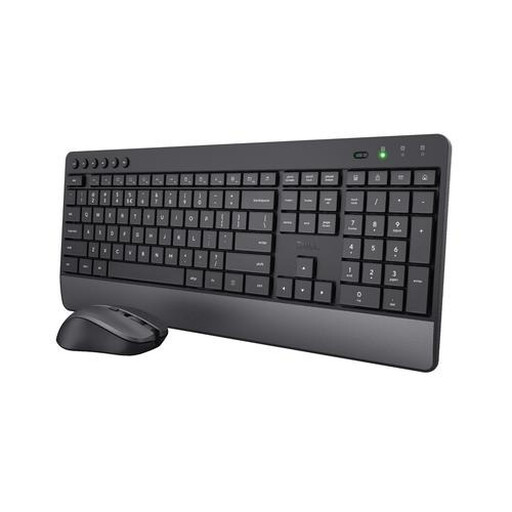
Why this fits the profile: The full-size layout, integrated wrist rest and quiet keys are practical for long working days in a shared home or office space.
The specifications mention quiet keys and mouse buttons, a numeric keypad and an adjustable mouse resolution.
US-QWERTY, 2.4GHz receiver, wrist rest and a mouse with adjustable 1000, 1400 and 1800 DPI.
We’ve put together a full, up-to-date list of products that fully meet these strict selection criteria and comply with current European safety regulations.
Not automatically. A USB set requires a free USB port or a suitable adapter. Bluetooth models need Bluetooth support and must be paired first. Also check whether your operating system is listed in the product information.
This varies by model, usage intensity and battery type. Some battery-powered models claim a usage time of several months or even years. With rechargeable sets, a usage time per charge is often stated. See such figures as product specifications under certain usage conditions, not as a guarantee for every user.
Yes, provided the layout and size suit your work. For lots of number entry, a full-size keyboard with a numeric keypad is practical. For a shared space, quiet keys and a quiet mouse click are useful. If you switch between multiple devices, it’s better to look at a model with Bluetooth and multiple connection channels.
