
Vandaag of morgen in huis

Kwaliteit gegarandeerd

Welkomstaanbiedingen ontgrendelen: GRATIS bezorging | Tot 80% korting | Gratis 30 dagen JoyPlus-proefperiode
Download de app
A wireless keyboard keeps your desk tidier and gives you more freedom when using a laptop, desktop computer or tablet. However, not every model is suitable for the same situation. A compact mechanical keyboard can be great for gaming, but awkward if you work with spreadsheets every day. A quiet keyboard may be ideal for a shared workspace, while a model with RGB lighting is particularly appealing for gaming or personal customisation.
The product name does not always tell you everything either. Before buying, check the connection, layout, dimensions, power supply and compatibility.
A QWERTY keyboard is not automatically a Dutch layout. Many models in the range feature a US QWERTY layout. The position of punctuation marks, the Enter key and the AltGr function may differ from what you are used to.
Always check:
Choosing the wrong layout can cause more daily frustration than paying a slightly higher purchase price.
A wireless keyboard can connect via Bluetooth, a 2.4GHz USB receiver or both. Bluetooth is useful for laptops, tablets and smartphones without a free USB port. A USB receiver often works straight away with plug-and-play, but it does occupy a USB port.
Also look out for multi-device functionality. Some models can be paired with several devices, but that does not automatically mean they can switch quickly between them. Check how many Bluetooth channels are available and whether a receiver is included.
Manufacturers often state battery life under specific conditions. Lighting, frequency of use, connection type and automatic sleep mode all affect power consumption. With a rechargeable wireless keyboard, it is also important to check the type of charging port and whether you can continue typing while it is charging.
A model powered by AAA batteries can be practical if you do not want to use a cable. An integrated battery, on the other hand, means you do not need to replace batteries regularly. Do not just look at the stated usage time; also check how the keyboard is charged or how its batteries are replaced.
A full-size keyboard generally has a separate numeric keypad. This is useful for invoices, spreadsheets, bookkeeping and administrative work. Bear in mind that many full-size models are approximately 42 to 45 centimetres wide.
A compact wireless keyboard measuring 75% or less omits the numeric keypad and sometimes some navigation keys. In return, you have more room for your mouse. A 75% model often retains the arrow keys and a function row, making it more practical than a 60% model.
Choosing between membrane, scissor and mechanical keys affects the feel, sound and maintenance.
A quiet wireless keyboard is more practical in a home office, library or shared space. Mechanical keys can produce noticeably more sound, depending on the switch, keycaps and dampening.
Check that the keyboard works with your operating system. With a keyboard for Mac and Windows, the key labels, shortcuts and software options may differ. Also look for support for iOS, Android, ChromeOS or games consoles if you use several devices.
For gaming, a stable 2.4GHz connection, low latency, rollover features and programmable keys are all relevant considerations. RGB lighting is primarily a control and style choice; in itself, it says nothing about connection quality.
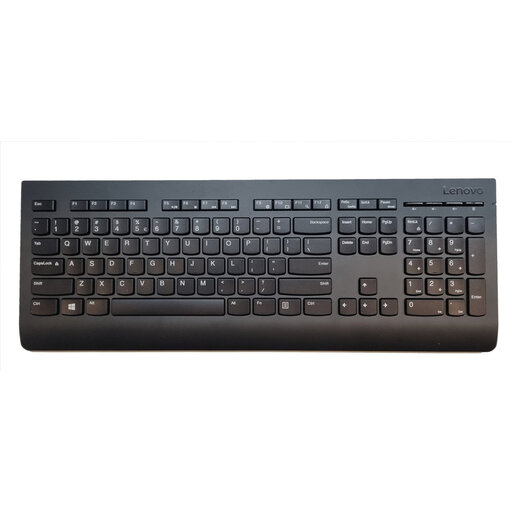
Why it suits this profile: This full-size model is designed for general use at home and in the office. The 2.4GHz receiver and plug-and-play setup make it easy to get started.
The product specification clearly states an RF connection, nano receiver, QWERTY layout and numeric keypad. However, check that US English suits your input language.
Full-size layout, numeric keypad, range of up to 10 metres and support for Windows, macOS and ChromeOS.
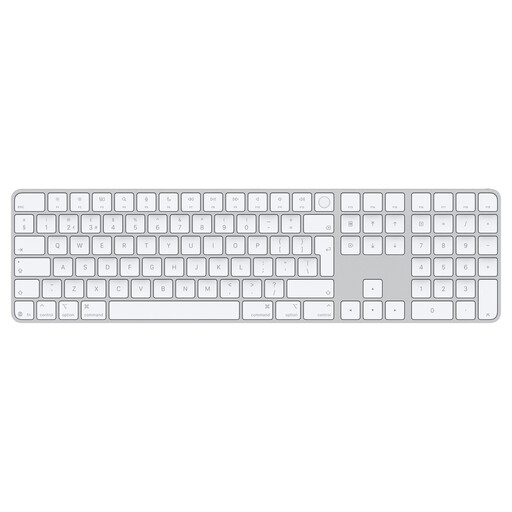
Why it suits this profile: Mac users with an Apple Silicon computer get a wireless keyboard with Touch ID, a numeric keypad and a rechargeable battery.
The product information mentions Bluetooth, USB-C and a Dutch QWERTY layout. Compatibility is specifically aimed at Mac models with Apple Silicon, so check this before buying.
Touch ID, Bluetooth, USB-C and a rechargeable battery that, according to the product description, lasts for approximately one month.
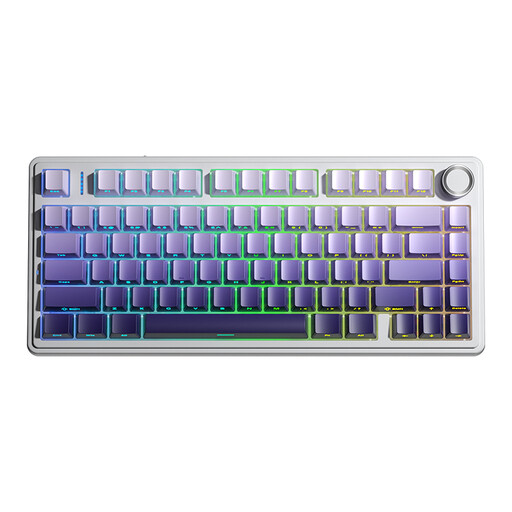
Why it suits this profile: This mechanical wireless keyboard is aimed at gamers and users looking for a compact size, customisable switches and multiple connection options.
The specification states tri-mode connectivity via Bluetooth, 2.4GHz and USB, plus hot-swap support. This means it is not limited to a single connection type.
75% layout, RGB lighting, programmable keys, multifunction knob and a stated 4000 mAh battery.
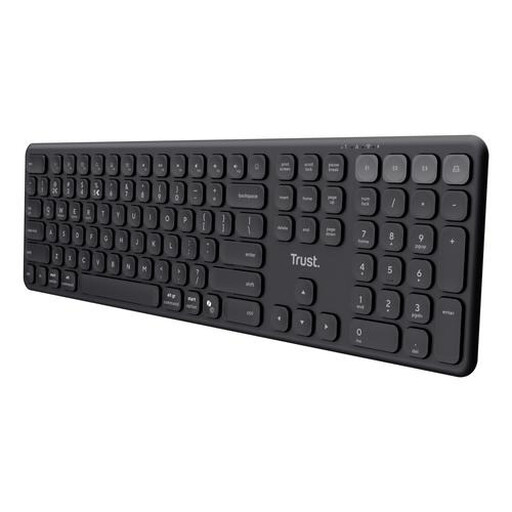
Why it suits this profile: This full-size model combines a numeric keypad with four simultaneous connections for laptops, tablets and smartphones.
The connection options are clearly specified: one USB receiver and three Bluetooth channels. The US QWERTY layout is still something to consider.
Scissor keys, USB-C charging, full-size layout and support for Windows, macOS, iOS, Android and ChromeOS.
We have put together a complete, up-to-date list of products that fully meet these strict selection criteria and the applicable European safety regulations.
No. Check whether your laptop supports Bluetooth or has a free USB port for the included receiver. Also check the supported operating system and keyboard layout.
That depends on how you use it. Bluetooth saves a USB port and is well suited to laptops, tablets and phones. A 2.4GHz receiver is convenient for plug-and-play use with a desktop computer. For gaming, a model with both 2.4GHz and a wired USB mode can offer additional flexibility.
This varies by model and usage. For example, a manufacturer may state a particular usage time based on limited lighting or average use. So check whether the keyboard uses replaceable batteries or has an integrated battery, how it is charged and whether you can continue working while it charges.
