
Vandaag of morgen in huis

Kwaliteit gegarandeerd

Welkomstaanbiedingen ontgrendelen: GRATIS bezorging | Tot 80% korting | Gratis 30 dagen JoyPlus-proefperiode
Download de app
A wireless keyboard may seem simple to choose, but product pages often use terms such as “gaming”, “low latency”, “multi-device” and “long battery life” without explaining what they mean in practice. You could end up buying a keyboard that doesn’t suit your computer, working style or preferred layout.
Look out for these three common pitfalls:
A Bluetooth keyboard usually works with laptops, tablets and smartphones without needing a spare USB port. Check that the keyboard supports your device’s operating system, though. iOS, Android, Windows and macOS may use different keyboard shortcuts.
A 2.4GHz connection via a USB receiver is especially practical for a desktop PC or gaming PC. The receiver does take up a USB port. A tri-mode keyboard usually combines Bluetooth, 2.4GHz and USB-C. This lets you switch between mobile use, wireless gaming, charging and wired use.
Pay attention to the stated range, too. A manufacturer may list a range of 8 to 15 metres, for example, but walls, metal surfaces and other wireless devices can affect the actual connection.
The layout determines how much space you save and which functions are readily available:
Also check whether it’s a US QWERTY or another layout. A product may be technically compatible with your laptop, but still awkward to use if the key labels don’t match your selected language.
A mechanical keyboard uses individual switches beneath the keys. Linear switches generally feel smooth and consistent, tactile switches provide noticeable feedback, and clicky switches are often louder. With a hot-swappable keyboard, you can replace compatible 3- or 5-pin switches without soldering. Always check that the included switches are compatible with the sockets.
An RGB keyboard may offer lighting for each key or for separate zones. RGB is primarily a lighting and customisation feature; on its own, it says nothing about how the keys feel or the quality of the connection.
When checking battery claims, it’s important to consider the conditions of use. Lighting, 2.4GHz and high polling rate settings can use more power than Bluetooth with the lighting switched off. So stated battery life is a product specification based on certain conditions, not a guaranteed battery life for every user.
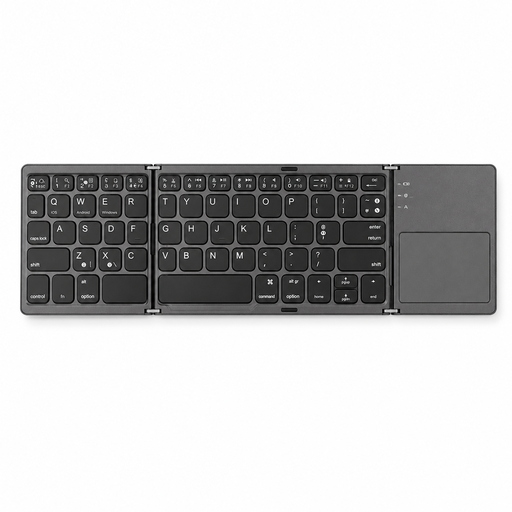
Why it suits this user: This model is designed for anyone looking for a lightweight, portable keyboard for a tablet, smartphone or computer. According to the product specifications, it has 63 keys, measures 152 × 97 × 12 mm when folded and weighs 0.3 kg.
The product is clearly designed for mobile use and connects via Bluetooth, so there’s no need for a USB receiver. Check first, though, whether 63 keys are enough for your work.
Foldable design, compatibility with iOS, Android and Windows, and a stated operating range of less than 15 metres.
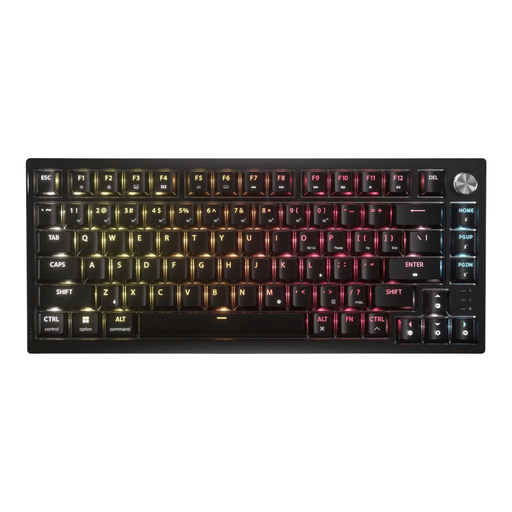
Why it suits this user: This 75% wireless gaming keyboard combines 2.4GHz, Bluetooth and USB. The product specifications list tactile Corsair MLX Fusion switches, PBT keycaps, RGB lighting and a rotary dial.
The three connection options make it less likely that you’ll need a second keyboard for a different use. However, you’ll need to choose the US ANSI layout knowingly.
Hot-swappable PCB for compatible 3- and 5-pin switches, per-key RGB lighting and a stated battery life of up to 266 hours with the lighting on.
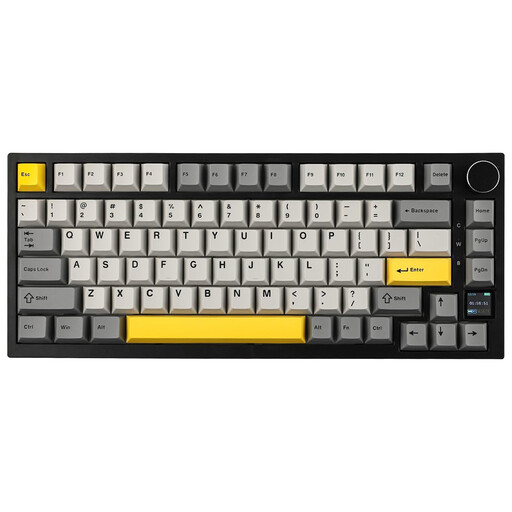
Why it suits this user: This compact model offers gamers, programmers and keyboard enthusiasts an 82-key layout, Bluetooth 5.1, 2.4GHz and USB-C. The manufacturer lists a TFT screen, RGB lighting and a 4000 mAh battery.
The 75% layout retains the arrow keys and function row. Its three connection options make it more versatile than a Bluetooth-only keyboard.
Gasket-mount construction, hot-swappable switches, PBT keycaps, a rotary dial and support for Windows and macOS, according to the product information.
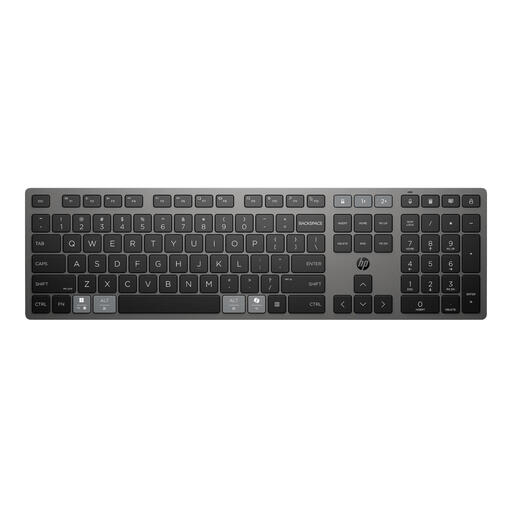
Why it suits this user: This full-size keyboard is designed for office and home use. According to the product specifications, you can connect two devices via Bluetooth and one device via a 2.4GHz receiver.
The full-size design retains the numeric keypad. The multi-device feature means you don’t have to pair it again every time you switch between your laptop and tablet.
USB-C charging while in use, programmable shortcuts and a stated battery life of up to two months.
We’ve put together a complete, up-to-date list of products that meet these strict selection criteria and the applicable European safety regulations.
It depends on how you’ll use it. Bluetooth is practical for laptops, tablets and smartphones. A 2.4GHz receiver is often more convenient for a desktop PC or gaming setup. If you use both, consider a tri-mode keyboard.
Battery life varies by model and settings. RGB lighting, 2.4GHz and heavy use generally reduce the time between charges. So don’t just check the maximum battery life claimed; also see whether it applies with the lighting on or off.
It can be, but pay attention to the type of switch and the noise level. Linear and some tactile switches are generally quieter than clicky switches. For shared workspaces, a quiet low-profile or membrane model may be more practical.
