
Vandaag of morgen in huis

Kwaliteit gegarandeerd

Welkomstaanbiedingen ontgrendelen: GRATIS bezorging | Tot 80% korting | Gratis 30 dagen JoyPlus-proefperiode
Download de app
Shopping for a new wireless keyboard can be a daunting task. The market is flooded with choices, and the wrong decision can lead to daily frustrations: a laggy connection, a constantly dead battery, or keys that just don't feel right. The goal is to find a keyboard that suits your specific needs, whether you're working from home, gaming, or looking for a reliable all-rounder. This guide will help you make an informed choice based on key specifications.
To find the right model, it's helpful to understand a few core specifications. These determine the performance, ease of use, and suitability for your tasks.
How a keyboard connects determines its flexibility.
The type of switch under the keys defines the typing experience.
A wireless keyboard needs power. The options are typically a rechargeable keyboard with a built-in battery or models that run on replaceable batteries (AA/AAA). A rechargeable model can be charged via a USB cable, sometimes even while in use. When making your choice, pay attention to the specified battery life, which can range from a few weeks to several months.
Keyboards come in various sizes. A full-size model includes a complete numeric keypad, which is essential for data entry. More compact models (TKL or 75%) omit this for a smaller footprint. A keyboard and mouse set can be a practical and cost-effective solution, as both devices operate on the same receiver and are designed to match.
Based on functionality and specifications, we've highlighted a few models that address different needs.
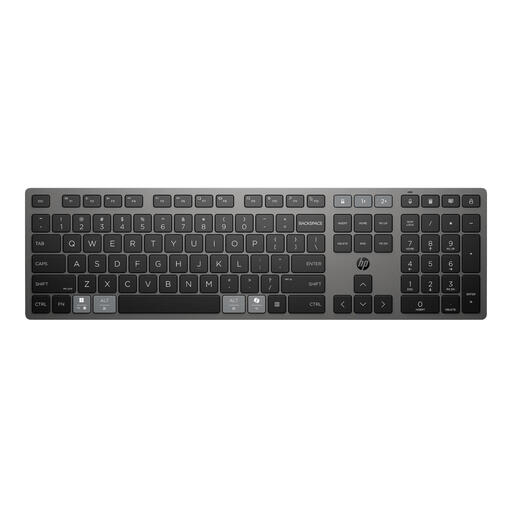
Why This Product This keyboard is designed for productivity and flexibility. Its core feature is multi-device connectivity, allowing you to seamlessly switch between three devices (two via Bluetooth, one via the 2.4 GHz HP Unifying Dongle). The charging technology is another key selling point; according to HP, the supercapacitor charges in 3 minutes for up to 2 months of use.
Benefits
Who Is It For? This model is an excellent choice for professionals and remote workers who operate on multiple devices simultaneously, such as a desktop PC, a work laptop, and a tablet. The fast-charging feature and programmable keys are aimed at users who value efficiency and minimal interruptions.
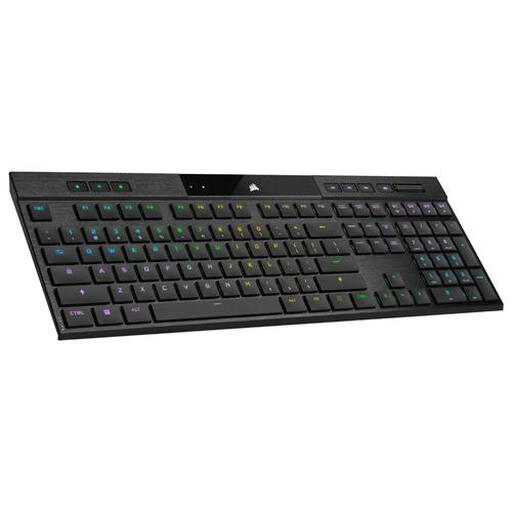
Why This Product The Corsair K100 AIR combines the performance of a mechanical gaming keyboard with a remarkably slim design (17 mm at its thickest point). It offers tri-mode connectivity (USB wired, RF Wireless, Bluetooth 4.2), making it suitable for both high-performance gaming and daily productivity.
Benefits
Who Is It For? This keyboard is aimed at gamers who demand a mechanical feel and high responsiveness but also appreciate a sleek, slim design. Its versatile connectivity options also make it suitable for content creators and professionals looking for a premium keyboard for both work and play.
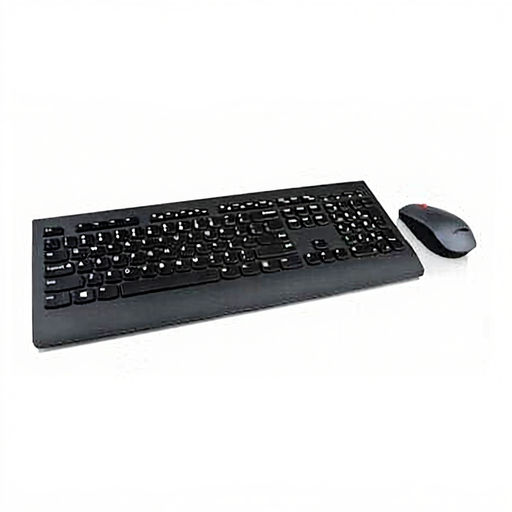
Why This Product This keyboard and mouse set from Lenovo offers a complete and straightforward solution. It's a full-size keyboard with a standard QWERTY layout and a numeric keypad, paired with a wireless mouse. Setup is simple via a single RF nano-receiver (plug-and-play).
Benefits
Who Is It For? This set is ideal for users looking for a reliable and affordable solution for an office or home workspace. It's perfect for those who want to get started right away without the hassle of settings and multiple receivers.
The search for the perfect keyboard is a personal one. You might be looking for a specific compact size, a different type of mechanical switch, or a model within another budget. Everyone has unique needs. For a broader overview of models with different specifications, you can browse our full collection.
View all USB wireless keyboard models
What is the difference between a Bluetooth and an RF wireless keyboard? An RF keyboard uses a dedicated USB dongle for a direct, often faster connection, which is preferred for gaming. A Bluetooth keyboard connects without a dongle to any device that supports Bluetooth, making it more versatile for use with laptops and tablets.
Is a mechanical keyboard better for typing? Many users find the tactile feedback and distinct 'click' of a mechanical keyboard more pleasant and accurate for extended typing sessions. However, membrane keyboards are quieter and can be more comfortable for some people. The choice is highly dependent on personal preference.
How long does the battery of a rechargeable keyboard last? Battery life varies greatly by model and usage. Factors like the use of backlighting have a major impact. Specifications can range from a few dozen hours (with RGB lighting on) to several months with standard use. Always check the manufacturer's specified battery life.
