
Vandaag of morgen in huis

Kwaliteit gegarandeerd

Welkomstaanbiedingen ontgrendelen: GRATIS bezorging | Tot 80% korting | Gratis 30 dagen JoyPlus-proefperiode
Download de app
Wireless in-ear earbuds are handy when you’re out and about, exercising, working from home or making calls. However, a long list of features doesn’t automatically mean a model is right for you. Some specifications can be interpreted broadly, while important details about fit, compatibility or battery life may be missing.
Use this practical guide to compare wireless in-ear earbuds based on details you can verify. You’ll also find out when a USB-C wired headset might be a more sensible choice.
A higher Bluetooth number mainly means that a product uses a newer connection standard. Bluetooth 5.4 earbuds, for example, may benefit from the latest connectivity features, but the listening experience also depends on the codecs and drivers used, as well as the fit and audio source.
So, don’t just check the Bluetooth version. Also look at:
A model with Bluetooth 5.4 isn’t automatically better for music than one with Bluetooth 5.3.
Earbuds with ENC noise reduction use microphones to help filter out background noise during phone calls. ENC is primarily designed to make your voice clearer to the person you’re speaking to. It’s not the same as active noise cancellation for the listener.
So, if a product page mentions “call noise cancellation” or ENC, check:
According to the product information, the AOC ACT1661 has ENC for calls. This is a manufacturer’s specification, not a guarantee that every call will sound completely free from interference in a noisy environment.
A stated battery life may refer to the earbuds plus the charging case. It’s important to check the conditions the figure is based on. Volume, codec, phone calls and low temperatures can all affect battery life.
Look out for the difference between:
Wireless earbuds with long battery life are most practical when the battery life is clearly specified.
A good fit helps stop your earbuds from needing constant adjustment when you’re walking or cycling. Check whether several sizes of ear tips are included. Half-in-ear models feel different from those with silicone tips and generally provide less isolation.
Weight and controls matter too. Physical buttons can be handy in winter, while touch controls respond quickly but may sometimes register accidental input.
The IP rating is relevant if you plan to exercise or use your earbuds outdoors. IPX7, according to the standard IP rating system, means the product is protected against temporary immersion in water under certain conditions. This rating doesn’t automatically mean the charging case is water-resistant.
So, check:
The Bluetooth in-ear models listed in the product titles have an IPX7 rating. Check the current product page for full details of the conditions of use.
Wireless earbuds with USB-C are usually charged via a case. A USB-C wired headset works differently: it uses the USB-C port directly for audio and doesn’t need a battery or Bluetooth connection.
This can be useful if you:
Bear in mind that not every USB-C port supports audio output. Also check that the controls and microphone work with your device.
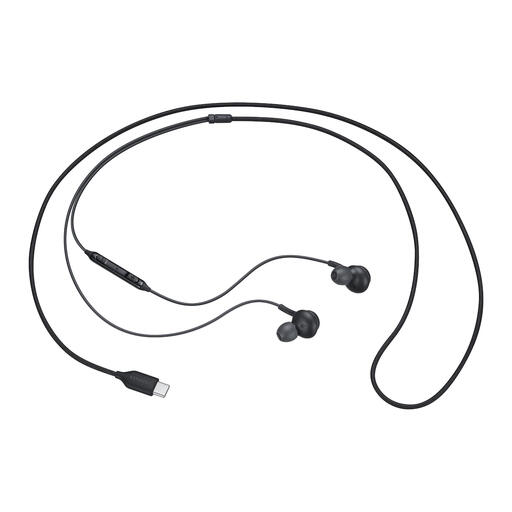
Why it suits this user: This isn’t a wireless model, but it’s a practical USB-C option for anyone who doesn’t need a battery or Bluetooth. The headset is designed for everyday calls and listening to music.
The wired connection avoids Bluetooth pairing, charging issues and extra lag. Just check that your device supports USB-C audio.
According to the product information: USB Type-C, built-in DAC, microphone, in-line controls and multiple sizes of ear tips.
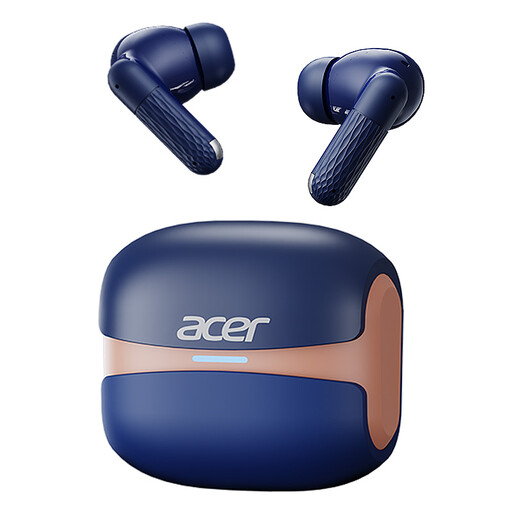
Why it suits this user: A good choice for listeners looking for one model that combines wireless use, touch controls, and features for music and calls.
The product title lists Bluetooth 5.4, HiFi decoding and call noise reduction. Before buying, check exactly which codecs and battery details are specified.
According to the product information: Bluetooth 5.4, HiFi high-definition decoding, 3D surround sound, touch controls and a USB-C charging case.
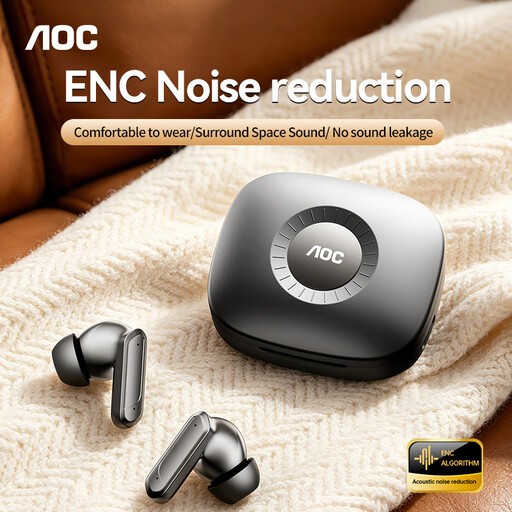
Why it suits this user: An option for users who prioritise calls, wireless listening and fast charging.
The product title specifies ENC for calls and Bluetooth 5.4. This makes the features clearer, but check the product page for practical battery life and fit details.
According to the product information: ENC call noise reduction, Bluetooth 5.4, touch controls, 3D surround sound and USB-C fast charging.
We’ve put together a complete, up-to-date list of products that meet these strict selection criteria and current European safety regulations.
Open your phone’s Bluetooth settings, charge the earbuds and put them into pairing mode. Then select the product name from the list. If they won’t connect, remove any old pairing and check that the earbuds aren’t already connected to another device.
Lifespan depends on the battery, how often you charge the earbuds, the temperature and how you store them. Battery capacity decreases over time. Keep the earbuds in their case, keep the charging contacts clean and avoid prolonged exposure to heat. An IP rating also doesn’t protect against every kind of moisture or wear and tear.
Yes, many models combine music playback with a built-in microphone. For calls, microphone placement, ENC, fit and the quality of your phone connection all matter. If low latency and ease of use are your main priorities, you could also consider a wired USB-C model.
