
Vandaag of morgen in huis

Kwaliteit gegarandeerd

Welkomstaanbiedingen ontgrendelen: GRATIS bezorging | Tot 80% korting | Gratis 30 dagen JoyPlus-proefperiode
Download de app
Wireless in-ear earbuds are handy for music, podcasts, commuting and phone calls. But a long list of features doesn’t automatically mean a model is right for you. A high Bluetooth version, “Hi-Fi” on the packaging or long battery life may sound appealing, but practical details often make the difference to everyday comfort.
Manufacturers often quote battery life under specific conditions. For example, the stated total battery life of the JBL Wave Buds 2 is based on active noise cancelling being switched off. With noise cancelling enabled, battery life may be shorter.
So check the difference between:
A charging case with USB-C is practical, but check whether a cable is included and whether wireless charging is supported.
The term “waterproof earbuds” is often used rather broadly. An IPX4 rating, as found on the Bose QuietComfort Earbuds, means protection against splashes and sweat. It doesn’t make them suitable for submersion or swimming.
A higher rating offers more protection, but always check the official product specifications. Also check the charging case: it may have a different IP rating from the earbuds themselves.
Active noise cancelling can reduce background noise, but it isn’t the only factor that determines how clearly your voice comes across during a call. The number and placement of microphones, as well as any noise reduction for calls, also matter.
If you often take calls at a station, in an office or on a busy street, it’s worth checking the microphone specifications. “Earbuds with a microphone” doesn’t automatically mean calls will be equally clear in every setting.
Bluetooth earbuds connect wirelessly to smartphones, tablets and laptops. TWS earbuds, or True Wireless Stereo earbuds, consist of two separate earbuds with no cable between the left and right sides. This gives you freedom to move, but it also means you need to charge both earbuds and the charging case.
Check in advance:
A model with Bluetooth 5.3 or Bluetooth 6.1 may offer modern connectivity, but your experience also depends on your phone and its software.
A good fit means you won’t have to keep pushing your earbuds back in. Check whether several sizes of silicone ear tips are included. If you move around a lot, stabilising wings, a neckband or a shape that stays securely in your ear may be more practical than completely separate earbuds.
Weight matters too. According to the product specifications, the JBL Wave Buds 2 weigh 3.8 grams per earbud. A low weight can feel more comfortable during longer listening sessions, but it isn’t the only factor: the shape of the casing and choosing the right ear tip also play a part.
Not everyone needs wireless earbuds. Wired in-ear headphones have no built-in battery and are ready to use as long as your device has a suitable connection.
A USB-C model with a built-in microphone, such as the Samsung EO-IC100 or Sony IER-EX15C, is worth considering if you don’t want to use Bluetooth. Do check that your device supports audio over USB-C; not every USB-C port works in the same way.
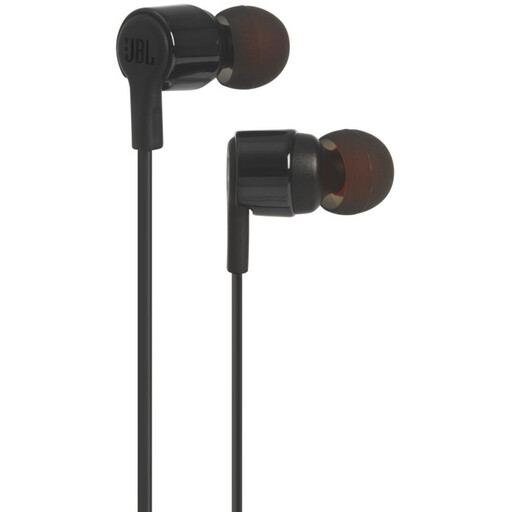
Why it suits this type of user: These wired earbuds use a 3.5 mm connection and don’t need a battery or Bluetooth pairing. They’re suitable for everyday listening with compatible phones, tablets and laptops.
There’s no battery life or charging case to consider. Just check that your device has a 3.5 mm port.
Built-in microphone, volume controls and a direct connection with no charging required.
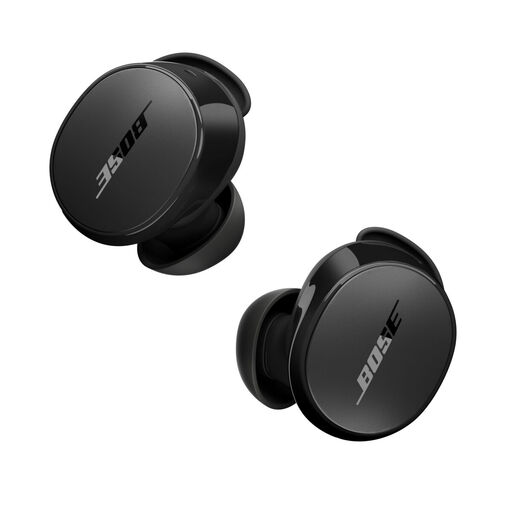
Why it suits this type of user: According to Bose, these earbuds feature active noise cancelling, an Aware mode and Bluetooth 5.3. They’re a good fit for commuting and for anyone who wants to adjust settings in an app.
The IPX4 rating makes the limits clear: they’re protected against splashes and sweat, but not submersion.
ANC, Aware mode, Bluetooth 5.3 and up to 8.5 hours of battery life according to the product specifications.
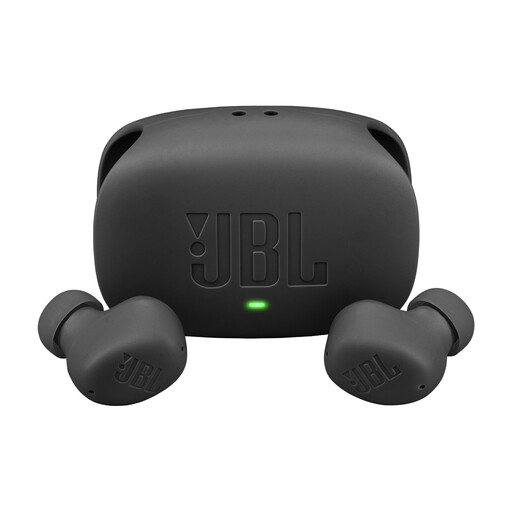
Why it suits this type of user: This model combines ANC, multipoint and a USB-C charging case. That’s handy if you regularly switch between a smartphone and laptop.
Battery life is specified with ANC switched off, making it easier to compare the claim with how you’ll use the earbuds.
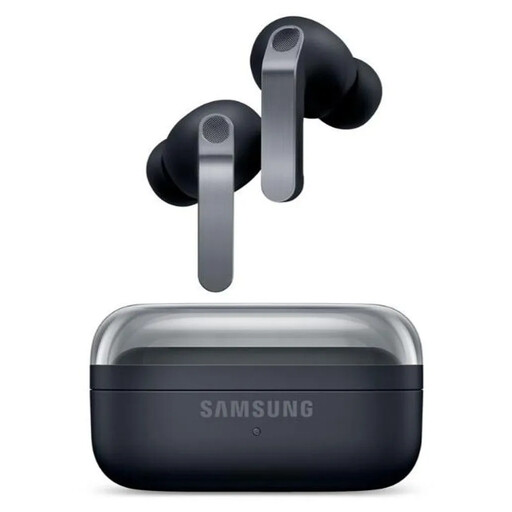
Why it suits this type of user: The product specifications list ANC, six microphones, Bluetooth 6.1, 360 Audio and integration with Galaxy devices. Check which features your Samsung phone supports before you buy.
The IP57 rating doesn’t mean they’re suitable for swimming; the product information warns against submersion.
Two-way speakers, USB-C, wireless charging and up to 30 hours of total playback without ANC, according to the listed specifications.
We’ve put together a complete, up-to-date list of products that meet these strict selection criteria and current European safety regulations.
Charge the earbuds and charging case first. Then open your phone’s Bluetooth settings, take the earbuds out of the case and select the product name from the list. Some models require a brand app for initial setup or extra features.
Battery capacity decreases over time, depending on charging cycles, temperature and use. Their practical lifespan also depends on the availability of firmware updates, the condition of the charging case and whether the battery can be replaced. Keep your earbuds dry and charge them using suitable accessories.
It depends on the IP rating and fit. For sports, a secure in-ear fit and protection against sweat or splashes are important. Always check the ratings of both the earbuds and charging case, and don’t use a model beyond its stated limits.
