
Vandaag of morgen in huis

Kwaliteit gegarandeerd

Welkomstaanbiedingen ontgrendelen: GRATIS bezorging | Tot 80% korting | Gratis 30 dagen JoyPlus-proefperiode
Download de app
A wireless headset may seem like an obvious purchase on paper. Yet many buyers later run into the same problems: a battery that lasts less long than expected, a microphone that does not work properly during calls, or a connection that turns out not to be suitable for their games console.
As a Joybuy Product Recommendation Officer, I filter product information based on practical considerations. Marketing terms are less important than verifiable specifications, connections and how you intend to use the headset.
Battery life is often presented as one large figure. In practice, play time can vary depending on the connection protocol, volume, lighting and noise cancellation settings. For example, a gaming headset with a 2.4GHz connection may have a different battery life from when it is used via Bluetooth.
Pay attention to:
A 7.1 surround sound headset usually uses virtual audio channels. This can support directional information in games, but the result also depends on the software, the game and personal preference. For listening to music, good stereo reproduction is often more important than a surround function.
As well as surround sound, look at the driver diameter, frequency range and how the headset is connected. A 50mm driver does not, by itself, mean that the sound will suit everyone, but it does provide a clearer point of comparison.
A Bluetooth headset is convenient for a smartphone, laptop or tablet. For competitive gaming, however, Bluetooth may introduce more latency than a dedicated 2.4GHz dongle. Also check whether your console supports Bluetooth audio directly. Some models only work with a PlayStation via the supplied USB transmitter or cable.
A wireless headset with multiple modes offers greater flexibility, but always check which mode is compatible with your device.
An over-ear headset fully surrounds the ear. This can be comfortable during long listening sessions and generally provides more physical isolation from ambient noise. The downside is that the design may feel warmer and heavier.
An on-ear headset rests on the ear. This type is often lighter and more compact for commuting, but may put pressure on your ears after longer periods. According to the product specifications, the Sony WH-CH520 weighs 147 grams and has an adjustable headband.
Pay attention to the following:
If you are looking for a headset for working from home, making calls or gaming, you need a headset with a microphone. A detachable microphone is useful if you also want to use the headset for music. A flip-to-mute microphone can be practical when you need to mute yourself quickly.
Note the difference between passive noise isolation and active noise cancellation. Passive isolation comes from the ear cushions and the construction. Active noise cancellation uses electronics to reduce ambient noise. According to the product description, the Sony WH-CH720N features active noise cancellation and an adjustable function via the Sony app. This is a manufacturer product specification, not a guarantee that every sound will disappear completely.
Bluetooth is suitable for everyday use and mobile devices. A 2.4GHz connection via a USB receiver is particularly interesting for gaming, as this connection works directly with a dongle on many systems. Multipoint allows you to keep two devices connected at the same time, such as a laptop and smartphone.
Before buying, check:

Why it suits this profile: This over-ear gaming headset combines Bluetooth, 2.4GHz and a 3.5mm connection. This makes it suitable for PC, smartphones and, according to the product information, PS4 and PS5.
The combination of wireless and wired connections means you are not completely dependent on a single connection method. The microphone is detachable.
50mm drivers, virtual 7.1 mode, up to 22 hours of battery life and a weight of 290 grams.
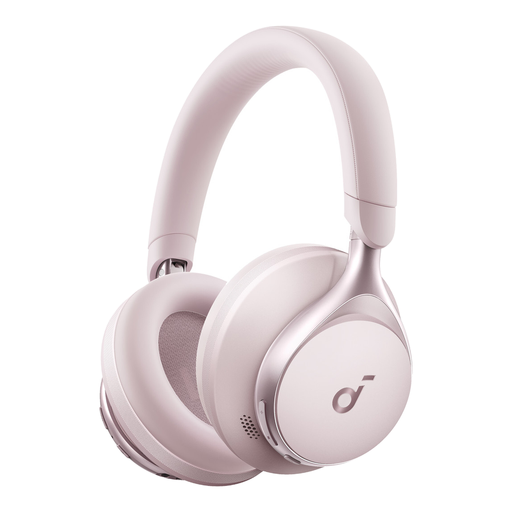
Why it suits this profile: This pink headset is designed for music, calls and everyday use. The over-ear fit and USB-C charging are well suited to long listening sessions at home or on the go.
The product information states a battery life of up to 55 hours. When buying, however, check the current product specifications and the intended usage scenario.
Wireless Bluetooth connection, soft headband and ear cushions, stereo sound and a soft pink finish.

Why it suits this profile: The 2.4GHz and Bluetooth modes are practical for long gaming sessions. The headset is designed for PC, PlayStation, Nintendo Switch, mobile devices and other Bluetooth devices.
The product information distinguishes battery life by mode: up to 120 hours via 2.4GHz and up to 200 hours via Bluetooth. This makes comparisons more transparent.
53mm drivers, detachable microphone, virtual spatial audio and USB-A and USB-C connections included.
We have put together a complete, up-to-date list of products that fully meet these strict selection criteria and the applicable European safety regulations.
Switch on the headset and activate pairing mode. Then open the Bluetooth settings in Windows or macOS and select the model from the list. With a gaming headset that uses 2.4GHz, connect the USB receiver and select the headset as the audio output and microphone.
Its lifespan depends on battery usage, charging, storage and physical wear. A battery may lose capacity over time. It is therefore worth choosing a model with USB-C, a wired backup or a clear warranty. In the Netherlands, consumers also have a statutory guarantee if a product does not have the properties they could reasonably expect.
Charging a headset generally requires very little electricity. The main practical difference is how often it needs charging. A model with long battery life, such as a headset with long battery life for everyday use, needs to be connected to the charger less frequently. Preferably use the supplied or a suitable USB-C cable, and do not continue charging a damaged battery.
