
Speakers who listen back to their own recordings
You want to assess your pace, pronunciation and clarity before practising with the group. Check that you can hear the recording clearly enough on your device.


If you’ll be listening back to yourself in a noisy room, choose over-ear headphones with noise cancelling. If you’ll mainly be recording new versions, a headset with a boom microphone and a test recording on your own device is a better choice. To stay available to speak to others while practising, look for an ambient mode or open-ear design. Fit and Bluetooth audio when the microphone is in use are also important considerations.
You want to assess your pace, pronunciation and clarity before practising with the group. Check that you can hear the recording clearly enough on your device.
If you record your presentation several times, check that the headset microphone works well with the software on your device. Jabra says the Evolve2 65 Flex has adjustable sidetone, allowing you to control how much of your own voice you hear while using the headset.
You want to be able to hear instructions or other members of the group while practising. Compare an ambient mode with an open-ear design in the room where you practise.
Best for: listening back to yourself in a noisy room.
Trade-off: greater isolation can make it harder to hear other members of the group.
Best for: recording new versions repeatedly and hearing your voice while using the headset.
Trade-off: sidetone won’t tell you how your saved recording sounds; check the connection and software too.
Best for: practising while staying available to speak to others.
Trade-off: open ears provide less physical isolation from background noise.
Best for: mainly playing existing recordings through a simpler design.
Trade-off: check the pressure on your ears, and assess the microphone and recording quality separately.
| What to consider | What to look for when buying | Who should pay particular attention? |
|---|---|---|
| New recording | Make a test recording on your own device and check which input device the software is using. | If I’m recording a new version, I want to assess what the microphone picks up. Around 26% of consumers say capturing their own voice is their main concern. |
| Listening back in a noisy environment | Compare noise cancelling and ambient mode using the same recording in the room where you practise. | If background noise distracts me, I want to be able to hear my recording clearly. Around 21% of consumers prioritise listening back without distractions. |
| Keeping in touch with the group | Test whether you can hear both the recording and someone speaking at a normal volume without turning the volume up unnecessarily. | If I want to hear instructions while practising, I need to stay available without turning up the volume. Around 21% of consumers prioritise keeping in touch with the group. |
| Wearing comfort | Pay attention to the pressure from the ear cups and headband during a practice session long enough to judge the fit. | If I listen to a presentation several times, I don’t want pressure on my ears to distract me. Around 16% of consumers make wearing comfort their top priority. |
| Features you’ll use | Compare the features you really need, battery life at your preferred setting and compatibility with your device. | If I mainly play existing recordings, I don’t want to pay for features I’ll hardly use. Around 16% of consumers prioritise balancing features with battery life. |
Noise cancelling describes a listening feature; it doesn’t tell you how clear your saved presentation will sound.
Test the microphone on your own device and listen back to the saved file before making recording quality the deciding factor.
Staying available to speak to others and blocking out background noise are different aims. Turning the volume up to drown out noise increases your exposure to sound.
Compare the modes using the same recording at a moderate volume in the room where you practise.
For the Sony WH-CH720N, Sony quotes up to 35 hours with noise cancelling on and up to 50 hours with it off.
Compare the quoted battery life for the setting you actually plan to use.
The WH-CH720N is designed for listening back to yourself with noise cancelling and an ambient sound mode. The WH-CH520 is an on-ear alternative for those who mainly want to play recordings.
According to JBL, the JBL Tune 770NC combines an over-ear design with Ambient Aware, TalkThru and the ability to connect to two Bluetooth devices.
The Evolve2 65 Flex is a communication headset for people who record new versions of their presentations and want to hear their own voice while using the headset.
According to the Dutch product page, the Shokz OpenComm2 is an open-ear communication headset with a boom microphone, designed for situations where other members of the group need to be able to speak to you.
This selection includes over-ear models for focused listening and an open-ear option for hearing the sounds around you while practising.
 No image available
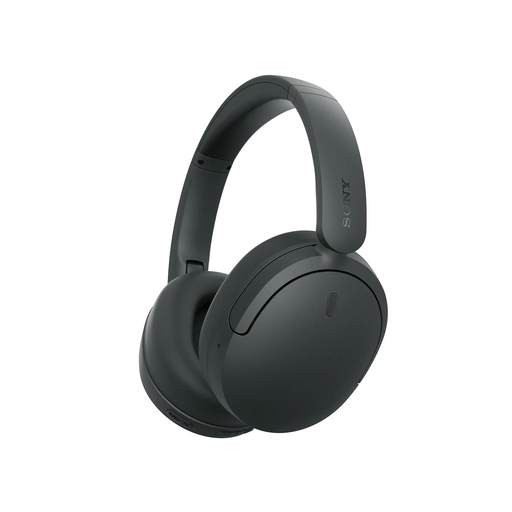
Suitable for listening back to yourself if you want to switch between noise cancelling and ambient sound.
The product description lists Bluetooth, four microphones, up to 60 hours of playback, adaptive noise cancelling and Transparency Mode.
 No image available
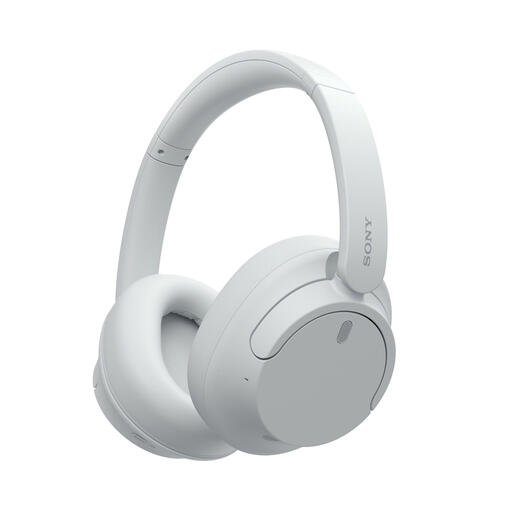
Suitable for listening back wirelessly if you want to switch between noise cancelling and ambient sound.
The product description lists multipoint, a detachable cable, noise cancelling and Ambient Sound Mode.
 No image available
Suitable for listening back to yourself with noise cancelling, and for practising when you sometimes want to hear ambient sound.
The product description lists multipoint, noise cancelling, an ambient sound mode and up to 35 hours of battery life with noise cancelling on.
 No image available
Suitable for focused listening if you also want a mode that lets ambient sound through.
The product description lists beamforming microphones, multipoint, up to 30 hours of battery life, active noise cancelling and Aware mode.
 No image available
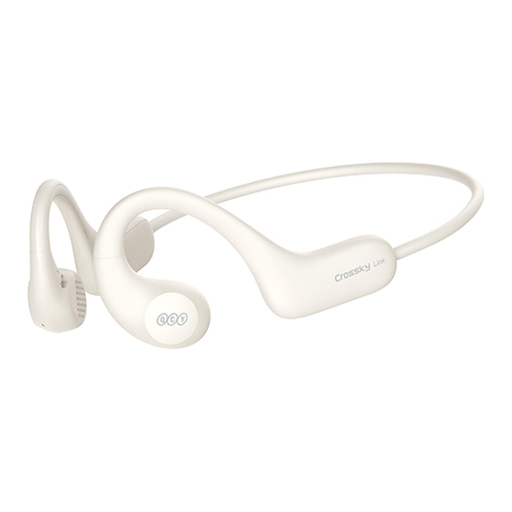
Suitable for practising when you want to keep your ears uncovered and stay available to speak to others.
The product description lists Bluetooth 5.3, up to 10 hours of battery life per charge and microphones for calls. The open-ear design provides less physical isolation than closed-back headphones.
No. On the Jabra Evolve2 65 Flex, sidetone controls how much of your own voice you hear while using the headset. Listen back to the actual saved test recording as well to assess it.
According to Microsoft Support, playback may switch to mono when the microphone is in use if your headphones, Windows PC or required drivers don’t support Bluetooth LE Audio. Also check that the correct microphone is selected as the input device.
Keep the volume as low as is practical and take breaks. The World Health Organization explains that both sound level and exposure time matter; the example of 80 dB for up to 40 hours a week isn’t a guaranteed safe volume for everyone or for every recording.
In the Netherlands, online purchases from a business often come with a 14-day cooling-off period, according to the Dutch government. There is also a legal guarantee with no fixed statutory guarantee period; if a product is faulty, the retailer is your point of contact. Check the returns policy for your specific order.
That depends on who makes the recording, who can be identified and how the recording is used. For recordings involving a school processing personal data, the Dutch Data Protection Authority lists an obligation to inform pupils and parents, among other things. Ask about the arrangements and purpose before recording or sharing; privately listening back to your own presentation is a different situation.