
Vandaag of morgen in huis

Kwaliteit gegarandeerd

Welkomstaanbiedingen ontgrendelen: GRATIS bezorging | Tot 80% korting | Gratis 30 dagen JoyPlus-proefperiode
Download de app
A pair of wireless headphones may seem easy to choose on paper: Bluetooth, long battery life and perhaps noise cancelling. In practice, models can differ significantly in comfort, microphone quality and connectivity. A headset that is comfortable for a train journey may not be suitable for long video calls or gaming.
Bear these common pitfalls in mind before you place your order:
Over-ear headphones completely surround the ear. This can be comfortable during long listening sessions and helps to physically reduce ambient noise. However, check the weight and the materials used for the ear cushions. A heavier model may feel less comfortable after a few hours.
Wireless earbuds are more compact and take up very little space. The right fit depends largely on the sizes of the supplied silicone ear tips. A poor seal can affect bass reproduction and the performance of active noise cancelling.
A neckband model offers a compromise: the earbuds remain connected to each other, making them less easy to lose while walking or exercising.
A Bluetooth headset works with many smartphones, tablets and laptops, but always check which devices are supported. Some gaming headsets use a 2.4GHz USB dongle alongside Bluetooth. This connection is designed for lower latency, but the dongle must be compatible with your console or computer.
Also look out for:
Do not just compare the highest number of hours. Also look at the conditions under which this figure was measured. For example, a model may have a different play time with noise cancelling, spatial audio or RGB lighting switched on.
A long battery life is particularly useful for travelling, working from home and gaming. A charging case extends the total usage time of earbuds, but the earbuds themselves still need to be returned to the case from time to time. Wireless charging is convenient, but check that you have a suitable Qi charger.
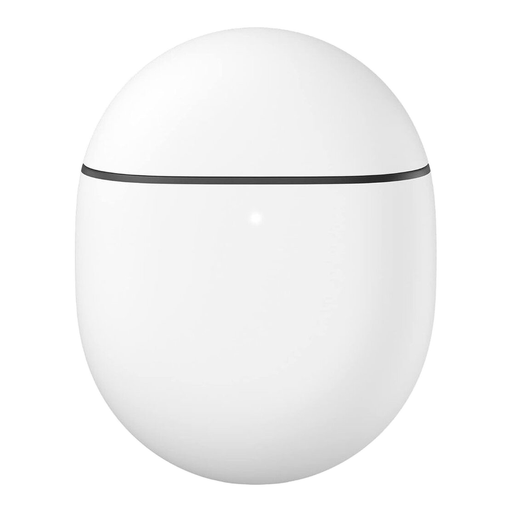
Why it suits this profile: These wireless earbuds are suitable for everyday use, commuting and listening on a smartphone. The ear tips supplied in multiple sizes make it easier to find a secure fit.
The product information lists active noise cancelling, an ambient mode and multipoint. This means you do not have to rely solely on passive isolation and can connect multiple devices.
Active noise cancelling, transparency mode, wireless charging and a 5-band equaliser according to the product specifications.
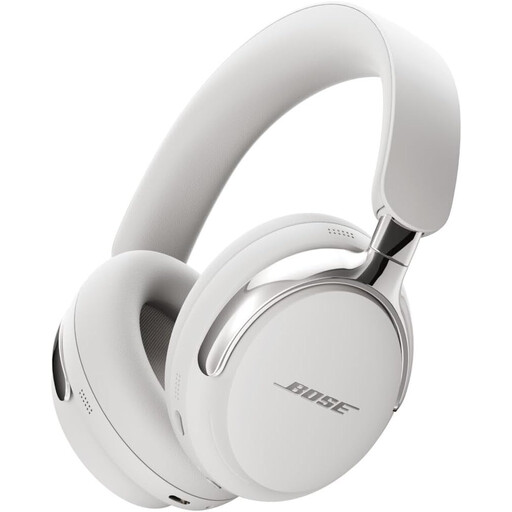
Why it suits this profile: These over-ear headphones are designed for users who combine music, films and long journeys with a comfortable headband and soft ear cushions.
According to Bose's own information, the model offers several modes, including Silent, Aware and Immersion. The stated play time is up to 30 hours, or 23 hours with immersive audio.
Over-ear design, USB-C connection for calls and charging while listening, plus built-in microphones.
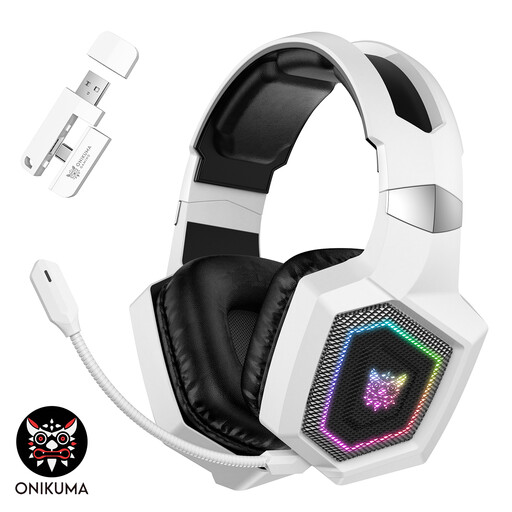
Why it suits this profile: This gaming headset is designed for players who want to switch between 2.4GHz, Bluetooth and wired Type-C audio, while using a detachable microphone.
The product description states that Bluetooth does not work directly with certain PlayStation consoles. For these devices, the supplied 2.4GHz transmitter is the recommended connection; check this before buying.
50mm drivers, detachable microphone, three connection modes and, according to the product information, up to 40 hours of gaming via 2.4GHz without lighting.
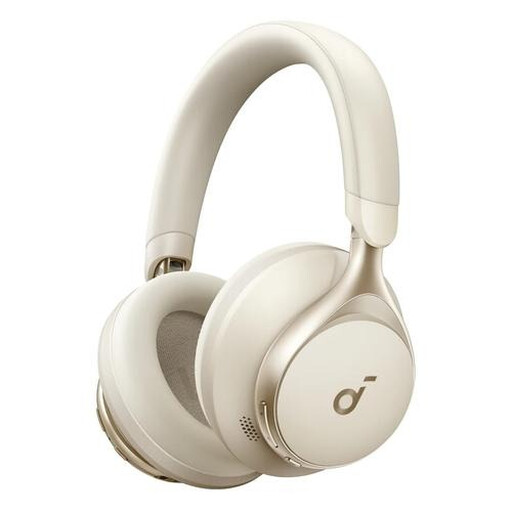
Why it suits this profile: The combination of Bluetooth and 3.5mm audio makes this headset suitable for working from home, travelling and listening to music on different devices.
The wired backup means you are not entirely dependent on the battery. According to the product information, the three built-in microphones are designed for calls.
40mm drivers, foldable design, 3.5mm connection and a stated battery life of up to 55 hours.
We have put together a complete, up-to-date list of products that fully meet these strict selection criteria and the applicable European safety regulations.
Switch on Bluetooth on your smartphone, put the headphones into pairing mode and select the product name from the list of available devices. With wireless earbuds, this often happens after you remove them from the charging case. If pairing does not work, remove an old connection and try again. Also check that the battery is sufficiently charged.
Usage time per charge varies by model and settings. Noise cancelling, spatial audio, RGB lighting and a 2.4GHz gaming connection can drain the battery more quickly. The built-in battery also has a limited lifespan. Keep the headphones dry, charge them with the recommended cable and avoid prolonged exposure to heat.
That depends on your surroundings. Active noise cancelling can be useful on train journeys, aeroplanes and in a busy office. The difference is smaller at home in a quiet room. So also compare the fit, microphone, battery life and the option to let ambient sound through. Do not use a headset at a volume that prevents you from hearing warning signals or traffic.
