
Vandaag of morgen in huis

Kwaliteit gegarandeerd

Welkomstaanbiedingen ontgrendelen: GRATIS bezorging | Tot 80% korting | Gratis 30 dagen JoyPlus-proefperiode
Download de app
A pair of wireless headphones may seem easy to choose at first glance. However, marketing terms such as “noise-free”, “professional sound” and “long battery life” can create a misleading impression. The right choice depends on how you plan to use them: everyday travel calls for different features than gaming or working from home.
Pay particular attention to these common pitfalls:
Bluetooth is usually practical for music and calls. Multipoint Bluetooth is useful if you want to connect to, for example, a laptop and smartphone at the same time. The Sony WH-CH720N and Sony WH-1000XM5 support connection to two devices according to the stated product specifications.
For a wireless gaming headset, low latency is important. A 2.4GHz connection via a USB dongle is often more suitable for this than standard Bluetooth. Do check that the dongle is compatible with your PC, PlayStation, Xbox or Nintendo Switch. The ONIKUMA GT806, for example, states that Bluetooth does not connect directly to PS4, PS5 or PC; the 2.4GHz mode is intended for this instead.
A cable is still useful as a back-up. The Soundcore Space One offers Bluetooth and a 3.5mm connection. According to the product information, the Sennheiser MOMENTUM 4 Wireless can also be used in wired mode.
Long battery life reduces the need to recharge frequently, but only compare figures under the same conditions.
Lighting, microphone use, volume and wireless mode all affect actual usage time. The ONIKUMA GT806 is quoted as offering up to 60 hours for music and video without lighting, and up to 40 hours in 2.4GHz gaming mode.
Over-ear headphones surround the ear and can therefore provide some passive noise reduction. Pay attention to the weight and shape of the earcups if you plan to wear the headphones for long periods. According to the product specifications, the Sony WH-CH720N weighs 192 grams, while the Sonos Ace weighs 312 grams.
For working from home and making calls, headphones with a microphone are more important than simply having a large number of audio modes. Look at the number and positioning of the microphones, as well as whether the microphone can be muted. A manufacturer’s claim of clear speech should be viewed as a product promise; actual clarity also depends on the app, your surroundings and the connection being used.
With headphones with noise cancellation, you need to distinguish between passive and active noise reduction. Active noise cancellation uses microphones and electronics to reduce background noise. According to Sony’s own product information, the WH-CH720N has adjustable noise cancellation via the accompanying app. When you are in traffic or cycling, use transparency mode or make sure you can hear your surroundings clearly.
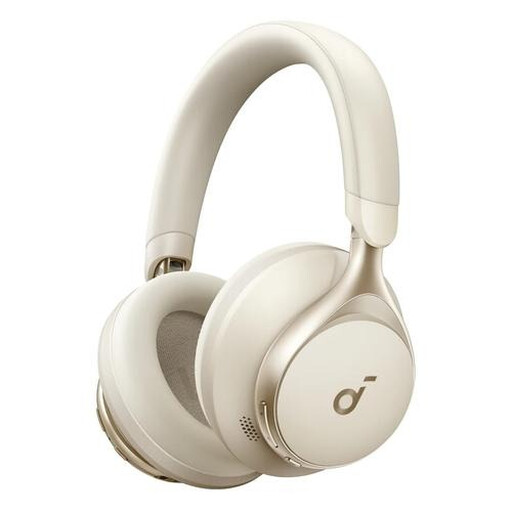
Why it suits this profile: The combination of wireless and wired connections makes this model suitable for music, calls, work and travel.
The 3.5mm connection provides an alternative when Bluetooth is unavailable or the battery is empty.
40mm drivers, foldable design, 259 grams and up to 55 hours of battery life according to the product specification.
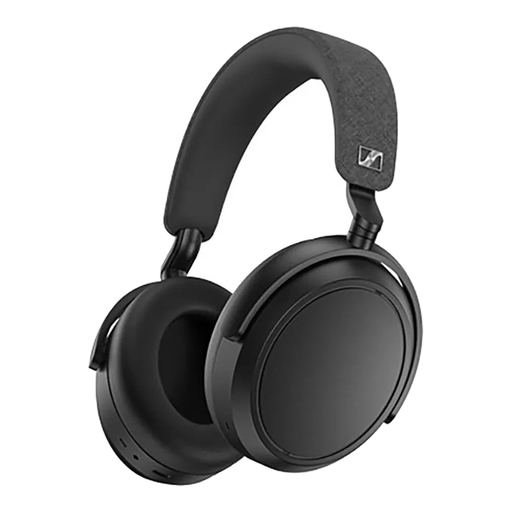
Why it suits this profile: A choice for those who value music, long listening sessions and adjustable sound features.
The product specification lists both active noise cancellation and a transparency mode, so you are not reliant solely on sound isolation.
42mm transducers, four microphones, an app with equaliser and up to 60 hours of playback according to the product information.
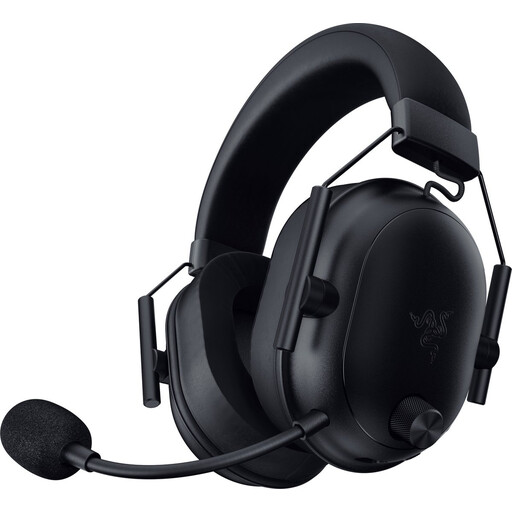
Why it suits this profile: Designed for PC and console users who need low latency and clear communication during games.
The set comes with a USB-C dongle and supports both Bluetooth and a wireless radio connection.
280 grams, 50mm drivers, detachable microphone and up to 70 hours of battery life according to the product description.
We have put together a complete, up-to-date list of products that fully meet these strict selection criteria and the applicable European safety regulations.
Put the headphones into pairing mode, open your laptop’s Bluetooth settings and select the product name. For models with multipoint, it is sensible to pair both devices separately first. A USB dongle may be required when using a gaming headset with 2.4GHz.
Their lifespan depends on the battery, hinges, ear cushions and how they are used. Store the headphones in a dry place, charge them with a suitable cable and avoid prolonged exposure to heat. A battery life of 30 to 70 hours per charge does not automatically indicate how long the battery will last overall.
ANC uses additional electronics and can reduce battery life. The size of the difference varies from model to model. Always compare the quoted battery life with ANC switched on and off. Also look for a transparency mode if you want to continue hearing announcements or traffic while travelling.
